Vape Boss: Shop Simulator 3D

Vape Boss: Shop Simulator 3D

Simulation

| DEAD TOY

Play on PC with BlueStacks or from our cloud

  • Overview
  • Game Features
  • How to Play

Page Modified On: November 10, 2025

Play Vape Boss: Shop Simulator 3D on PC or Mac

Explore a whole new adventure with Vape Boss: Shop Simulator 3D, a Simulation game created by DEAD TOY. Experience great gameplay with BlueStacks, the most popular gaming platform to play Android games on your PC or Mac.

About the Game

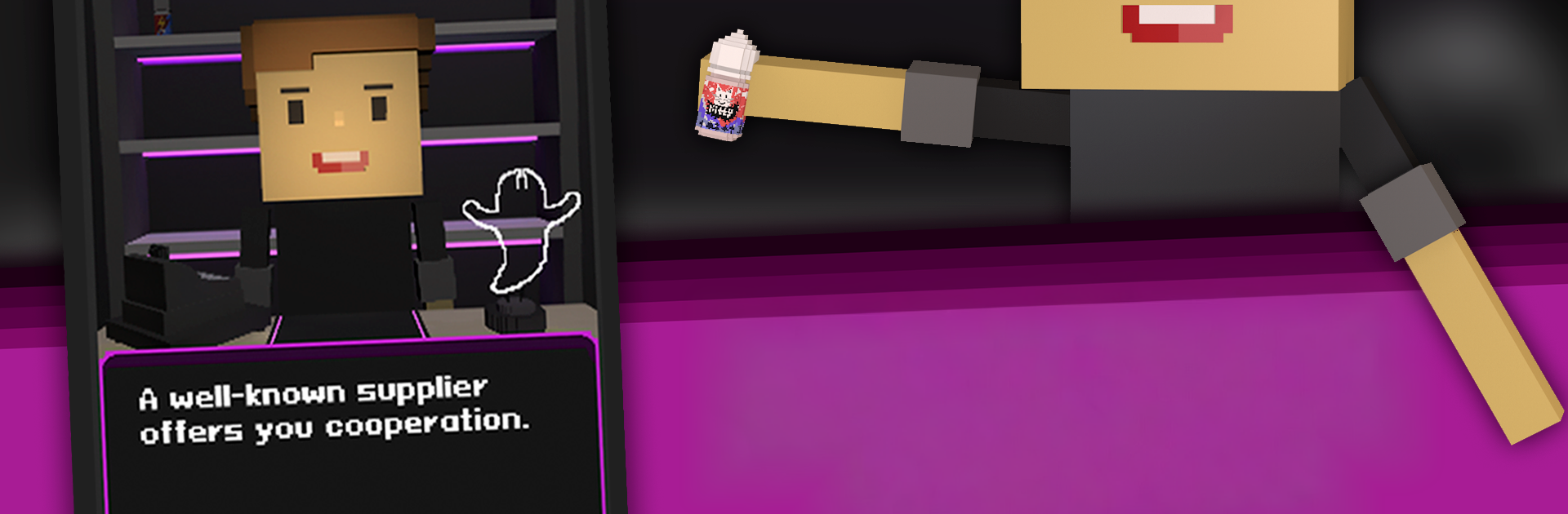
Vape Boss: Shop Simulator 3D puts you behind the counter as the owner of a growing vape store. It’s a laid-back Simulation game from DEAD TOY where you make calls that actually matter—what to stock, how to react to unexpected situations, and when to take risks for bigger rewards. Want a smoother way to click through events and mini-games? Playing on BlueStacks can be pretty handy.

Game Features

  • Decisions That Shape Your Shop: Face a steady stream of scenarios and choose how to respond. Your choices affect your cash flow, reputation, and what inventory you can unlock next.
  • Big Catalog, Real Variety: Browse a hefty lineup of devices with multiple colorways and designs. Collect pieces that make your shelves look legit.
  • Bold Flavor Selection: Stock up on unique liquid flavors and find combos that keep customers coming back.
  • Quick, Addictive Mini-Games: Jump into three fast arcade-style challenges to snag extra coins. Short bursts, solid payouts.
  • Reputation That Actually Matters: Earn clout to access premium gear and expand your offerings. High rep opens doors—simple as that.
  • 360° Item Viewer: Spin every device and bottle in full 3D, whether you’re in the store menu or checking your inventory.
  • Shelf-Style Inventory: Tap the rack behind the counter to manage everything you own, zoom in for a closer look, and keep your best sellers front and center.
  • Passive Sales Over Time: Items move on their own after a while, freeing shelf space and keeping the till ticking.
  • Built for Comfort: Toggle settings to fit your play style, and enjoy clean visuals with music and sound effects when you want them.
  • Multilingual Support: Play in your preferred language with a full set of localization options.

Ready to top the leaderboard? We bet you do. Let precise controls and sharp visuals optimized on BlueStacks lead you to victory.


Game Features

Enhancements

  • Macros
  • Multi Instance
  • Multi Instance Sync
  • Script
  • Enhancements
Macros

Macros

Automate the predictable in Vape Boss: Shop Simulator 3D and transform your gameplay with Macros. Get access to inventive Macros in the BlueStacks Macro Community
Multi Instance

Multi Instance

Play Vape Boss: Shop Simulator 3D on one window. And chat with your friend on the other. Press CTRL + Shift + 8 to open the Multi-Instance Manager. And start creating fresh instances or clone an existing one.
Multi Instance Sync

Multi Instance Sync

Play Vape Boss: Shop Simulator 3D with the power of Multi-Instance Sync. Replicate what you are doing on the main instance on all other instances. Level up faster, play more.
Script

Script

Script your way to gaming glory in Vape Boss: Shop Simulator 3D with BlueStacks Script. Write and run a set of commands to automate repeated tasks. Trigger the command by assigning it to any key.
Read More

How to Download and Play Vape Boss: Shop Simulator 3D on PC or Mac

  • Download and install BlueStacks on your PC or Mac

  • Complete Google sign-in to access the Play Store, or do it later

  • Look for Vape Boss: Shop Simulator 3D in the search bar at the top right corner

  • Click to install Vape Boss: Shop Simulator 3D from the search results

  • Complete Google sign-in (if you skipped step 2) to install Vape Boss: Shop Simulator 3D

  • Click the Vape Boss: Shop Simulator 3D icon on the home screen to start playing

video
Watch Video

Minimum System Requirements

With BlueStacks 5, you can get started on a PC that fulfills the following requirements.

  • Operating System

    Microsoft Windows 7 or above, macOS 11 (Big Sur) or above

  • Processor

    Intel, AMD or Apple Silicon Processor

  • RAM

    at least 4GB

  • HDD

    10GB Free Disk Space

Note:

* You must be an Administrator on your PC. Up to date graphics drivers from Microsoft or the chipset vendor.

Vape Boss: Shop Simulator 3D - FAQs

  • How to play Vape Boss: Shop Simulator 3D on Windows PC & Mac?

    Play Vape Boss: Shop Simulator 3D on your PC or Mac by following these simple steps.

    • Click on 'Play Vape Boss: Shop Simulator 3D on PC’ to download BlueStacks
    • Install it and log-in to Google Play Store
    • Launch and play the game.
  • Why is BlueStacks the fastest and safest platform to play games on PC?

    BlueStacks respects your privacy and is always safe and secure to use. It does not carry any malware, spyware, or any sort of additional software that could harm your PC.

    It is engineered to optimize speed and performance for a seamless gaming experience.

  • What are Vape Boss: Shop Simulator 3D PC requirements?

    Minimum requirement to run Vape Boss: Shop Simulator 3D on your PC

    • OS: Microsoft Windows 7 or above MacOS 11 (Big Sur) or above
    • Processor: Intel, AMD or Apple Silicon Processor
    • RAM: Your PC must have at least 4GB of RAM. (Note that having 4GB or more disk space is not a substitute for RAM)
    • HDD: 10GB Free Disk Space.
    • You must be an Administrator on your PC.