Zombie Food Clicker
Zombie Food Clicker

Zombie Food Clicker

Simulation

| Ratata-dev

Play on PC with BlueStacks or from our cloud

  • Overview
  • Game Features
  • How to Play

Page Modified On: January 09, 2026

Play Zombie Food Clicker on PC or Mac

Step into the World of Zombie Food Clicker, a thrilling Simulation game from the house of Ratata-dev. Play this Android game on BlueStacks App Player and experience immersive gaming on PC or Mac.

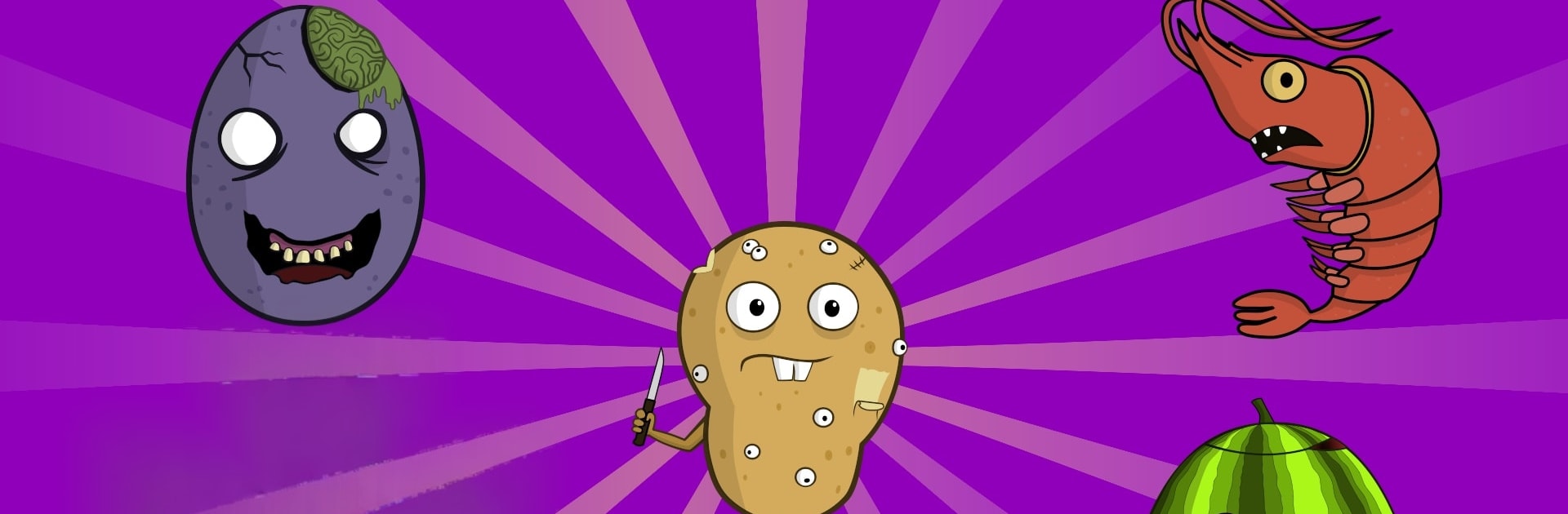
Zombie Food Clicker is a goofy tapper where a cook is stuck in a food apocalypse and solves it with kitchen junk. The bad guys are not zombies in rags, they are snacks that grew teeth. One round it is a smug cookie, next it is a burger, then a rotten egg, a sticky jelly bear, a watermelon that spits seeds, soda that hisses gasses, fries, cake, donuts, even bread that refuses to become toast. Every tap whacks them down and the weapons are hilarious, like a fly swatter, a buzzing mixer, a frying pan, maracas, or a rubber fish. Throwables show up too, things like a flower pot, a bowling ball, or weights. Bosses get the best slapstick finish, a hydraulic press that flattens them into a pancake.

Progress is simple and noisy. Coins roll in, upgrades pump hit strength and throw damage, and there are short power ups to chain. Pets can be hired to peck and bite at the horde, a bat, a red bird, a mosquito, a cat in a tiny plane, even a little dragon. It is built for long tap sessions, so playing on PC with BlueStacks helps a ton since a mouse click feels easier on the hands and key mapping can spread out the spam. The whole thing runs like a sugar rush, bright colors, chunky pops and splats, and a gallery that saves each defeated food as a sticker for collection nerds. There are in game purchases that add helpers and make progress faster, including a ninja slicer after any buy, but the core loop stays the same, tap, upgrade, and batter those mutant titans until the screen is crumbs.

Make your gaming sessions memorable with precise controls that give you an edge in close combats and visuals that pop up, bringing every character to life.


Game Features

Enhancements

  • Macros
  • Multi Instance
  • Multi Instance Sync
  • Script
  • Enhancements
Macros

Macros

Automate the predictable in Zombie Food Clicker and transform your gameplay with Macros. Get access to inventive Macros in the BlueStacks Macro Community
Multi Instance

Multi Instance

Play Zombie Food Clicker on one window. And chat with your friend on the other. Press CTRL + Shift + 8 to open the Multi-Instance Manager. And start creating fresh instances or clone an existing one.
Multi Instance Sync

Multi Instance Sync

Play Zombie Food Clicker with the power of Multi-Instance Sync. Replicate what you are doing on the main instance on all other instances. Level up faster, play more.
Script

Script

Script your way to gaming glory in Zombie Food Clicker with BlueStacks Script. Write and run a set of commands to automate repeated tasks. Trigger the command by assigning it to any key.
Read More

How to Download and Play Zombie Food Clicker on PC or Mac

  • Download and install BlueStacks on your PC or Mac

  • Complete Google sign-in to access the Play Store, or do it later

  • Look for Zombie Food Clicker in the search bar at the top right corner

  • Click to install Zombie Food Clicker from the search results

  • Complete Google sign-in (if you skipped step 2) to install Zombie Food Clicker

  • Click the Zombie Food Clicker icon on the home screen to start playing

video
Watch Video

Minimum System Requirements

With BlueStacks 5, you can get started on a PC that fulfills the following requirements.

  • Operating System

    Microsoft Windows 7 or above, macOS 11 (Big Sur) or above

  • Processor

    Intel, AMD or Apple Silicon Processor

  • RAM

    at least 4GB

  • HDD

    10GB Free Disk Space

Note:

* You must be an Administrator on your PC. Up to date graphics drivers from Microsoft or the chipset vendor.

Zombie Food Clicker - FAQs

  • How to play Zombie Food Clicker on Windows PC & Mac?

    Play Zombie Food Clicker on your PC or Mac by following these simple steps.

    • Click on 'Play Zombie Food Clicker on PC’ to download BlueStacks
    • Install it and log-in to Google Play Store
    • Launch and play the game.
  • Why is BlueStacks the fastest and safest platform to play games on PC?

    BlueStacks respects your privacy and is always safe and secure to use. It does not carry any malware, spyware, or any sort of additional software that could harm your PC.

    It is engineered to optimize speed and performance for a seamless gaming experience.

  • What are Zombie Food Clicker PC requirements?

    Minimum requirement to run Zombie Food Clicker on your PC

    • OS: Microsoft Windows 7 or above MacOS 11 (Big Sur) or above
    • Processor: Intel, AMD or Apple Silicon Processor
    • RAM: Your PC must have at least 4GB of RAM. (Note that having 4GB or more disk space is not a substitute for RAM)
    • HDD: 10GB Free Disk Space.
    • You must be an Administrator on your PC.