LuvDiary - Couple relationship

LuvDiary - Couple relationship

Social

| Azure Mir, LLC

Play on PC with BlueStacks or from our cloud

  • Overview
  • How to Download

Page Modified On: October 24, 2025

Run LuvDiary - Couple relationship on PC or Mac

Upgrade your experience. Try LuvDiary – Couple relationship, the fantastic Social app from Azure Mir, LLC, from the comfort of your laptop, PC, or Mac, only on BlueStacks.

LuvDiary feels like a shared space for two people to keep memories, plans, and tiny check-ins all in one place. The home screen can be tweaked a lot, turning features on or off and setting couple photos as the background, so it looks how they want. There is a bucket list that fills a heart and strikes items when they get done together, which feels a bit game-like without being too much. The Time Capsule is neat too, letting them lock a letter, voice note, or photo until a date they pick, then forget about it and get a surprise later.

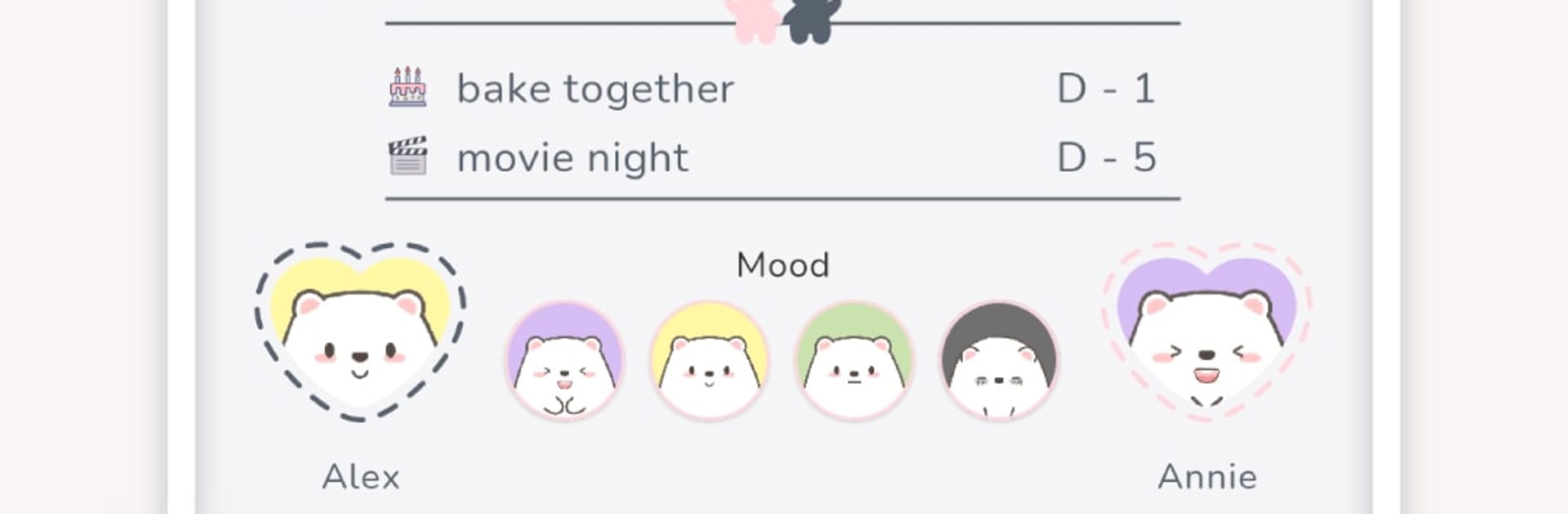
The private chat is only for the two of them and sneaks in small things that help conversation, like This or That and QnA prompts, plus Kudos cards to give each other a boost when it is needed. Daily diaries add to a shared heart count on the home screen, and there is a simple remind button if one person has not written yet. Photos and comments make entries feel more alive. They can group diaries into Collections and pin favorites, drop shared memos as checklists or text, and handle both schedules on the calendar with D-Day reminders for birthdays, trips, or any couple date that matters. A monthly heart meter reflects how consistent the diaries were, and the next ten events show right on the home. Mood sharing is lightweight, just pick a photo that matches how the day feels, and it resets every two hours so it stays current. If one person has no mood set, it shows a question mark and there is a gentle nudge button.

On PC with BlueStacks, typing journals and bucket lists with a keyboard is faster, the calendar is easier to scan on a big screen, and dragging in photos feels smooth. It is best for couples who like small daily touch points and a bit of structure, not just a chat log. There is a subscription for extra features and it auto renews unless turned off in settings, so that is worth a quick check. Overall it feels cozy, organized, and a little playful, like a low-pressure routine they can keep up together.

Ready to experience LuvDiary – Couple relationship on a bigger screen, in all its glory? Download BlueStacks now.


How to Download and Run LuvDiary - Couple relationship on PC or Mac

  • Download and install BlueStacks on your PC or Mac

  • Complete Google sign-in to access the Play Store, or do it later

  • Look for LuvDiary - Couple relationship in the search bar at the top right corner

  • Click to install LuvDiary - Couple relationship from the search results

  • Complete Google sign-in (if you skipped step 2) to install LuvDiary - Couple relationship

  • Click the LuvDiary - Couple relationship icon on the home screen to start playing

video
Watch Video

Minimum System Requirements

With BlueStacks 5, you can get started on a PC that fulfills the following requirements.

  • Operating System

    Microsoft Windows 7 or above, macOS 11 (Big Sur) or above

  • Processor

    Intel, AMD or Apple Silicon Processor

  • RAM

    at least 4GB

  • HDD

    10GB Free Disk Space

Note:

* You must be an Administrator on your PC. Up to date graphics drivers from Microsoft or the chipset vendor.

LuvDiary - Couple relationship - FAQs

  • How to Run LuvDiary - Couple relationship on Windows PC & Mac?

    Run LuvDiary - Couple relationship on your PC or Mac by following these simple steps.

    • Click on ‘Download LuvDiary - Couple relationship on PC’ to download BlueStacks
    • Install it and log-in to Google Play Store
    • Launch and run the app.
  • Why is BlueStacks the fastest and safest platform to play games on PC?

    BlueStacks respects your privacy and is always safe and secure to use. It does not carry any malware, spyware, or any sort of additional software that could harm your PC.

    It is engineered to optimize speed and performance for a seamless gaming experience.

  • What are LuvDiary - Couple relationship PC requirements?

    Minimum requirement to run LuvDiary - Couple relationship on your PC

    • OS: Microsoft Windows 7 and above:
    • Processor: Intel or AMD Processor:
    • RAM: Your PC must have at least 2GB of RAM. (Note that having 2GB or more disk space is not a substitute for RAM):
    • HDD: 5GB Free Disk Space.
    • You must be an Administrator on your PC.