
いつでも監督だ!育成編 野球シミュレーション&育成ゲーム

いつでも監督だ!育成編 野球シミュレーション&育成ゲーム

Sports

| L&C

Play on PC with BlueStacks or from our cloud

  • Overview
  • Game Features
  • How to Play

Page Modified On: August 22, 2025

Play いつでも監督だ!育成編 野球シミュレーション&育成ゲーム on PC or Mac

いつでも監督だ!育成編 野球シミュレーション&育成ゲーム brings the Sports genre to life, and throws up exciting challenges for gamers. Developed by L&C, this Android game is best experienced on BlueStacks, the World’s #1 app player for PC and Mac users.

About the Game

Always wanted to run your own baseball team, choose the lineups, tinker with strategy, and sweat over every game like a real manager? いつでも監督だ!育成編 野球シミュレーション&育成ゲーム, created by L&C, is all about putting you in charge—no pitch to swing at yourself, just pure baseball management. If you’re into stats, player development, and dreaming up pennant-winning squads, this Sports title will keep you busy. Plan your draft pick, manage the clubhouse drama, and watch your strategies play out over a full baseball season.

Game Features

  • Deep Team Management
    Take control of not just playing, but hiring, firing, scouting, and drafting. Want a star roster? Lash out in the draft, build trust with players, and handle trades or free agency with care.

  • Dynamic Player Growth
    Players don’t just improve with stats—motivation, trust, and form all matter. Watch out: if someone’s not happy, they might bolt or underperform, just like in real life.

  • Active Draft & Phoenix League
    Experience the excitement of the actual baseball draft, and test your squad’s depth with the Phoenix League feature. It’s full of tough choices and rewarding surprises.

  • Flexible Strategy System
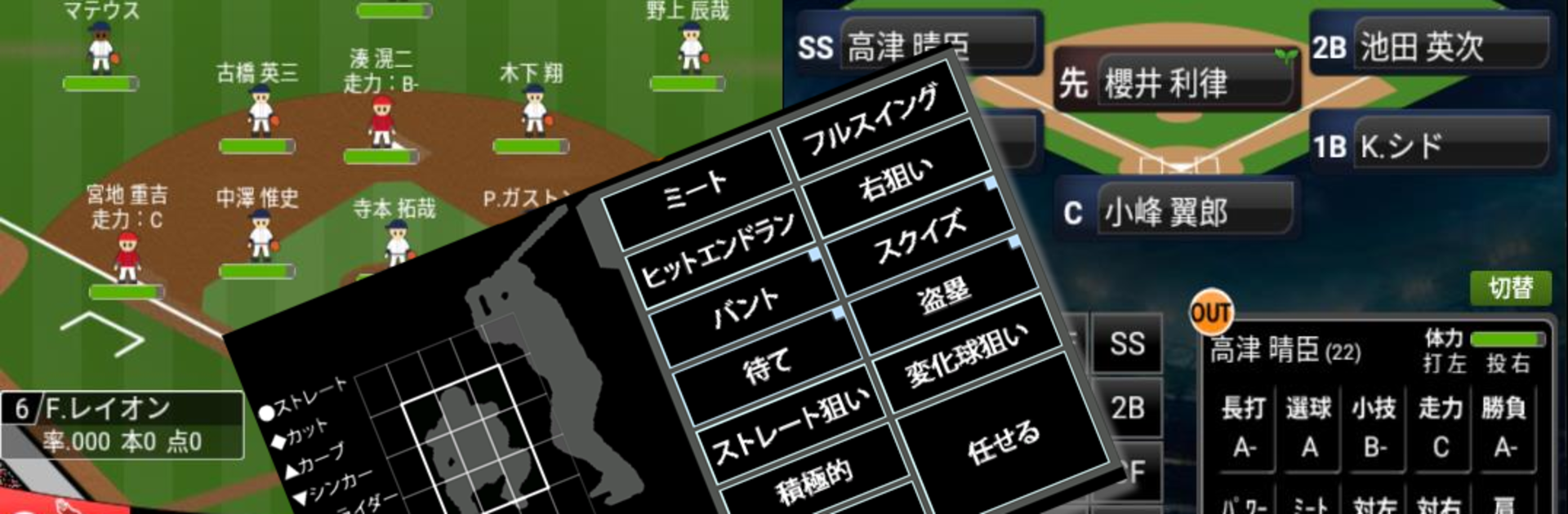
    Set tactics on the fly—tweak your defense, call for bunts or steals, and even adjust player roles. Your decisions really impact results; you won’t win everything by lining up superstars.

  • Interactive Editing Tools
    Edit almost everything: players, stadiums, managers, and team logos. Share your creations and download others’—that custom league feel is all yours.

  • Rich Game Modes
    Play exhibition matches, league seasons, interleague, and even epic international tournaments. All-star voting and championship games give you big moments to aim for.

  • Realistic Game Flow
    Stay on your toes—game flow and bullpen dynamics can swing momentum, while stamina and position fatigue can shake up your strategy mid-game.

  • Thick Roster & Updates
    Over 6,200 players are featured, with regular updates and tons of options for team-building. You can always add more under-the-radar talent by using player data from others.

  • Unique Team/Player Relationships
    Your squad isn’t a set of numbers: coach-player interactions, trust, and mood all impact success. Handle them poorly, and you might face a bench revolt—or a surprise star.

  • Perfect for Data Lovers
    If you’re all about stats, scouting, and simulation, this one’s for you. Prefer action games or fancy graphics? Probably not your jam.

  • Optimal for BlueStacks
    For the smoothest management experience, running いつでも監督だ!育成編 野球シミュレーション&育成ゲーム on BlueStacks is a solid choice—especially if you like to keep track of all those stats on a bigger screen.

Slay your opponents with your epic moves. Play it your way on BlueStacks and dominate the battlefield.


Game Features

Enhancements

  • Macros
  • Multi Instance
  • Multi Instance Sync
  • Script
  • Enhancements
Macros

Macros

Automate the predictable in いつでも監督だ!育成編 野球シミュレーション&育成ゲーム and transform your gameplay with Macros. Get access to inventive Macros in the BlueStacks Macro Community
Multi Instance

Multi Instance

Play いつでも監督だ!育成編 野球シミュレーション&育成ゲーム on one window. And chat with your friend on the other. Press CTRL + Shift + 8 to open the Multi-Instance Manager. And start creating fresh instances or clone an existing one.
Multi Instance Sync

Multi Instance Sync

Play いつでも監督だ!育成編 野球シミュレーション&育成ゲーム with the power of Multi-Instance Sync. Replicate what you are doing on the main instance on all other instances. Level up faster, play more.
Script

Script

Script your way to gaming glory in いつでも監督だ!育成編 野球シミュレーション&育成ゲーム with BlueStacks Script. Write and run a set of commands to automate repeated tasks. Trigger the command by assigning it to any key.
Read More

How to Download and Play いつでも監督だ!育成編 野球シミュレーション&育成ゲーム on PC or Mac

  • Download and install BlueStacks on your PC or Mac

  • Complete Google sign-in to access the Play Store, or do it later

  • Look for いつでも監督だ!育成編 野球シミュレーション&育成ゲーム in the search bar at the top right corner

  • Click to install いつでも監督だ!育成編 野球シミュレーション&育成ゲーム from the search results

  • Complete Google sign-in (if you skipped step 2) to install いつでも監督だ!育成編 野球シミュレーション&育成ゲーム

  • Click the いつでも監督だ!育成編 野球シミュレーション&育成ゲーム icon on the home screen to start playing

video
Watch Video

Minimum System Requirements

With BlueStacks 5, you can get started on a PC that fulfills the following requirements.

  • Operating System

    Microsoft Windows 7 or above, macOS 11 (Big Sur) or above

  • Processor

    Intel, AMD or Apple Silicon Processor

  • RAM

    at least 4GB

  • HDD

    10GB Free Disk Space

Note:

* You must be an Administrator on your PC. Up to date graphics drivers from Microsoft or the chipset vendor.

いつでも監督だ!育成編 野球シミュレーション&育成ゲーム - FAQs

  • How to play いつでも監督だ!育成編 野球シミュレーション&育成ゲーム on Windows PC & Mac?

    Play いつでも監督だ!育成編 野球シミュレーション&育成ゲーム on your PC or Mac by following these simple steps.

    • Click on 'Play いつでも監督だ!育成編 野球シミュレーション&育成ゲーム on PC’ to download BlueStacks
    • Install it and log-in to Google Play Store
    • Launch and play the game.
  • Why is BlueStacks the fastest and safest platform to play games on PC?

    BlueStacks respects your privacy and is always safe and secure to use. It does not carry any malware, spyware, or any sort of additional software that could harm your PC.

    It is engineered to optimize speed and performance for a seamless gaming experience.

  • What are いつでも監督だ!育成編 野球シミュレーション&育成ゲーム PC requirements?

    Minimum requirement to run いつでも監督だ!育成編 野球シミュレーション&育成ゲーム on your PC

    • OS: Microsoft Windows 7 or above MacOS 11 (Big Sur) or above
    • Processor: Intel, AMD or Apple Silicon Processor
    • RAM: Your PC must have at least 4GB of RAM. (Note that having 4GB or more disk space is not a substitute for RAM)
    • HDD: 10GB Free Disk Space.
    • You must be an Administrator on your PC.







