Camel Live
Camel Live

Camel Live

Sports

| Camel Media

Play on PC with BlueStacks or from our cloud

  • Overview
  • Game Features
  • How to Play

Page Modified On: November 28, 2025

Play Camel Live on PC or Mac

Camel Live brings the Sports genre to life, and throws up exciting challenges for gamers. Developed by Camel Media, this Android game is best experienced on BlueStacks, the World’s #1 app player for PC and Mac users.

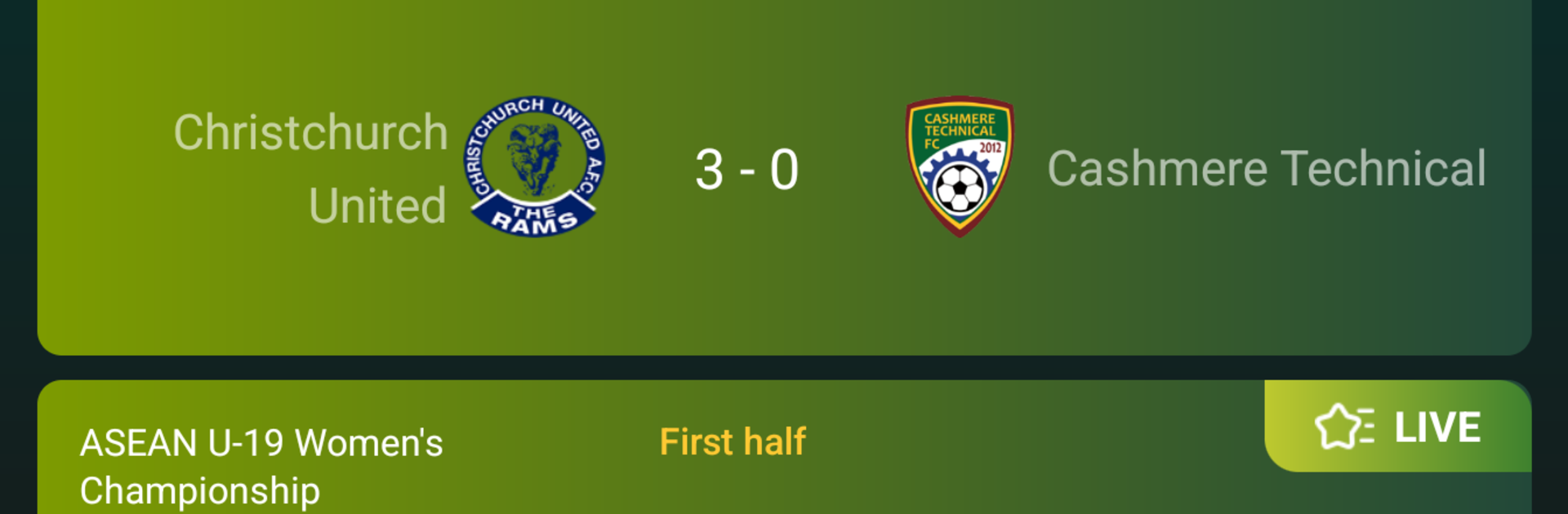
Camel Live is basically a live football control room. It opens to a clean scoreboard with ongoing matches from a bunch of leagues, and the updates come fast. Goals, cards, substitutions, extra time, all flagged clearly so a person can track a game without hunting through menus. Tap a match and there is a tidy breakdown with lineups, shots on target, possession, and rankings that actually help make sense of who is on top. The fixtures view is handy too, since it lays out upcoming kickoffs in a simple list so nothing sneaks by during a busy week. It stays focused on football and keeps the fluff out, which matters when time is short between whistles.

Running it on PC with BlueStacks makes it feel even more practical. Mouse scrolling through leagues is smooth, typing to search beats pecking on a phone keyboard, and the bigger window makes those stat tables much easier to scan while doing other stuff. Swapping between multiple live games is just a quick click, so someone can track a favorite team and still peek at a rival’s score without losing the thread. It suits a stats-heavy fan who wants player performance details, but it also works for anyone who only cares about the score and the next kickoff. Fast, straightforward, and it focuses on what matters for match day.

Ready to top the leaderboard? We bet you do. Let precise controls and sharp visuals optimized on BlueStacks lead you to victory.

Game Features

Enhancements

  • Macros
  • Multi Instance
  • Multi Instance Sync
  • Script
  • Enhancements
Macros

Macros

Automate the predictable in Camel Live and transform your gameplay with Macros. Get access to inventive Macros in the BlueStacks Macro Community
Multi Instance

Multi Instance

Play Camel Live on one window. And chat with your friend on the other. Press CTRL + Shift + 8 to open the Multi-Instance Manager. And start creating fresh instances or clone an existing one.
Multi Instance Sync

Multi Instance Sync

Play Camel Live with the power of Multi-Instance Sync. Replicate what you are doing on the main instance on all other instances. Level up faster, play more.
Script

Script

Script your way to gaming glory in Camel Live with BlueStacks Script. Write and run a set of commands to automate repeated tasks. Trigger the command by assigning it to any key.
Read More

How to Download and Play Camel Live on PC or Mac

  • Download and install BlueStacks on your PC or Mac

  • Complete Google sign-in to access the Play Store, or do it later

  • Look for Camel Live in the search bar at the top right corner

  • Click to install Camel Live from the search results

  • Complete Google sign-in (if you skipped step 2) to install Camel Live

  • Click the Camel Live icon on the home screen to start playing

video
Watch Video

Minimum System Requirements

With BlueStacks 5, you can get started on a PC that fulfills the following requirements.

  • Operating System

    Microsoft Windows 7 or above, macOS 11 (Big Sur) or above

  • Processor

    Intel, AMD or Apple Silicon Processor

  • RAM

    at least 4GB

  • HDD

    10GB Free Disk Space

Note:

* You must be an Administrator on your PC. Up to date graphics drivers from Microsoft or the chipset vendor.

Camel Live - FAQs

  • How to play Camel Live on Windows PC & Mac?

    Play Camel Live on your PC or Mac by following these simple steps.

    • Click on 'Play Camel Live on PC’ to download BlueStacks
    • Install it and log-in to Google Play Store
    • Launch and play the game.
  • Why is BlueStacks the fastest and safest platform to play games on PC?

    BlueStacks respects your privacy and is always safe and secure to use. It does not carry any malware, spyware, or any sort of additional software that could harm your PC.

    It is engineered to optimize speed and performance for a seamless gaming experience.

  • What are Camel Live PC requirements?

    Minimum requirement to run Camel Live on your PC

    • OS: Microsoft Windows 7 or above MacOS 11 (Big Sur) or above
    • Processor: Intel, AMD or Apple Silicon Processor
    • RAM: Your PC must have at least 4GB of RAM. (Note that having 4GB or more disk space is not a substitute for RAM)
    • HDD: 10GB Free Disk Space.
    • You must be an Administrator on your PC.