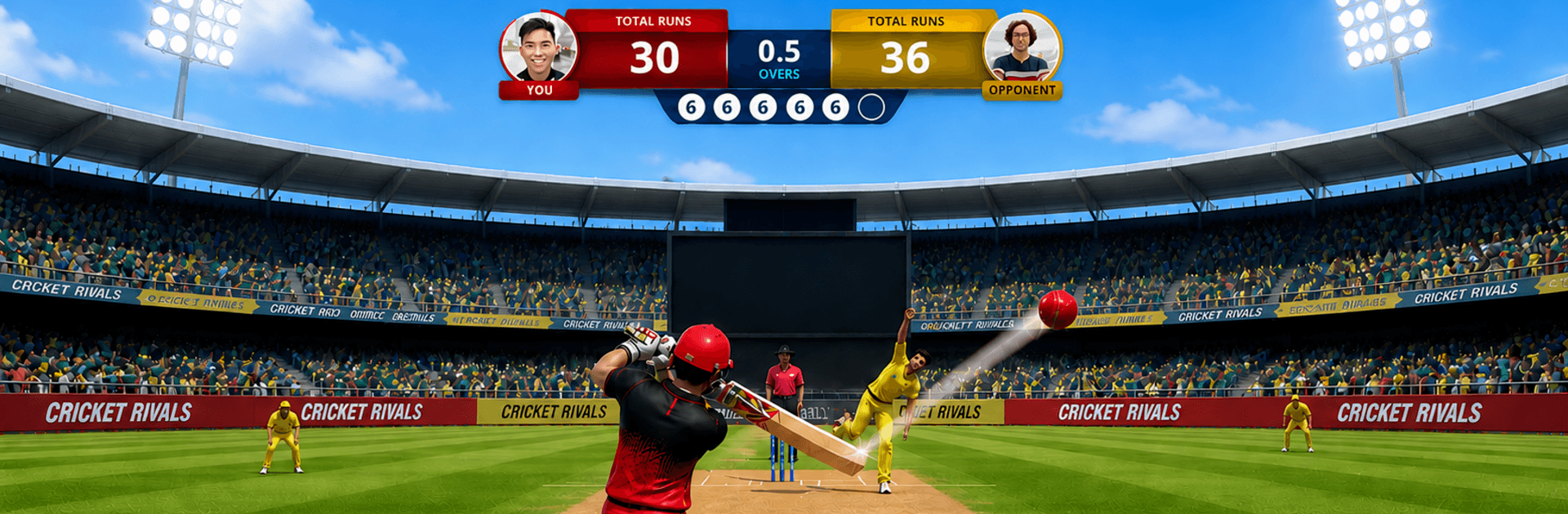
Cricket Rivals 26: Online Game

Cricket Rivals 26: Online Game

Sports

| Smash Head Studio

Play on PC with BlueStacks or from our cloud

  • Overview
  • Game Features
  • How to Play

Page Modified On: June 25, 2026

Play Cricket Rivals 26: Online Game on PC or Mac

Play Cricket Rivals 26: Online Game by Smash Head Studio on PC or Mac with BlueStacks. Use a bigger screen, mouse and keyboard controls, and smoother performance while you play.

About the Game

Cricket Rivals 26: Online Game squeezes the thrill of a full match into bite-size showdowns. It’s a fast, head-to-head Sports title where every delivery feels important and momentum can flip in a heartbeat. You’ll jump in, face a real opponent, and try to outthink them with smart batting, clever bowling, and confident timing.

Game Features

  • Real-time 1v1: Challenge real players in quick matches that finish before your coffee cools. No scripts, no bots—just you reading the opponent and reacting in the moment.
  • One-over intensity: Each clash is a single over, so every ball has consequences. Nail your yorker, find the gap, and make those six deliveries count.
  • Global leagues and leaderboards: Rack up trophies and climb through competitive tiers. It’s all about consistent play and cool nerves when the chase gets tight.
  • Build your XI: Collect and assemble a squad that fits your style. Mix dependable anchors with big hitters and strike bowlers for a balanced lineup.
  • Customize your look and feel: Tweak kit colors, choose a batting stance, and shape your signature shot style so your gameplay has personality.
  • Bat and bowl, both ways: Read the field, judge the length, and time your swings. On the other side, vary pace and line to force mistakes and protect your total.
  • Pick-up-and-play controls: Simple taps make it easy to start, but mastering timing, placement, and matchups is where the real edge comes from.
  • Stadiums and gear: Unlock venues and equipment to refresh the vibe and fine-tune how you like to compete.
  • Play on your terms: Perfect for short sessions on the go, and it also runs smoothly on BlueStacks if you’d rather play on a bigger screen.

Get ready for a buttery smooth, high-performance gaming action only on BlueStacks.

Game Features

Enhancements

  • Macros
  • Multi Instance
  • Multi Instance Sync
  • Script
  • Enhancements
Macros

Macros

Automate the predictable in Cricket Rivals 26: Online Game and transform your gameplay with Macros. Get access to inventive Macros in the BlueStacks Macro Community
Multi Instance

Multi Instance

Play Cricket Rivals 26: Online Game on one window. And chat with your friend on the other. Press CTRL + Shift + 8 to open the Multi-Instance Manager. And start creating fresh instances or clone an existing one.
Multi Instance Sync

Multi Instance Sync

Play Cricket Rivals 26: Online Game with the power of Multi-Instance Sync. Replicate what you are doing on the main instance on all other instances. Level up faster, play more.
Script

Script

Script your way to gaming glory in Cricket Rivals 26: Online Game with BlueStacks Script. Write and run a set of commands to automate repeated tasks. Trigger the command by assigning it to any key.
Read More

How to Download and Play Cricket Rivals 26: Online Game on PC or Mac

  • Download and install BlueStacks on your PC or Mac

  • Complete Google sign-in to access the Play Store, or do it later

  • Look for Cricket Rivals 26: Online Game in the search bar at the top right corner

  • Click to install Cricket Rivals 26: Online Game from the search results

  • Complete Google sign-in (if you skipped step 2) to install Cricket Rivals 26: Online Game

  • Click the Cricket Rivals 26: Online Game icon on the home screen to start playing

video
Watch Video

Minimum System Requirements

With BlueStacks 5, you can get started on a PC that fulfills the following requirements.

  • Operating System

    Microsoft Windows 7 or above, macOS 11 (Big Sur) or above

  • Processor

    Intel, AMD or Apple Silicon Processor

  • RAM

    at least 4GB

  • HDD

    10GB Free Disk Space

Note:

* You must be an Administrator on your PC. Up to date graphics drivers from Microsoft or the chipset vendor.

Cricket Rivals 26: Online Game - FAQs

  • How to play Cricket Rivals 26: Online Game on Windows PC & Mac?

    Play Cricket Rivals 26: Online Game on your PC or Mac by following these simple steps.

    • Click on 'Play Cricket Rivals 26: Online Game on PC’ to download BlueStacks
    • Install it and log-in to Google Play Store
    • Launch and play the game.
  • Why is BlueStacks the fastest and safest platform to play games on PC?

    BlueStacks respects your privacy and is always safe and secure to use. It does not carry any malware, spyware, or any sort of additional software that could harm your PC.

    It is engineered to optimize speed and performance for a seamless gaming experience.

  • What are Cricket Rivals 26: Online Game PC requirements?

    Minimum requirement to run Cricket Rivals 26: Online Game on your PC

    • OS: Microsoft Windows 7 or above MacOS 11 (Big Sur) or above
    • Processor: Intel, AMD or Apple Silicon Processor
    • RAM: Your PC must have at least 4GB of RAM. (Note that having 4GB or more disk space is not a substitute for RAM)
    • HDD: 10GB Free Disk Space.
    • You must be an Administrator on your PC.