
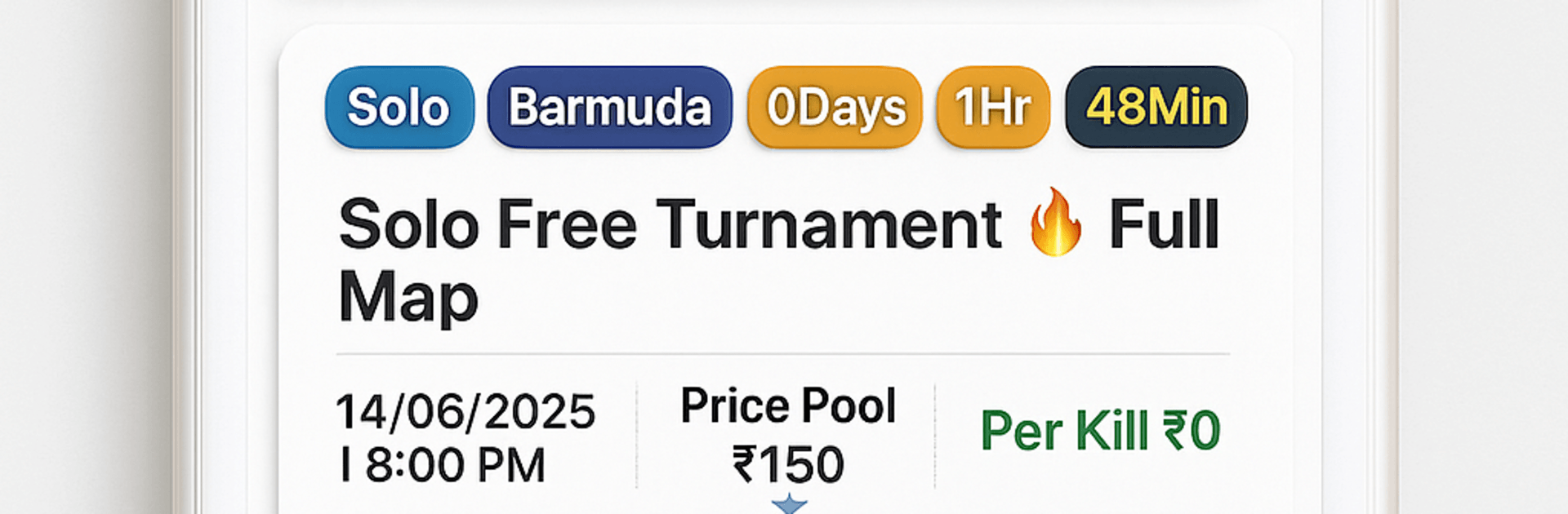
GT Battle - FFF Tournament App

GT Battle - FFF Tournament App

Sports

| OmniFluxs Services Pvt Ltd

Play on PC with BlueStacks or from our cloud

  • Overview
  • How to Download

Page Modified On: July 06, 2026

Run GT Battle - FFF Tournament App on PC or Mac

Why limit yourself to your small screen on the phone? Run GT Battle – FFF Tournament App, an app by OmniFluxs Services Pvt Ltd, best experienced on your PC or Mac with BlueStacks, the world’s #1 Android emulator.

About the Game

GT Battle – FFF Tournament App is a fast, friendly way to jump into real competition without the paywalls. It’s all about free, skill-based tournaments where you can test yourself against other players, show what you can do, and start building a name in the community. No deposits, no betting—just clean matches and bragging rights earned the honest way.

Game Features

  • Daily Free Tournaments: New brackets open regularly, so there’s almost always a match to join—and you never pay an entry fee.
  • Pure Skill, No Gambling: Every result comes down to gameplay. No deposits, no betting, no money-added pressure—just fair competition.
  • Esports Feel, Simple Setup: Organized match formats, clear rules, and smooth participation give you that competitive vibe without the headache.
  • Recognition That Counts: Earn shout-outs and community respect for consistent play. Rewards may be available, subject to terms.
  • Solo or Squad Play: Jump in alone or team up with friends to take on bigger challenges together.
  • Safe and Transparent: Built as a secure, fair platform with a focus on honest matches and a positive community.
  • Fresh Challenges Often: Expect rotating events and new competition formats to keep things interesting.
  • For Newbies and Pros Alike: Easy to pick up if you’re just starting, deep enough to stay engaging if you’ve been grinding for a while.
  • Third-Party Tournament Hub: Not affiliated with any specific game publisher—just a clean space to compete across popular titles.
  • Play Your Way: Prefer a bigger screen and comfy controls? Run it on BlueStacks and keep the competition going on your PC.

Ready to experience GT Battle – FFF Tournament App on a bigger screen, in all its glory? Download BlueStacks now.


How to Download and Run GT Battle - FFF Tournament App on PC or Mac

  • Download and install BlueStacks on your PC or Mac

  • Complete Google sign-in to access the Play Store, or do it later

  • Look for GT Battle - FFF Tournament App in the search bar at the top right corner

  • Click to install GT Battle - FFF Tournament App from the search results

  • Complete Google sign-in (if you skipped step 2) to install GT Battle - FFF Tournament App

  • Click the GT Battle - FFF Tournament App icon on the home screen to start playing

video
Watch Video

Minimum System Requirements

With BlueStacks 5, you can get started on a PC that fulfills the following requirements.

  • Operating System

    Microsoft Windows 7 or above, macOS 11 (Big Sur) or above

  • Processor

    Intel, AMD or Apple Silicon Processor

  • RAM

    at least 4GB

  • HDD

    10GB Free Disk Space

Note:

* You must be an Administrator on your PC. Up to date graphics drivers from Microsoft or the chipset vendor.

GT Battle - FFF Tournament App - FAQs

  • How to Run GT Battle - FFF Tournament App on Windows PC & Mac?

    Run GT Battle - FFF Tournament App on your PC or Mac by following these simple steps.

    • Click on ‘Download GT Battle - FFF Tournament App on PC’ to download BlueStacks
    • Install it and log-in to Google Play Store
    • Launch and run the app.
  • Why is BlueStacks the fastest and safest platform to play games on PC?

    BlueStacks respects your privacy and is always safe and secure to use. It does not carry any malware, spyware, or any sort of additional software that could harm your PC.

    It is engineered to optimize speed and performance for a seamless gaming experience.

  • What are GT Battle - FFF Tournament App PC requirements?

    Minimum requirement to run GT Battle - FFF Tournament App on your PC

    • OS: Microsoft Windows 7 and above:
    • Processor: Intel or AMD Processor:
    • RAM: Your PC must have at least 2GB of RAM. (Note that having 2GB or more disk space is not a substitute for RAM):
    • HDD: 5GB Free Disk Space.
    • You must be an Administrator on your PC.



