Hollywoodbets Play
Hollywoodbets Play

Hollywoodbets Play

Sports

| RIVALS PUBLISHING LIMITED

Play on PC with BlueStacks or from our cloud

  • Overview
  • Game Features
  • How to Play

Page Modified On: October 24, 2025

Play Hollywoodbets Play on PC or Mac

From the innovators and creators at RIVALS PUBLISHING LIMITED, Hollywoodbets Play is another fun addition to the World of Sports games. Go beyond your mobile screen and play it bigger and better on your PC or Mac. An immersive experience awaits you.

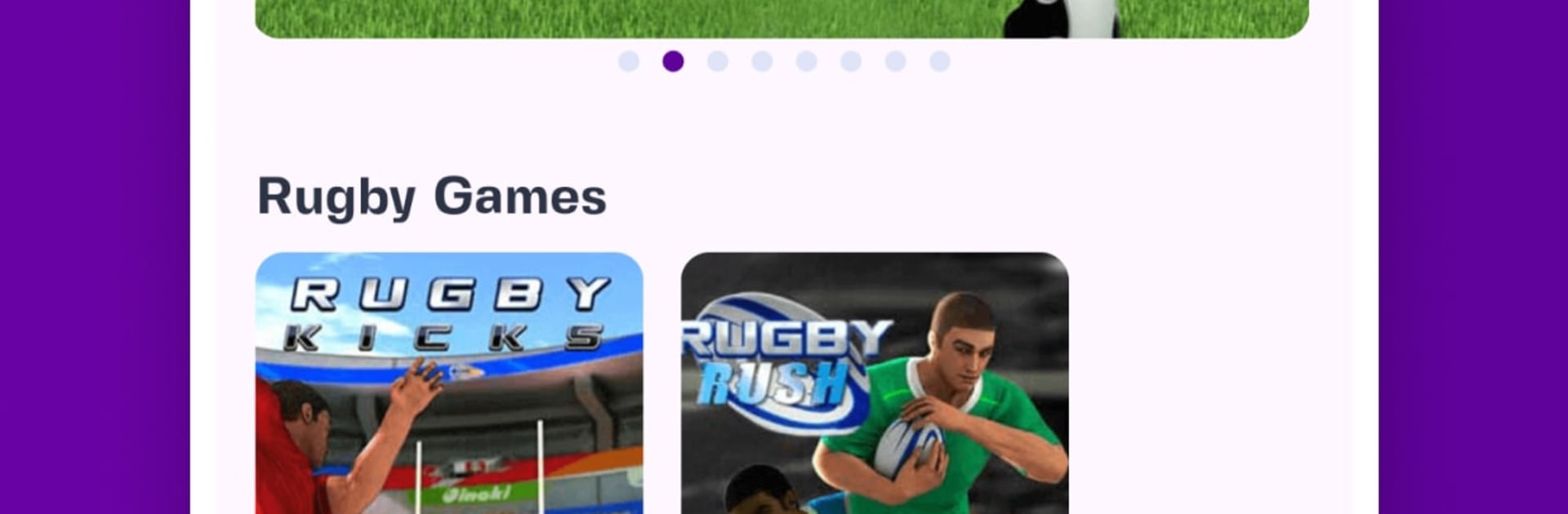
Hollywoodbets Play feels like a shelf of quick arcade challenges bundled in one place, all about fast rounds and score chasing. It is not a deep simulator. Think short bursts where timing and reactions matter, then right back in for another try. The lineup jumps between high-speed racing and simple sports skill-tests. Car Rush and Formula Rush are straight to the point: steer through traffic, manage corners, avoid bumps, beat the clock. Penalty Kicks and Crossbar Challenge are all about aim and nerve, the little pause before the shot is oddly tense. Rugby Rush turns into a lane-dodging sprint with tackles coming from awkward angles. Cricket Batter lives or dies on timing the swing cleanly. Ultimate Swish Basketball gives exactly sixty seconds to rain threes, which sounds easy until the timer eats the last few shots.

On PC with BlueStacks it plays smooth and clean, and mapping keys makes the racers feel a lot better than swiping a screen. Mouse aiming helps with penalties and the basketball arc, so the accuracy bits feel fair. Rounds are so short that chasing a higher score or climbing the leaderboard never feels like a slog. It suits anyone who likes old-school arcade pacing, wants quick wins during a break, and does not want to learn pages of controls just to have some fun.

Slay your opponents with your epic moves. Play it your way on BlueStacks and dominate the battlefield.


Game Features

Enhancements

  • Macros
  • Multi Instance
  • Multi Instance Sync
  • Script
  • Enhancements
Macros

Macros

Automate the predictable in Hollywoodbets Play and transform your gameplay with Macros. Get access to inventive Macros in the BlueStacks Macro Community
Multi Instance

Multi Instance

Play Hollywoodbets Play on one window. And chat with your friend on the other. Press CTRL + Shift + 8 to open the Multi-Instance Manager. And start creating fresh instances or clone an existing one.
Multi Instance Sync

Multi Instance Sync

Play Hollywoodbets Play with the power of Multi-Instance Sync. Replicate what you are doing on the main instance on all other instances. Level up faster, play more.
Script

Script

Script your way to gaming glory in Hollywoodbets Play with BlueStacks Script. Write and run a set of commands to automate repeated tasks. Trigger the command by assigning it to any key.
Read More

How to Download and Play Hollywoodbets Play on PC or Mac

  • Download and install BlueStacks on your PC or Mac

  • Complete Google sign-in to access the Play Store, or do it later

  • Look for Hollywoodbets Play in the search bar at the top right corner

  • Click to install Hollywoodbets Play from the search results

  • Complete Google sign-in (if you skipped step 2) to install Hollywoodbets Play

  • Click the Hollywoodbets Play icon on the home screen to start playing

video
Watch Video

Minimum System Requirements

With BlueStacks 5, you can get started on a PC that fulfills the following requirements.

  • Operating System

    Microsoft Windows 7 or above, macOS 11 (Big Sur) or above

  • Processor

    Intel, AMD or Apple Silicon Processor

  • RAM

    at least 4GB

  • HDD

    10GB Free Disk Space

Note:

* You must be an Administrator on your PC. Up to date graphics drivers from Microsoft or the chipset vendor.

Hollywoodbets Play - FAQs

  • How to play Hollywoodbets Play on Windows PC & Mac?

    Play Hollywoodbets Play on your PC or Mac by following these simple steps.

    • Click on 'Play Hollywoodbets Play on PC’ to download BlueStacks
    • Install it and log-in to Google Play Store
    • Launch and play the game.
  • Why is BlueStacks the fastest and safest platform to play games on PC?

    BlueStacks respects your privacy and is always safe and secure to use. It does not carry any malware, spyware, or any sort of additional software that could harm your PC.

    It is engineered to optimize speed and performance for a seamless gaming experience.

  • What are Hollywoodbets Play PC requirements?

    Minimum requirement to run Hollywoodbets Play on your PC

    • OS: Microsoft Windows 7 or above MacOS 11 (Big Sur) or above
    • Processor: Intel, AMD or Apple Silicon Processor
    • RAM: Your PC must have at least 4GB of RAM. (Note that having 4GB or more disk space is not a substitute for RAM)
    • HDD: 10GB Free Disk Space.
    • You must be an Administrator on your PC.