
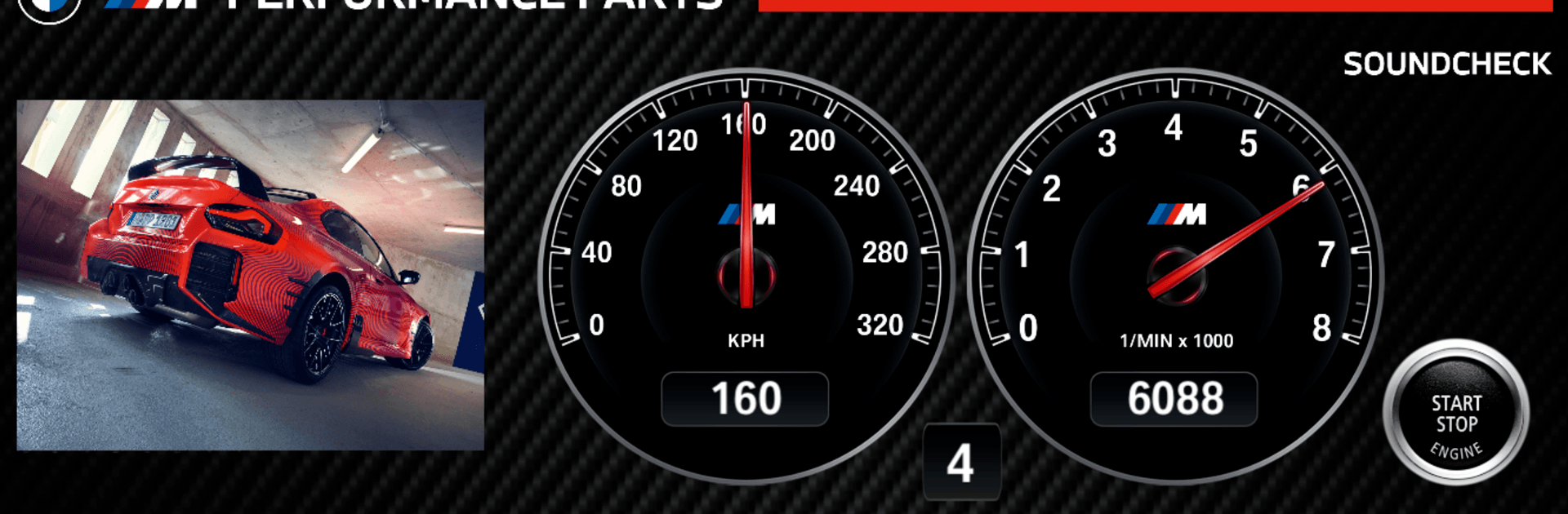
M Performance Sound Player

M Performance Sound Player

Sports

| INATRONIC

Play on PC with BlueStacks or from our cloud

  • Overview
  • How to Download

Page Modified On: July 14, 2026

Run M Performance Sound Player on PC or Mac

Upgrade your experience. Try M Performance Sound Player, the fantastic Sports app from INATRONIC, from the comfort of your laptop, PC, or Mac, only on BlueStacks.

About the Game

M Performance Sound Player is all about the thrill of exhaust notes—clean, loud, and unmistakably sporty. Fire it up and explore how different systems sound under load, at steady cruise, and through gear changes. It’s a neat way to hear the difference between stock and performance setups without stepping into a garage.

Game Features

  • Authentic Engine Audio: Hear detailed, high‑quality recordings from performance systems alongside factory exhausts, captured to showcase tone, texture, and character.
  • Full Rev-Range Playback: Listen to the soundtrack across the entire range—light throttle to hard pulls—and catch every shift along the way.
  • Instant A/B Switching: Curious how much punchier a performance system is? Flip between stock and upgraded sounds in real time for a true side‑by‑side comparison.
  • Dynamic Driving Sequences: Experience realistic acceleration and deceleration clips that highlight how the note changes under load.
  • Expanding Library: Browse a built‑in catalog and download additional sound files as new setups are added, keeping your collection fresh.
  • Simple, Hands-On Controls: Clean controls make it easy to start, stop, scrub, and toggle between sound sets without fuss.
  • Sounds Great on Desktop: Want bigger speakers or headphones? Run it with BlueStacks on your PC and let the audio breathe.

BlueStacks brings your apps to life on a bigger screen—seamless and straightforward.

How to Download and Run M Performance Sound Player on PC or Mac

  • Download and install BlueStacks on your PC or Mac

  • Complete Google sign-in to access the Play Store, or do it later

  • Look for M Performance Sound Player in the search bar at the top right corner

  • Click to install M Performance Sound Player from the search results

  • Complete Google sign-in (if you skipped step 2) to install M Performance Sound Player

  • Click the M Performance Sound Player icon on the home screen to start playing

video
Watch Video

Minimum System Requirements

With BlueStacks 5, you can get started on a PC that fulfills the following requirements.

  • Operating System

    Microsoft Windows 7 or above, macOS 11 (Big Sur) or above

  • Processor

    Intel, AMD or Apple Silicon Processor

  • RAM

    at least 4GB

  • HDD

    10GB Free Disk Space

Note:

* You must be an Administrator on your PC. Up to date graphics drivers from Microsoft or the chipset vendor.

M Performance Sound Player - FAQs

  • How to Run M Performance Sound Player on Windows PC & Mac?

    Run M Performance Sound Player on your PC or Mac by following these simple steps.

    • Click on ‘Download M Performance Sound Player on PC’ to download BlueStacks
    • Install it and log-in to Google Play Store
    • Launch and run the app.
  • Why is BlueStacks the fastest and safest platform to play games on PC?

    BlueStacks respects your privacy and is always safe and secure to use. It does not carry any malware, spyware, or any sort of additional software that could harm your PC.

    It is engineered to optimize speed and performance for a seamless gaming experience.

  • What are M Performance Sound Player PC requirements?

    Minimum requirement to run M Performance Sound Player on your PC

    • OS: Microsoft Windows 7 and above:
    • Processor: Intel or AMD Processor:
    • RAM: Your PC must have at least 2GB of RAM. (Note that having 2GB or more disk space is not a substitute for RAM):
    • HDD: 5GB Free Disk Space.
    • You must be an Administrator on your PC.




