
Mini Golf Clash: Golf Games

Mini Golf Clash: Golf Games

Sports

| Turboplay Games

Play on PC with BlueStacks or from our cloud

  • Overview
  • Game Features
  • How to Play

Page Modified On: June 25, 2026

Play Mini Golf Clash: Golf Games on PC or Mac

Bring your A-game to Mini Golf Clash: Golf Games, the Sports game sensation from Turboplay Games. Give your gameplay the much-needed boost with precise game controls, high FPS graphics, and top-tier features on your PC or Mac with BlueStacks.

About the Game

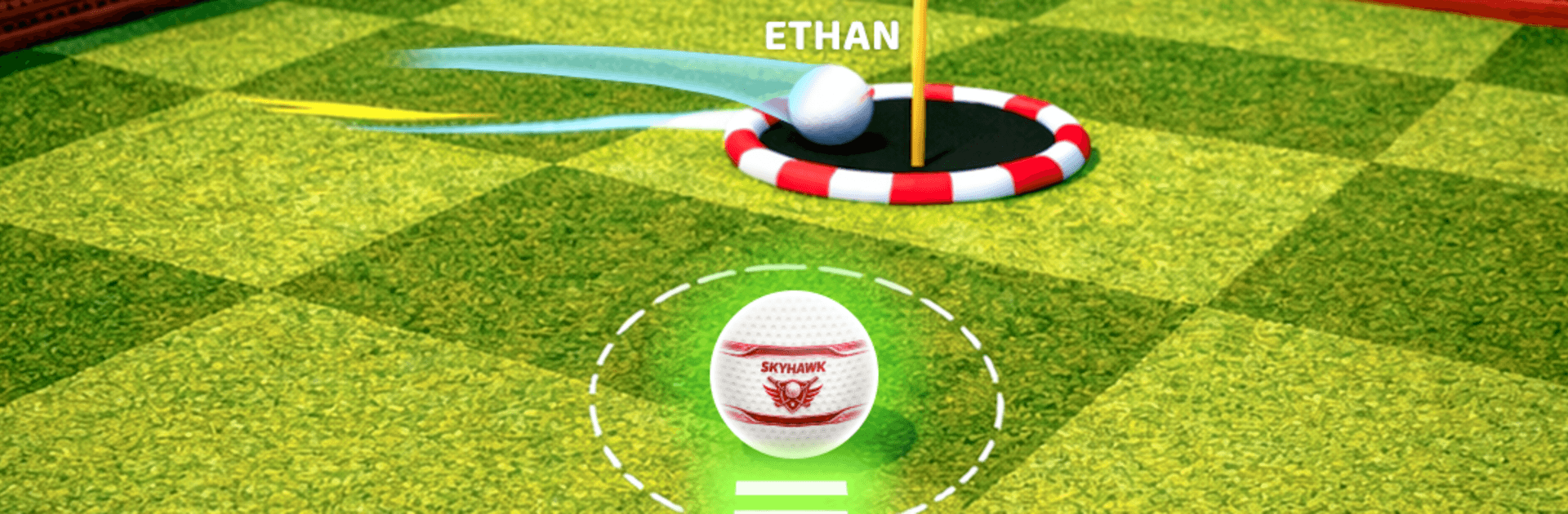
Mini Golf Clash: Golf Games turns classic putt-putt into a quick-hit Sports challenge with a competitive streak. Courses twist and move, so every shot is a little puzzle—aim smart, read the slopes, and thread the ball through gadgets that love to mess with your timing. Jump in for casual solo runs or hop online to test your touch against real people.

Game Features

  • Easy, precise controls: Drag to aim, set your power, and feel every tap pay off with snappy, believable physics that reward good judgment.
  • Wild, handcrafted holes: Forest greens, dusty dunes, and more—each layout packs ramps, pipes, and moving parts that push you to find clever routes.
  • Solo or head-to-head: Practice offline at your own pace, or go multiplayer to square up with friends and rivals from around the globe.
  • Tournaments and rankings: Enter structured competitions, climb leaderboards, and keep your cool when a single stroke separates first from everyone else.
  • Gear that matters: Unlock new clubs and tune for power, accuracy, or spin; pair them with specialty balls that suit tricky lines and bounce-heavy plays.
  • Trick-shot playground: Bank it off rails, ride loops, and pull off bounce-throughs—master the weird angles and shave precious strokes.
  • Fresh courses to unlock: Progress opens new themes and mechanics so the next set of holes always feels different without changing the simple rules.
  • Play comfortably on PC: Prefer a bigger screen? Run it on BlueStacks for roomy visuals and smooth, steady play.

Start your journey now. Download the game on BlueStacks, invite your friends, and march on a new adventure.


Game Features

Enhancements

  • Macros
  • Multi Instance
  • Multi Instance Sync
  • Script
  • Enhancements
Macros

Macros

Automate the predictable in Mini Golf Clash: Golf Games and transform your gameplay with Macros. Get access to inventive Macros in the BlueStacks Macro Community
Multi Instance

Multi Instance

Play Mini Golf Clash: Golf Games on one window. And chat with your friend on the other. Press CTRL + Shift + 8 to open the Multi-Instance Manager. And start creating fresh instances or clone an existing one.
Multi Instance Sync

Multi Instance Sync

Play Mini Golf Clash: Golf Games with the power of Multi-Instance Sync. Replicate what you are doing on the main instance on all other instances. Level up faster, play more.
Script

Script

Script your way to gaming glory in Mini Golf Clash: Golf Games with BlueStacks Script. Write and run a set of commands to automate repeated tasks. Trigger the command by assigning it to any key.
Read More

How to Download and Play Mini Golf Clash: Golf Games on PC or Mac

  • Download and install BlueStacks on your PC or Mac

  • Complete Google sign-in to access the Play Store, or do it later

  • Look for Mini Golf Clash: Golf Games in the search bar at the top right corner

  • Click to install Mini Golf Clash: Golf Games from the search results

  • Complete Google sign-in (if you skipped step 2) to install Mini Golf Clash: Golf Games

  • Click the Mini Golf Clash: Golf Games icon on the home screen to start playing

video
Watch Video

Minimum System Requirements

With BlueStacks 5, you can get started on a PC that fulfills the following requirements.

  • Operating System

    Microsoft Windows 7 or above, macOS 11 (Big Sur) or above

  • Processor

    Intel, AMD or Apple Silicon Processor

  • RAM

    at least 4GB

  • HDD

    10GB Free Disk Space

Note:

* You must be an Administrator on your PC. Up to date graphics drivers from Microsoft or the chipset vendor.

Mini Golf Clash: Golf Games - FAQs

  • How to play Mini Golf Clash: Golf Games on Windows PC & Mac?

    Play Mini Golf Clash: Golf Games on your PC or Mac by following these simple steps.

    • Click on 'Play Mini Golf Clash: Golf Games on PC’ to download BlueStacks
    • Install it and log-in to Google Play Store
    • Launch and play the game.
  • Why is BlueStacks the fastest and safest platform to play games on PC?

    BlueStacks respects your privacy and is always safe and secure to use. It does not carry any malware, spyware, or any sort of additional software that could harm your PC.

    It is engineered to optimize speed and performance for a seamless gaming experience.

  • What are Mini Golf Clash: Golf Games PC requirements?

    Minimum requirement to run Mini Golf Clash: Golf Games on your PC

    • OS: Microsoft Windows 7 or above MacOS 11 (Big Sur) or above
    • Processor: Intel, AMD or Apple Silicon Processor
    • RAM: Your PC must have at least 4GB of RAM. (Note that having 4GB or more disk space is not a substitute for RAM)
    • HDD: 10GB Free Disk Space.
    • You must be an Administrator on your PC.







