Mini Golf Club-PvP Multiplayer

Mini Golf Club-PvP Multiplayer

Sports

| BoomBit Games

Play on PC with BlueStacks or from our cloud

  • Overview
  • Game Features
  • How to Play

Page Modified On: December 05, 2025

Play Mini Golf Club-PvP Multiplayer on PC or Mac

Explore a whole new adventure with Mini Golf Club-PvP Multiplayer, a Sports game created by BoomBit Games. Experience great gameplay with BlueStacks, the most popular gaming platform to play Android games on your PC or Mac.

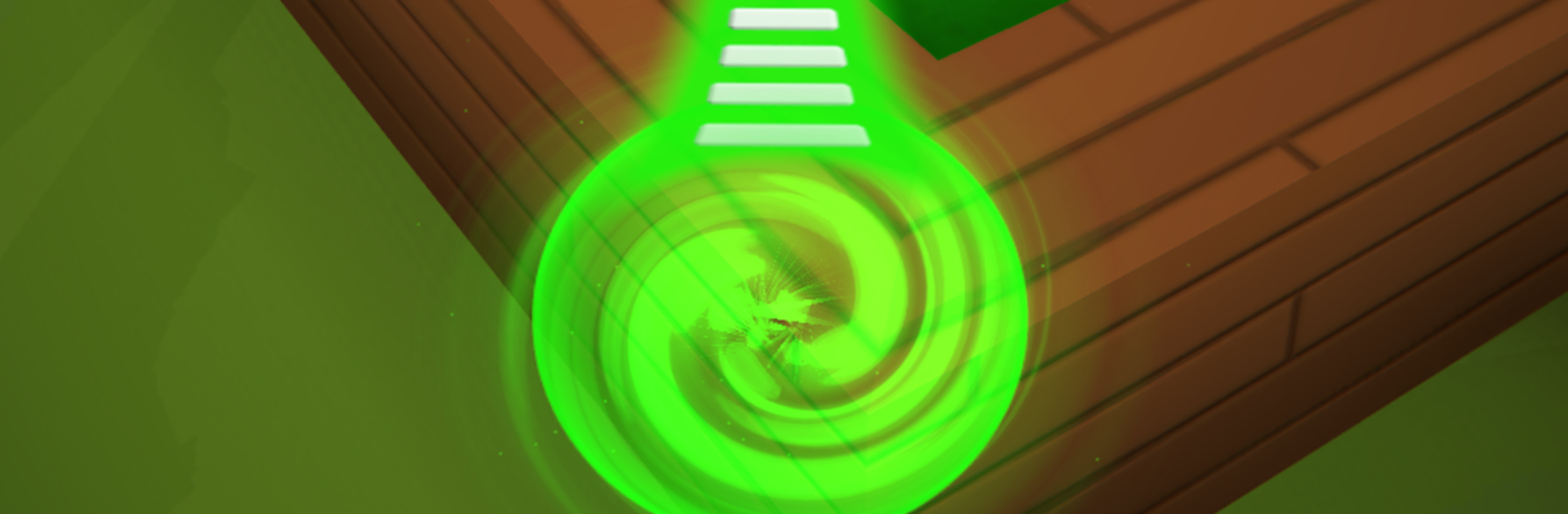
Mini Golf Club is a fast, head to head take on mini golf where six players swing at the same time and try to finish holes before everyone else. It looks bright and playful, but it asks for real touch on power and angles. A clean bank off a wall or a risky bounce can flip the whole match, and that is the fun of it. Courses shift from tropical islands to sandy deserts and other themed layouts, so the shots do not feel samey. The ball physics are snappy, the camera snaps around quick, and rounds move fast enough that a loss does not sting for long.

There is plenty to tinker with between matches. Players pick a 3D character, swap clubs and balls, and dress things up so wins feel a bit more personal. Progress feeds into leaderboards, a ranking ladder, seasonal rewards, and a battle pass for those who like steady goals to chase. It plays well solo against randoms or set up with friends for quick bragging rights. On PC through BlueStacks, aiming with a mouse makes lining up power and spin feel very controlled, and the bigger screen helps read slopes and weird corners better. It suits short sessions just as much as longer stretches when the streak is going, competitive without being stressful.

Start your journey now. Download the game on BlueStacks, invite your friends, and march on a new adventure.


Game Features

Enhancements

  • Macros
  • Multi Instance
  • Multi Instance Sync
  • Script
  • Enhancements
Macros

Macros

Automate the predictable in Mini Golf Club-PvP Multiplayer and transform your gameplay with Macros. Get access to inventive Macros in the BlueStacks Macro Community
Multi Instance

Multi Instance

Play Mini Golf Club-PvP Multiplayer on one window. And chat with your friend on the other. Press CTRL + Shift + 8 to open the Multi-Instance Manager. And start creating fresh instances or clone an existing one.
Multi Instance Sync

Multi Instance Sync

Play Mini Golf Club-PvP Multiplayer with the power of Multi-Instance Sync. Replicate what you are doing on the main instance on all other instances. Level up faster, play more.
Script

Script

Script your way to gaming glory in Mini Golf Club-PvP Multiplayer with BlueStacks Script. Write and run a set of commands to automate repeated tasks. Trigger the command by assigning it to any key.
Read More

How to Download and Play Mini Golf Club-PvP Multiplayer on PC or Mac

  • Download and install BlueStacks on your PC or Mac

  • Complete Google sign-in to access the Play Store, or do it later

  • Look for Mini Golf Club-PvP Multiplayer in the search bar at the top right corner

  • Click to install Mini Golf Club-PvP Multiplayer from the search results

  • Complete Google sign-in (if you skipped step 2) to install Mini Golf Club-PvP Multiplayer

  • Click the Mini Golf Club-PvP Multiplayer icon on the home screen to start playing

video
Watch Video

Minimum System Requirements

With BlueStacks 5, you can get started on a PC that fulfills the following requirements.

  • Operating System

    Microsoft Windows 7 or above, macOS 11 (Big Sur) or above

  • Processor

    Intel, AMD or Apple Silicon Processor

  • RAM

    at least 4GB

  • HDD

    10GB Free Disk Space

Note:

* You must be an Administrator on your PC. Up to date graphics drivers from Microsoft or the chipset vendor.

Mini Golf Club-PvP Multiplayer - FAQs

  • How to play Mini Golf Club-PvP Multiplayer on Windows PC & Mac?

    Play Mini Golf Club-PvP Multiplayer on your PC or Mac by following these simple steps.

    • Click on 'Play Mini Golf Club-PvP Multiplayer on PC’ to download BlueStacks
    • Install it and log-in to Google Play Store
    • Launch and play the game.
  • Why is BlueStacks the fastest and safest platform to play games on PC?

    BlueStacks respects your privacy and is always safe and secure to use. It does not carry any malware, spyware, or any sort of additional software that could harm your PC.

    It is engineered to optimize speed and performance for a seamless gaming experience.

  • What are Mini Golf Club-PvP Multiplayer PC requirements?

    Minimum requirement to run Mini Golf Club-PvP Multiplayer on your PC

    • OS: Microsoft Windows 7 or above MacOS 11 (Big Sur) or above
    • Processor: Intel, AMD or Apple Silicon Processor
    • RAM: Your PC must have at least 4GB of RAM. (Note that having 4GB or more disk space is not a substitute for RAM)
    • HDD: 10GB Free Disk Space.
    • You must be an Administrator on your PC.