
PractiScore 2
PractiScore 2

PractiScore 2

Sports

| Scoring Tech

Play on PC with BlueStacks or from our cloud

  • Overview
  • How to Download

Page Modified On: June 25, 2026

Run PractiScore 2 on PC or Mac

Let BlueStacks turn your PC, Mac, or laptop into the perfect home for PractiScore 2, a fun Sports app from Scoring Tech.

About the Game

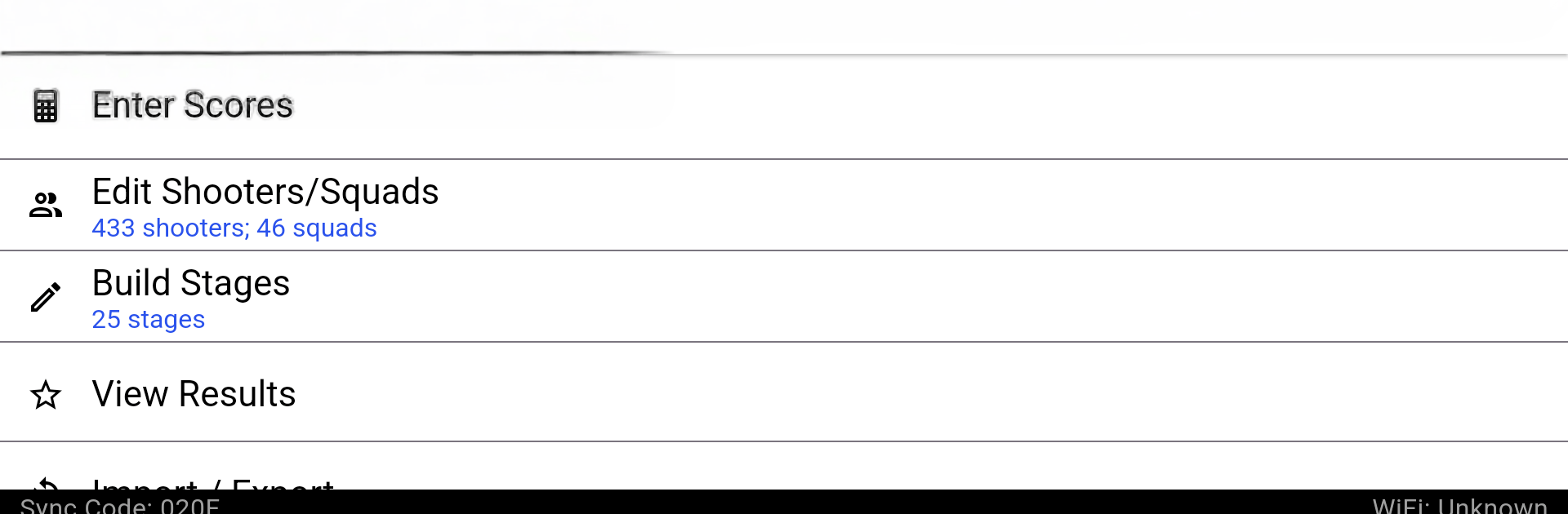
PractiScore 2 is a straight-talking Sports scoring app built for people who run or shoot practical shooting matches. It keeps your match moving—fast setup, quick scoring, and instant results—even when you’re offline. Whether it’s a small club day or a massive event with tons of shooters, it handles the chaos so you can focus on the action.

Game Features

  • Multi-discipline ready: Supports IPSC/USPSA, Steel Challenge, 3-Gun, IDPA, ICORE, SASS/Cowboy, NRA/Bullseye, PRS, and more, with flexible options for custom stages.
  • Set up anywhere: Create a match, add stages, and register shooters right on your phone or tablet—no PC or internet required at the range.
  • Fast, one-handed scoring: Tap, confirm, move on. It’s built for speed and reliability when the timer’s still echoing.
  • Smart registration: Remembers returning shooters and streamlines sign-ups. You can also import rosters from a CSV file to jump-start a big day.
  • Instant, offline results: Get stage and match standings the moment scores are in. There’s even a clean summary view for a quick paper-style backup.
  • Strong squad management: Run any number of squads and shooters, swap between squads and stages with zero fuss, and keep everyone moving.
  • Sync without stress: Share match definitions and scores over WiFi between devices. Works with Bluetooth-enabled timers for a smooth flow on the line.
  • Easy sharing: Email full match results straight from the device or post them online when you’re ready for competitor review.
  • Big-screen option: Prefer managing squads on a larger display? PractiScore 2 runs nicely on BlueStacks for more room at the score table.

BlueStacks gives you the much-needed freedom to experience your favorite apps on a bigger screen. Get it now.


How to Download and Run PractiScore 2 on PC or Mac

  • Download and install BlueStacks on your PC or Mac

  • Complete Google sign-in to access the Play Store, or do it later

  • Look for PractiScore 2 in the search bar at the top right corner

  • Click to install PractiScore 2 from the search results

  • Complete Google sign-in (if you skipped step 2) to install PractiScore 2

  • Click the PractiScore 2 icon on the home screen to start playing

video
Watch Video

Minimum System Requirements

With BlueStacks 5, you can get started on a PC that fulfills the following requirements.

  • Operating System

    Microsoft Windows 7 or above, macOS 11 (Big Sur) or above

  • Processor

    Intel, AMD or Apple Silicon Processor

  • RAM

    at least 4GB

  • HDD

    10GB Free Disk Space

Note:

* You must be an Administrator on your PC. Up to date graphics drivers from Microsoft or the chipset vendor.

PractiScore 2 - FAQs

  • How to Run PractiScore 2 on Windows PC & Mac?

    Run PractiScore 2 on your PC or Mac by following these simple steps.

    • Click on ‘Download PractiScore 2 on PC’ to download BlueStacks
    • Install it and log-in to Google Play Store
    • Launch and run the app.
  • Why is BlueStacks the fastest and safest platform to play games on PC?

    BlueStacks respects your privacy and is always safe and secure to use. It does not carry any malware, spyware, or any sort of additional software that could harm your PC.

    It is engineered to optimize speed and performance for a seamless gaming experience.

  • What are PractiScore 2 PC requirements?

    Minimum requirement to run PractiScore 2 on your PC

    • OS: Microsoft Windows 7 and above:
    • Processor: Intel or AMD Processor:
    • RAM: Your PC must have at least 2GB of RAM. (Note that having 2GB or more disk space is not a substitute for RAM):
    • HDD: 5GB Free Disk Space.
    • You must be an Administrator on your PC.



