Qstarz QRacing
Qstarz QRacing

Qstarz QRacing

Sports

| Qstarz International Co., Ltd.

Play on PC with BlueStacks or from our cloud

  • Overview
  • Game Features
  • How to Play

Page Modified On: September 02, 2025

Play Qstarz QRacing on PC or Mac

Join millions to experience Qstarz QRacing, an exciting Sports game from Qstarz International Co., Ltd.. With BlueStacks App Player, you are always a step ahead of your opponent, ready to outplay them with faster gameplay and better control with the mouse and keyboard on your PC or Mac.

About the Game

Qstarz QRacing is a Sports companion built for people who live for lap times and straight-line sprints. Pair it with a compatible Qstarz GT device and you’ve got a clean, no-nonsense way to clock runs, study your lines, and see exactly where you’re gaining or losing time. Prefer a bigger view of your data? You can also run it on PC with BlueStacks.

Created by Qstarz International Co., Ltd., this app blends precise timing with clear visuals and simple controls, so you can focus on driving and dig into the numbers afterward.

Game Features

  • Drag and Circuit Modes: Switch between quarter-mile blasts and full track sessions without changing apps.
  • Precision Timing and Charts: Get accurate laps with visual plots that make pace changes and braking points easy to spot.
  • Video with Data Overlay: Record on your phone and layer speed, Gs, and more right on the footage—great for reviewing or sharing.
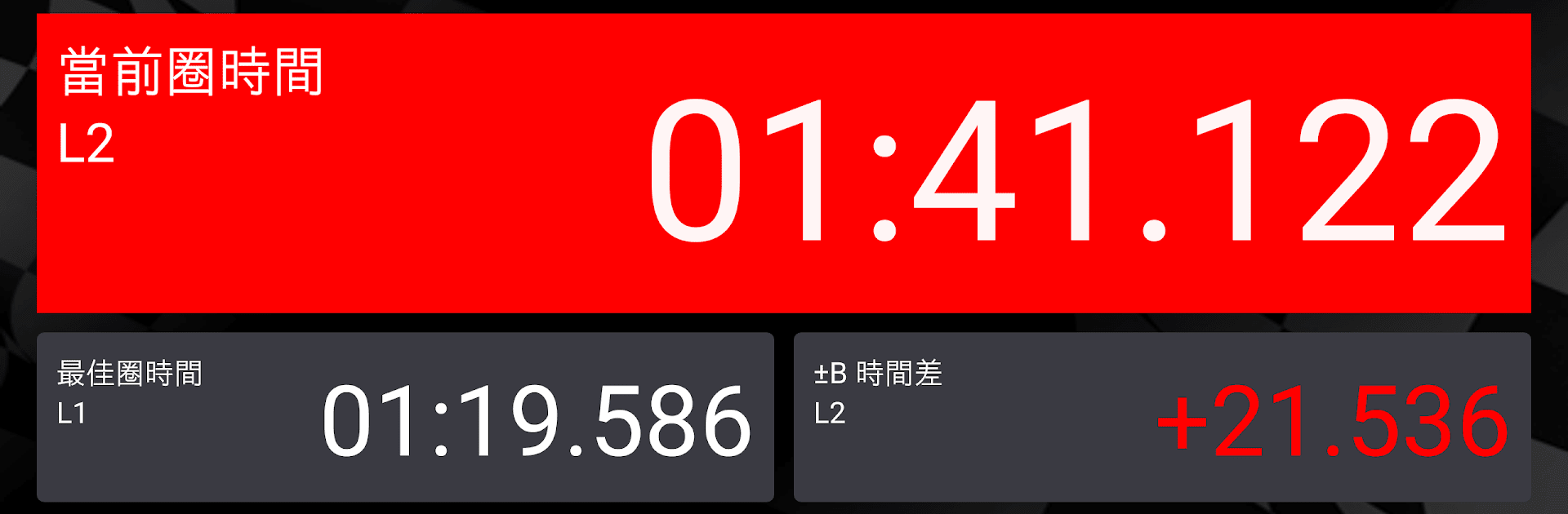
  • Delta Comparisons: Stack lap, sector, and split times side by side to see exactly where you’re faster or falling behind.
  • Global Track Auto-Detect: Hit a recognized circuit and the app picks it up for you—no manual setup.
  • Flexible Drag Presets: Run by speed, distance, quarter mile, or classic 0–60-style sprints.
  • Session History and Playback: Browse past runs, replay laps, and track improvements over time.
  • Track Ranking: Measure yourself against your best efforts and see how your sessions stack up.
  • Easy Exports: Pull out session data to CSV when you want to crunch numbers elsewhere.
  • Racer and Garage Management: Keep drivers, vehicles, and setups organized for quick comparisons.
  • Backup and Restore: Save your session data for safekeeping. Note: video files aren’t included in backups.
  • Device and Language Support: Built for Qstarz LT-8000GT, BL-1000GT, and BL-818GT devices. Works on Android 8.0+ (10.0+ with 4GB RAM recommended). Available in English, Japanese, German, and Traditional Chinese.
  • Hardware Requirement: This app requires a compatible Qstarz GT BLE GPS device to function.

Ready to top the leaderboard? We bet you do. Let precise controls and sharp visuals optimized on BlueStacks lead you to victory.


Game Features

Enhancements

  • Macros
  • Multi Instance
  • Multi Instance Sync
  • Script
  • Enhancements
Macros

Macros

Automate the predictable in Qstarz QRacing and transform your gameplay with Macros. Get access to inventive Macros in the BlueStacks Macro Community
Multi Instance

Multi Instance

Play Qstarz QRacing on one window. And chat with your friend on the other. Press CTRL + Shift + 8 to open the Multi-Instance Manager. And start creating fresh instances or clone an existing one.
Multi Instance Sync

Multi Instance Sync

Play Qstarz QRacing with the power of Multi-Instance Sync. Replicate what you are doing on the main instance on all other instances. Level up faster, play more.
Script

Script

Script your way to gaming glory in Qstarz QRacing with BlueStacks Script. Write and run a set of commands to automate repeated tasks. Trigger the command by assigning it to any key.
Read More

How to Download and Play Qstarz QRacing on PC or Mac

  • Download and install BlueStacks on your PC or Mac

  • Complete Google sign-in to access the Play Store, or do it later

  • Look for Qstarz QRacing in the search bar at the top right corner

  • Click to install Qstarz QRacing from the search results

  • Complete Google sign-in (if you skipped step 2) to install Qstarz QRacing

  • Click the Qstarz QRacing icon on the home screen to start playing

video
Watch Video

Minimum System Requirements

With BlueStacks 5, you can get started on a PC that fulfills the following requirements.

  • Operating System

    Microsoft Windows 7 or above, macOS 11 (Big Sur) or above

  • Processor

    Intel, AMD or Apple Silicon Processor

  • RAM

    at least 4GB

  • HDD

    10GB Free Disk Space

Note:

* You must be an Administrator on your PC. Up to date graphics drivers from Microsoft or the chipset vendor.

Qstarz QRacing - FAQs

  • How to play Qstarz QRacing on Windows PC & Mac?

    Play Qstarz QRacing on your PC or Mac by following these simple steps.

    • Click on 'Play Qstarz QRacing on PC’ to download BlueStacks
    • Install it and log-in to Google Play Store
    • Launch and play the game.
  • Why is BlueStacks the fastest and safest platform to play games on PC?

    BlueStacks respects your privacy and is always safe and secure to use. It does not carry any malware, spyware, or any sort of additional software that could harm your PC.

    It is engineered to optimize speed and performance for a seamless gaming experience.

  • What are Qstarz QRacing PC requirements?

    Minimum requirement to run Qstarz QRacing on your PC

    • OS: Microsoft Windows 7 or above MacOS 11 (Big Sur) or above
    • Processor: Intel, AMD or Apple Silicon Processor
    • RAM: Your PC must have at least 4GB of RAM. (Note that having 4GB or more disk space is not a substitute for RAM)
    • HDD: 10GB Free Disk Space.
    • You must be an Administrator on your PC.