RaceTime - GPS lap timer FULL

RaceTime - GPS lap timer FULL

Sports

| Roberto Morini

Play on PC with BlueStacks or from our cloud

  • Overview
  • Game Features
  • How to Play

Page Modified On: January 10, 2026

Play RaceTime - GPS lap timer FULL on PC or Mac

Bring your A-game to RaceTime – GPS lap timer FULL, the Sports game sensation from Roberto Morini. Give your gameplay the much-needed boost with precise game controls, high FPS graphics, and top-tier features on your PC or Mac with BlueStacks.

About the Game

RaceTime – GPS lap timer FULL turns your phone into a serious track buddy. Chasing PBs at the kart track, carving corners on a bike, or shaking down a car? It logs the numbers that matter and makes them easy to read, lap after lap. It’s a clean, rider-friendly Sports tool from Roberto Morini with plenty of depth when you want it.

Game Features

  • Precise GPS Lap Timing: Get accurate lap times with sector splits, race pace, max speed, and position on the track so you can see exactly where you’re gaining or losing.
  • Works Offline: No signal? No problem. The FULL version records everything without an internet connection.
  • Lean Angle & G‑Force: Capture lean angle and G‑Force during tours or circuit sessions to understand your limits and how the bike or car is loading up.
  • Rapid Bike Data: Using Rapid Bike? Log those data points alongside your laps for a fuller picture of what the machine’s doing.
  • Any Vehicle, Any Track: From go‑karts and minibikes to superbikes and cars, it adapts to whatever you drive on tracks around the world—or on spirited road tours.
  • Live Timing & Sharing: Let friends or your crew follow your runs in real time, or share your best laps after the session.
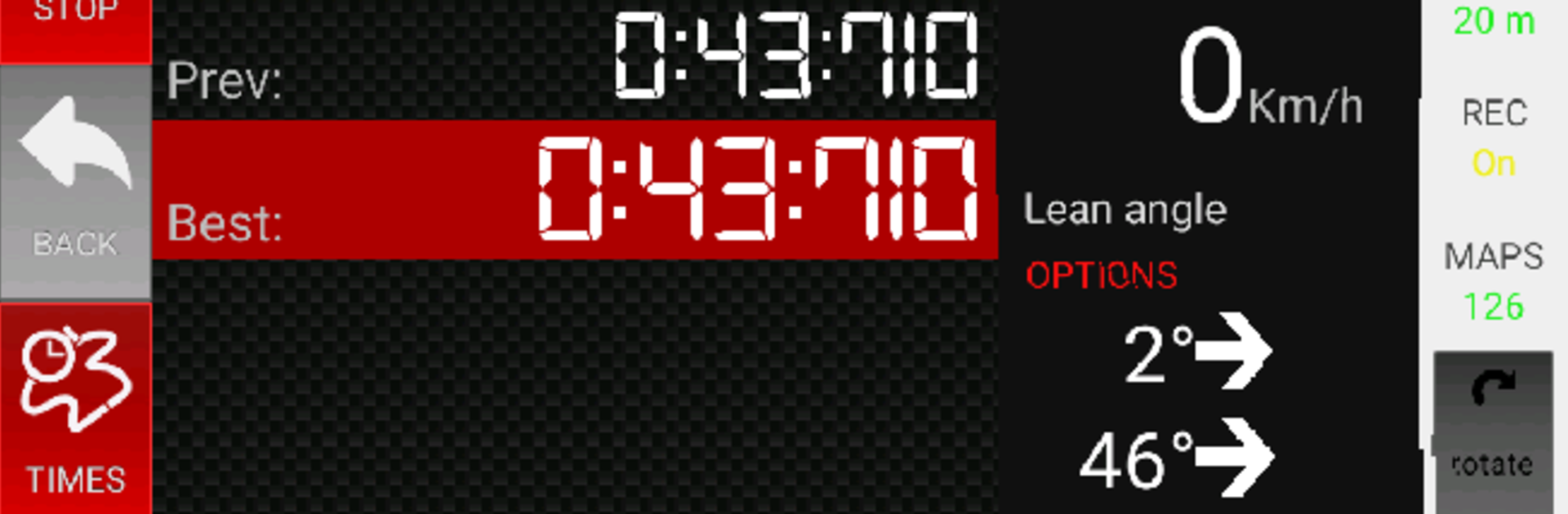
  • On‑Lap Display: See the essentials at a glance—current speed, track position, best lap, last lap, and previous lap—so you stay focused.
  • Acceleration Tests: Time your runs from the first movement up to top speed, even when you’re not on a marked circuit.
  • Deep Data Review: Replay laps with speed, trajectory, graphs, and maps to analyze every corner and braking zone. Prefer a bigger screen? Checking sessions on PC with BlueStacks makes scrubbing through data feel even smoother.
  • Optional Advanced Tools: Unlock more analysis—like detailed trajectory and corner‑by‑corner replays—when you want to go pro with your data.

Start your journey now. Download the game on BlueStacks, invite your friends, and march on a new adventure.


Game Features

Enhancements

  • Macros
  • Multi Instance
  • Multi Instance Sync
  • Script
  • Enhancements
Macros

Macros

Automate the predictable in RaceTime - GPS lap timer FULL and transform your gameplay with Macros. Get access to inventive Macros in the BlueStacks Macro Community
Multi Instance

Multi Instance

Play RaceTime - GPS lap timer FULL on one window. And chat with your friend on the other. Press CTRL + Shift + 8 to open the Multi-Instance Manager. And start creating fresh instances or clone an existing one.
Multi Instance Sync

Multi Instance Sync

Play RaceTime - GPS lap timer FULL with the power of Multi-Instance Sync. Replicate what you are doing on the main instance on all other instances. Level up faster, play more.
Script

Script

Script your way to gaming glory in RaceTime - GPS lap timer FULL with BlueStacks Script. Write and run a set of commands to automate repeated tasks. Trigger the command by assigning it to any key.
Read More

How to Download and Play RaceTime - GPS lap timer FULL on PC or Mac

  • Download and install BlueStacks on your PC or Mac

  • Complete Google sign-in to access the Play Store, or do it later

  • Look for RaceTime - GPS lap timer FULL in the search bar at the top right corner

  • Click to install RaceTime - GPS lap timer FULL from the search results

  • Complete Google sign-in (if you skipped step 2) to install RaceTime - GPS lap timer FULL

  • Click the RaceTime - GPS lap timer FULL icon on the home screen to start playing

video
Watch Video

Minimum System Requirements

With BlueStacks 5, you can get started on a PC that fulfills the following requirements.

  • Operating System

    Microsoft Windows 7 or above, macOS 11 (Big Sur) or above

  • Processor

    Intel, AMD or Apple Silicon Processor

  • RAM

    at least 4GB

  • HDD

    10GB Free Disk Space

Note:

* You must be an Administrator on your PC. Up to date graphics drivers from Microsoft or the chipset vendor.

RaceTime - GPS lap timer FULL - FAQs

  • How to play RaceTime - GPS lap timer FULL on Windows PC & Mac?

    Play RaceTime - GPS lap timer FULL on your PC or Mac by following these simple steps.

    • Click on 'Play RaceTime - GPS lap timer FULL on PC’ to download BlueStacks
    • Install it and log-in to Google Play Store
    • Launch and play the game.
  • Why is BlueStacks the fastest and safest platform to play games on PC?

    BlueStacks respects your privacy and is always safe and secure to use. It does not carry any malware, spyware, or any sort of additional software that could harm your PC.

    It is engineered to optimize speed and performance for a seamless gaming experience.

  • What are RaceTime - GPS lap timer FULL PC requirements?

    Minimum requirement to run RaceTime - GPS lap timer FULL on your PC

    • OS: Microsoft Windows 7 or above MacOS 11 (Big Sur) or above
    • Processor: Intel, AMD or Apple Silicon Processor
    • RAM: Your PC must have at least 4GB of RAM. (Note that having 4GB or more disk space is not a substitute for RAM)
    • HDD: 10GB Free Disk Space.
    • You must be an Administrator on your PC.