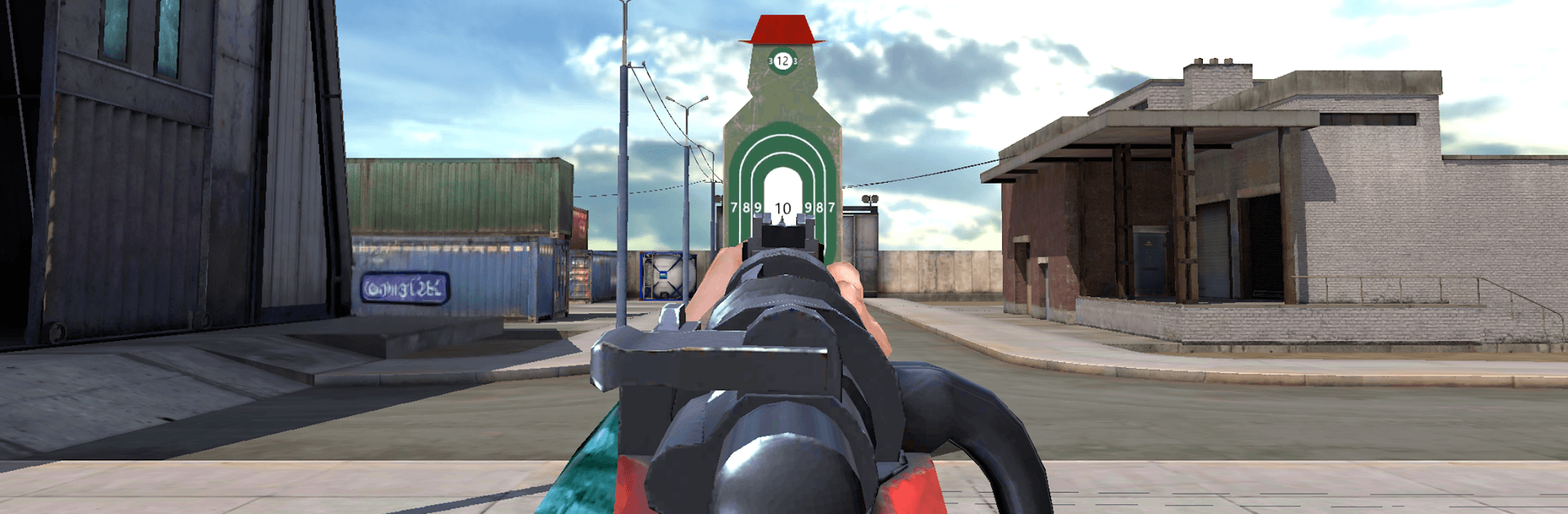
Sniper Range:Target Shooting

Sniper Range:Target Shooting

Sports

| Prism void studio

Play on PC with BlueStacks or from our cloud

  • Overview
  • Game Features
  • How to Play

Page Modified On: September 07, 2026

Play Sniper Range:Target Shooting on PC or Mac

Bring your A-game to Sniper Range:Target Shooting, the Sports game sensation from Prism void studio. Give your gameplay the much-needed boost with precise game controls, high FPS graphics, and top-tier features on your PC or Mac with BlueStacks.

About the Game

Sniper Range:Target Shooting is all about clean, satisfying marksmanship with a grounded, physics-first feel. This Sports title turns everyday objects into clever targets—think cans, fruit, toy cars, and more—each reacting believably when you land a shot. Prefer a bigger screen and steadier aim? You can play it on BlueStacks without changing a thing.

Game Features

  • Real ballistics, real feedback: Bullets arc, drop, and punch through based on distance and material, with recoil that makes every follow-up shot matter.
  • Familiar targets, big satisfaction: Pop cans, slice through apples, topple blocks, clip drones—objects tumble, crack, and shatter in their own convincing ways.
  • More than a thousand clever stages: Work through quick puzzles and precision trials that keep things fresh with new layouts and shot angles.
  • Weather and lighting challenges: Rain, fog, and night scenarios force you to read the scene, steady your aim, and compensate for tougher visibility.
  • Distinct weapons, distinct uses: Try precision snipers, punchy shotguns, and fast-firing rifles—each tuned with its own handling and ideal targets.
  • Varied ranges and vantage points: Backyards, rooftops, cabins, and pro ranges shake up sightlines, cover, and the way targets are placed.
  • Simple controls, surprising depth: Easy tap-to-shoot gets you going fast, but threading tiny shots at distance still takes patience and a steady hand.
  • Offline-friendly sessions: Practice anytime without a connection, knock out a few levels on the go, or settle in for longer streaks.
  • Skill-based unlocks: Progress to open new guns and gear, then fine-tune your loadout for tougher objectives and cleaner runs.

Ready to top the leaderboard? We bet you do. Let precise controls and sharp visuals optimized on BlueStacks lead you to victory.


Game Features

Enhancements

  • Macros
  • Multi Instance
  • Multi Instance Sync
  • Script
  • Enhancements
Macros

Macros

Automate the predictable in Sniper Range:Target Shooting and transform your gameplay with Macros. Get access to inventive Macros in the BlueStacks Macro Community
Multi Instance

Multi Instance

Play Sniper Range:Target Shooting on one window. And chat with your friend on the other. Press CTRL + Shift + 8 to open the Multi-Instance Manager. And start creating fresh instances or clone an existing one.
Multi Instance Sync

Multi Instance Sync

Play Sniper Range:Target Shooting with the power of Multi-Instance Sync. Replicate what you are doing on the main instance on all other instances. Level up faster, play more.
Script

Script

Script your way to gaming glory in Sniper Range:Target Shooting with BlueStacks Script. Write and run a set of commands to automate repeated tasks. Trigger the command by assigning it to any key.
Read More

How to Download and Play Sniper Range:Target Shooting on PC or Mac

  • Download and install BlueStacks on your PC or Mac

  • Complete Google sign-in to access the Play Store, or do it later

  • Look for Sniper Range:Target Shooting in the search bar at the top right corner

  • Click to install Sniper Range:Target Shooting from the search results

  • Complete Google sign-in (if you skipped step 2) to install Sniper Range:Target Shooting

  • Click the Sniper Range:Target Shooting icon on the home screen to start playing

video
Watch Video

Minimum System Requirements

With BlueStacks 5, you can get started on a PC that fulfills the following requirements.

  • Operating System

    Microsoft Windows 7 or above, macOS 11 (Big Sur) or above

  • Processor

    Intel, AMD or Apple Silicon Processor

  • RAM

    at least 4GB

  • HDD

    10GB Free Disk Space

Note:

* You must be an Administrator on your PC. Up to date graphics drivers from Microsoft or the chipset vendor.

Sniper Range:Target Shooting - FAQs

  • How to play Sniper Range:Target Shooting on Windows PC & Mac?

    Play Sniper Range:Target Shooting on your PC or Mac by following these simple steps.

    • Click on 'Play Sniper Range:Target Shooting on PC’ to download BlueStacks
    • Install it and log-in to Google Play Store
    • Launch and play the game.
  • Why is BlueStacks the fastest and safest platform to play games on PC?

    BlueStacks respects your privacy and is always safe and secure to use. It does not carry any malware, spyware, or any sort of additional software that could harm your PC.

    It is engineered to optimize speed and performance for a seamless gaming experience.

  • What are Sniper Range:Target Shooting PC requirements?

    Minimum requirement to run Sniper Range:Target Shooting on your PC

    • OS: Microsoft Windows 7 or above MacOS 11 (Big Sur) or above
    • Processor: Intel, AMD or Apple Silicon Processor
    • RAM: Your PC must have at least 4GB of RAM. (Note that having 4GB or more disk space is not a substitute for RAM)
    • HDD: 10GB Free Disk Space.
    • You must be an Administrator on your PC.