Soccer Battle
Soccer Battle

Soccer Battle

Sports

| Gamegou Limited

Play on PC with BlueStacks or from our cloud

  • Overview
  • Game Features
  • How to Play

Page Modified On: June 11, 2026

Play Soccer Battle on PC or Mac

Bring your A-game to Soccer Battle, the Sports game sensation from Gamegou Limited. Give your gameplay the much-needed boost with precise game controls, high FPS graphics, and top-tier features on your PC or Mac with BlueStacks.

About the Game

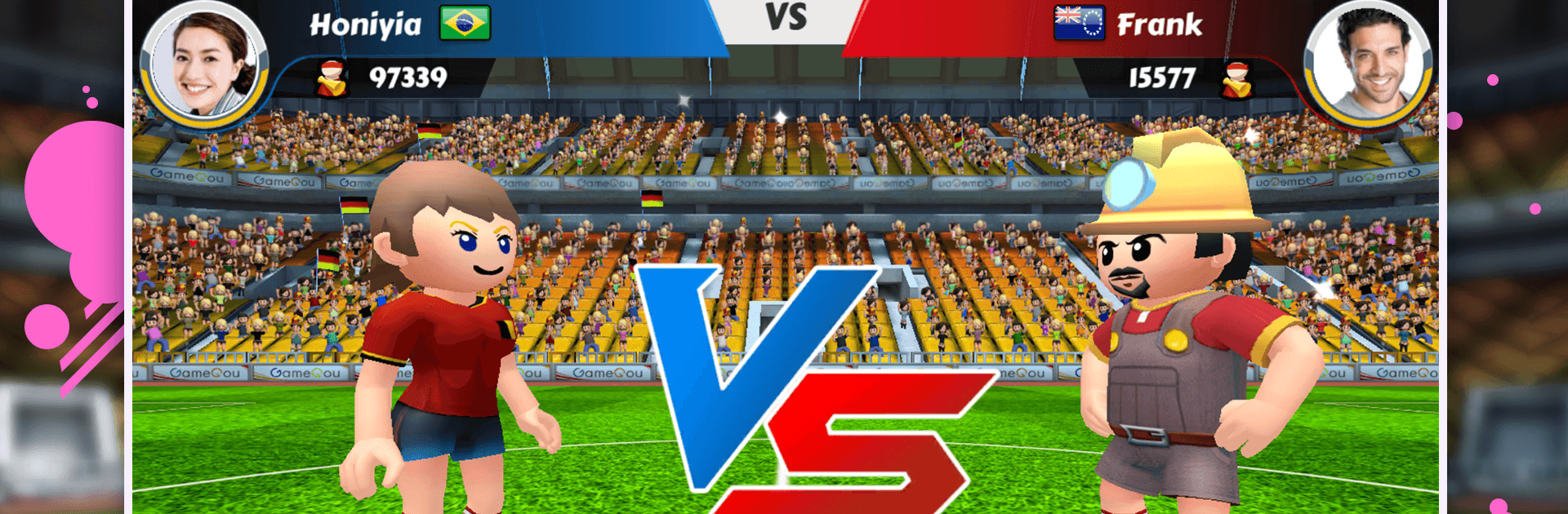
Soccer Battle turns free kicks into fast, heart-thumping showdowns. Matches are short and packed with mind games as you swap roles between sharpshooting striker and brick-wall keeper. It’s easy to hop in for a quick round, and there’s just enough depth to keep you chasing that perfect curveball goal.

Game Features

  • Quick 1v1 Duels: Go head-to-head in short matches that flip you between shooting and saving, reading the other player and reacting in a heartbeat.
  • Skillful, Snappy Controls: Simple to learn with plenty of nuance—curve the ball, bait a dive, or time a clutch dash when it matters most.
  • Wild Power-Ups: Unleash oddballs like Runner, Tornado, or a cheeky Banana Kick to turn a near miss into a highlight clip.
  • Global Leagues: Take on players from around the world, climb through divisions, and prove you’ve got the best boots in the arena.
  • Clubs With Friends: Team up, recruit talent, and build a club that feels like a real locker room—banter included.
  • Stadium Upgrades: Improve your home ground and show off your progress with a venue that screams “don’t mess with us.”
  • Style Your Superstar: Mix and match quirky outfits and gear until your look is as bold as your shot selection.
  • Social and Friendly Matches: Chat with rivals, set up rematches, and settle who called game last time.
  • Trophies and Hall of Fame: Stack wins, collect hardware, and chase a spot among the legends on the big board.
  • Crisp 3D Presentation: Clean, colorful visuals and smooth animations keep every save and swerve feeling sweet.
  • Plays Great Anywhere: Quick sessions on the go, or kick back and square off on PC with BlueStacks when you want a bigger view.

BlueStacks gives you more room to focus on the game and less time adjusting around mobile limitations.


Game Features

Enhancements

  • Macros
  • Multi Instance
  • Multi Instance Sync
  • Script
  • Enhancements
Macros

Macros

Automate the predictable in Soccer Battle and transform your gameplay with Macros. Get access to inventive Macros in the BlueStacks Macro Community
Multi Instance

Multi Instance

Play Soccer Battle on one window. And chat with your friend on the other. Press CTRL + Shift + 8 to open the Multi-Instance Manager. And start creating fresh instances or clone an existing one.
Multi Instance Sync

Multi Instance Sync

Play Soccer Battle with the power of Multi-Instance Sync. Replicate what you are doing on the main instance on all other instances. Level up faster, play more.
Script

Script

Script your way to gaming glory in Soccer Battle with BlueStacks Script. Write and run a set of commands to automate repeated tasks. Trigger the command by assigning it to any key.
Read More

How to Download and Play Soccer Battle on PC or Mac

  • Download and install BlueStacks on your PC or Mac

  • Complete Google sign-in to access the Play Store, or do it later

  • Look for Soccer Battle in the search bar at the top right corner

  • Click to install Soccer Battle from the search results

  • Complete Google sign-in (if you skipped step 2) to install Soccer Battle

  • Click the Soccer Battle icon on the home screen to start playing

video
Watch Video

Minimum System Requirements

With BlueStacks 5, you can get started on a PC that fulfills the following requirements.

  • Operating System

    Microsoft Windows 7 or above, macOS 11 (Big Sur) or above

  • Processor

    Intel, AMD or Apple Silicon Processor

  • RAM

    at least 4GB

  • HDD

    10GB Free Disk Space

Note:

* You must be an Administrator on your PC. Up to date graphics drivers from Microsoft or the chipset vendor.

Soccer Battle - FAQs

  • How to play Soccer Battle on Windows PC & Mac?

    Play Soccer Battle on your PC or Mac by following these simple steps.

    • Click on 'Play Soccer Battle on PC’ to download BlueStacks
    • Install it and log-in to Google Play Store
    • Launch and play the game.
  • Why is BlueStacks the fastest and safest platform to play games on PC?

    BlueStacks respects your privacy and is always safe and secure to use. It does not carry any malware, spyware, or any sort of additional software that could harm your PC.

    It is engineered to optimize speed and performance for a seamless gaming experience.

  • What are Soccer Battle PC requirements?

    Minimum requirement to run Soccer Battle on your PC

    • OS: Microsoft Windows 7 or above MacOS 11 (Big Sur) or above
    • Processor: Intel, AMD or Apple Silicon Processor
    • RAM: Your PC must have at least 4GB of RAM. (Note that having 4GB or more disk space is not a substitute for RAM)
    • HDD: 10GB Free Disk Space.
    • You must be an Administrator on your PC.