TSN: NFL, NHL, NBA, CFL & more

TSN: NFL, NHL, NBA, CFL & more

Sports

| Bell Media Inc.

Play on PC with BlueStacks or from our cloud

  • Overview
  • Game Features
  • How to Play

Page Modified On: May 11, 2026

Play TSN: NFL, NHL, NBA, CFL & more on PC or Mac

From the innovators and creators at Bell Media Inc., TSN: NFL, NHL, NBA, CFL & more is another fun addition to the World of Sports games. Go beyond your mobile screen and play it bigger and better on your PC or Mac. An immersive experience awaits you.

About the Game

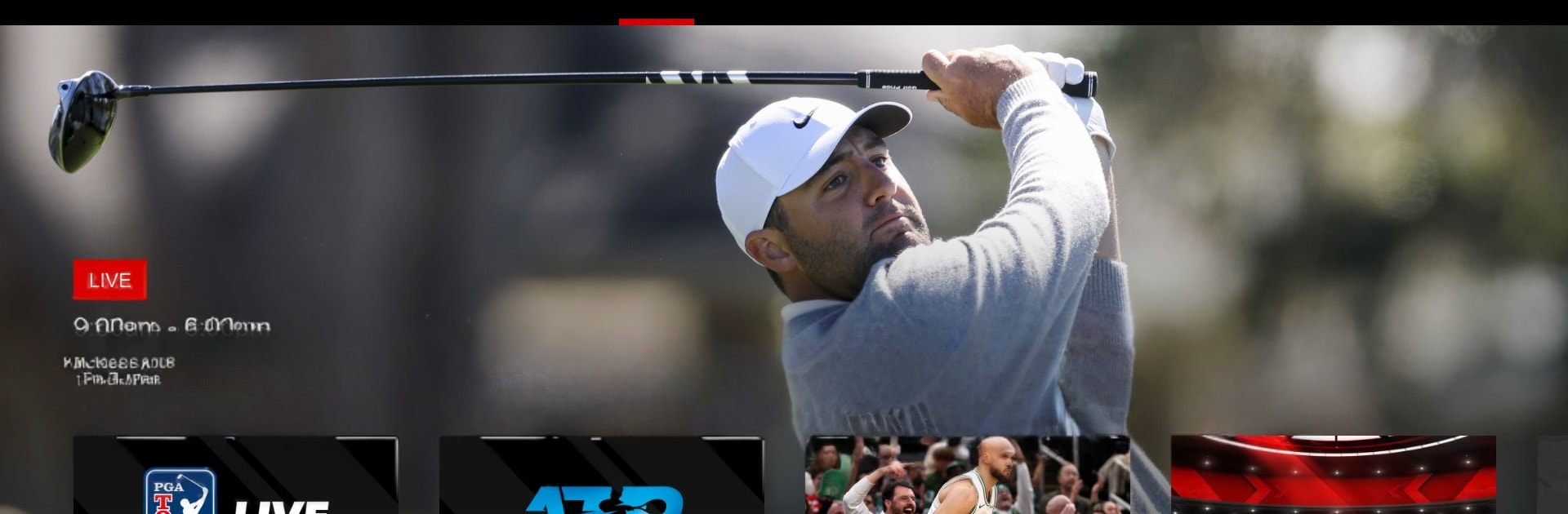
TSN: NFL, NHL, NBA, CFL & more is your all‑access sports companion from Bell Media Inc., wrapped up as a fast, no‑nonsense Sports experience. Fire it up to watch live games, catch replays when you’ve missed the start, and get sharp analysis from people who actually know the locker rooms. Want hockey one minute and tennis the next? Flip around and follow what matters to you.

Game Features

  • Live Channels, All Day
    Stream the action across TSN1–TSN5 and jump between games without missing the big moments. If it’s on tonight, it’s probably here.

  • TSN+ Extras
    Unlock exclusive live and on‑demand content, augmented feeds, and sports documentaries. Think NFL RedZone, PGA Tour Live, AEW Rampage and Collision, and more when you want a little extra.

  • On‑Demand Replays
    Missed puck drop or kickoff? Watch full replays and fan‑favorite shows at your pace, including SportsCentre and SC with Jay Onrait.

  • Wall‑to‑Wall Leagues
    Hockey (NHL, PWHL, World Juniors, CHL), football (NFL, CFL including Grey Cup, NCAA Football, XFL), basketball (NBA, WNBA, NCAA Basketball, CEBL), soccer (MLS, NWSL, UEFA Euro, Copa América, EPL, FIFA Men’s & Women’s World Cup), plus F1, NASCAR, Curling Canada, MLB, ATP/WTA slams, PGA/LPGA, AEW, Rugby World Cup, and NLL. Yes, it’s a lot.

  • Hometown Focus
    Keep tabs on the Toronto Raptors, Toronto Maple Leafs, Montreal Canadiens, Ottawa Senators, and Winnipeg Jets without hunting around.

  • News and Highlights That Matter
    Get fresh updates and in‑depth takes from TSN insiders and analysts like Darren Dreger, Pierre LeBrun, James Duthie, Jeff O’Neil, Luke Willson, Davis Sanchez, Jack Armstrong, and more.

  • Good to Know
    Live and on‑demand viewing requires an active TSN subscription; blackout restrictions may apply. Video is available within Canada only. The app includes ads, even with a subscription. Subscriptions auto‑renew unless you turn it off in Account Settings; cancellations take effect at the end of the current period, and fees aren’t refunded. Prices can change.

  • Smooth on PC with BlueStacks
    Prefer a bigger screen and quick navigation? Run the app on BlueStacks for comfy browsing and easy channel switching while you keep other windows open.

Start your journey now. Download the game on BlueStacks, invite your friends, and march on a new adventure.

Game Features

Enhancements

  • Macros
  • Multi Instance
  • Multi Instance Sync
  • Script
  • Enhancements
Macros

Macros

Automate the predictable in TSN: NFL, NHL, NBA, CFL & more and transform your gameplay with Macros. Get access to inventive Macros in the BlueStacks Macro Community
Multi Instance

Multi Instance

Play TSN: NFL, NHL, NBA, CFL & more on one window. And chat with your friend on the other. Press CTRL + Shift + 8 to open the Multi-Instance Manager. And start creating fresh instances or clone an existing one.
Multi Instance Sync

Multi Instance Sync

Play TSN: NFL, NHL, NBA, CFL & more with the power of Multi-Instance Sync. Replicate what you are doing on the main instance on all other instances. Level up faster, play more.
Script

Script

Script your way to gaming glory in TSN: NFL, NHL, NBA, CFL & more with BlueStacks Script. Write and run a set of commands to automate repeated tasks. Trigger the command by assigning it to any key.
Read More

How to Download and Play TSN: NFL, NHL, NBA, CFL & more on PC or Mac

  • Download and install BlueStacks on your PC or Mac

  • Complete Google sign-in to access the Play Store, or do it later

  • Look for TSN: NFL, NHL, NBA, CFL & more in the search bar at the top right corner

  • Click to install TSN: NFL, NHL, NBA, CFL & more from the search results

  • Complete Google sign-in (if you skipped step 2) to install TSN: NFL, NHL, NBA, CFL & more

  • Click the TSN: NFL, NHL, NBA, CFL & more icon on the home screen to start playing

video
Watch Video

Minimum System Requirements

With BlueStacks 5, you can get started on a PC that fulfills the following requirements.

  • Operating System

    Microsoft Windows 7 or above, macOS 11 (Big Sur) or above

  • Processor

    Intel, AMD or Apple Silicon Processor

  • RAM

    at least 4GB

  • HDD

    10GB Free Disk Space

Note:

* You must be an Administrator on your PC. Up to date graphics drivers from Microsoft or the chipset vendor.

TSN: NFL, NHL, NBA, CFL & more - FAQs

  • How to play TSN: NFL, NHL, NBA, CFL & more on Windows PC & Mac?

    Play TSN: NFL, NHL, NBA, CFL & more on your PC or Mac by following these simple steps.

    • Click on 'Play TSN: NFL, NHL, NBA, CFL & more on PC’ to download BlueStacks
    • Install it and log-in to Google Play Store
    • Launch and play the game.
  • Why is BlueStacks the fastest and safest platform to play games on PC?

    BlueStacks respects your privacy and is always safe and secure to use. It does not carry any malware, spyware, or any sort of additional software that could harm your PC.

    It is engineered to optimize speed and performance for a seamless gaming experience.

  • What are TSN: NFL, NHL, NBA, CFL & more PC requirements?

    Minimum requirement to run TSN: NFL, NHL, NBA, CFL & more on your PC

    • OS: Microsoft Windows 7 or above MacOS 11 (Big Sur) or above
    • Processor: Intel, AMD or Apple Silicon Processor
    • RAM: Your PC must have at least 4GB of RAM. (Note that having 4GB or more disk space is not a substitute for RAM)
    • HDD: 10GB Free Disk Space.
    • You must be an Administrator on your PC.