Ambulance Game Simulator

Ambulance Game Simulator

Strategy

| Deto Fighting Games

Play on PC with BlueStacks or from our cloud

  • Overview
  • Game Features
  • How to Play

Page Modified On: August 31, 2026

Play Ambulance Game Simulator on PC or Mac

Ambulance Game Simulator by Deto Fighting Games has plenty to keep you busy. BlueStacks lets you play it on PC or Mac with more screen space, better control, and fewer mobile limits.

About the Game

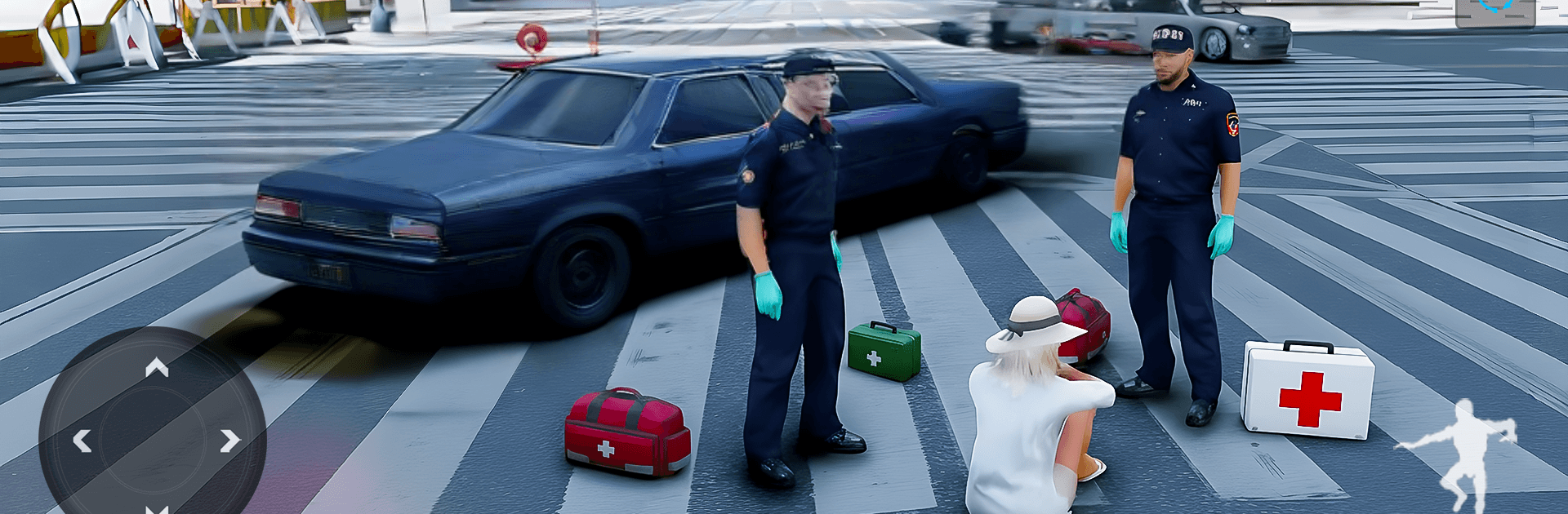
Ambulance Game Simulator puts you in the hot seat when seconds truly count. It’s a high-pressure Strategy experience built around fast decisions, precise driving, and keeping cool under flashing lights. Want a bigger view and crisp inputs? It also plays smoothly on BlueStacks.

Game Features

  • High-stakes rescues: Race to emergencies with sirens on, cut through traffic, and deliver patients safely without wasting a heartbeat.
  • Varied scenarios: Handle a bike crash, a construction-site fall, a downed spacecraft with an injured astronaut, a wedding fire, and a chemistry lab explosion—each with its own hazards and pace.
  • Realistic ambulance handling: Feel the weight on corners, manage braking distance, and thread tight gaps like a pro without causing more chaos.
  • Time pressure that matters: Beat strict timers, balance speed with safety, and make quick calls that can save a run—or ruin it.
  • Scene control first: Park smart, secure the area, and stabilize victims before you hit the road for the hospital.
  • Smooth controls and clean visuals: Responsive steering and sharp graphics keep you locked on the route and aware of every hazard.
  • Offline-friendly play: No connection? No problem—jump into missions anytime and keep the siren singing.
  • Progressive challenge: Expect tougher routes, tighter windows, and busier maps as your skills (and confidence) grow.
  • Nice on BlueStacks: Prefer a larger view and steady input? BlueStacks makes the action feel snappy without getting in the way.

BlueStacks gives you more room to focus on the game and less time adjusting around mobile limitations.


Game Features

Enhancements

  • Macros
  • Multi Instance
  • Multi Instance Sync
  • Eco Mode
  • Enhancements
Macros

Macros

Skip the boring parts of a game. Play Ambulance Game Simulator with Macros and get the edge. Simply record a sequence of commands and execute them at any moment.
Multi Instance

Multi Instance

Why limit to one game on your phone when you can play many on your PC? Open multiple instances of Ambulance Game Simulator at once with Multi-Instance. Leverage the power of different accounts by doing more.
Multi Instance Sync

Multi Instance Sync

Get the best out of Ambulance Game Simulator with Multi-Instance Sync. Play the game from different accounts and build your own empire. Use Multi-instance sync to repeat the action in the main BlueStacks instance on all other instances.
Eco Mode

Eco Mode

Find the rarest heroes by making multiple summons in Ambulance Game Simulator. And while you are at it, reduce your PC’s resource consumption with the Eco Mode. Farm efficiently. Get the best results.
Read More

How to Download and Play Ambulance Game Simulator on PC or Mac

  • Download and install BlueStacks on your PC or Mac

  • Complete Google sign-in to access the Play Store, or do it later

  • Look for Ambulance Game Simulator in the search bar at the top right corner

  • Click to install Ambulance Game Simulator from the search results

  • Complete Google sign-in (if you skipped step 2) to install Ambulance Game Simulator

  • Click the Ambulance Game Simulator icon on the home screen to start playing

video
Watch Video

Minimum System Requirements

With BlueStacks 5, you can get started on a PC that fulfills the following requirements.

  • Operating System

    Microsoft Windows 7 or above, macOS 11 (Big Sur) or above

  • Processor

    Intel, AMD or Apple Silicon Processor

  • RAM

    at least 4GB

  • HDD

    10GB Free Disk Space

Note:

* You must be an Administrator on your PC. Up to date graphics drivers from Microsoft or the chipset vendor.

Ambulance Game Simulator - FAQs

  • How to play Ambulance Game Simulator on Windows PC & Mac?

    Play Ambulance Game Simulator on your PC or Mac by following these simple steps.

    • Click on 'Play Ambulance Game Simulator on PC’ to download BlueStacks
    • Install it and log-in to Google Play Store
    • Launch and play the game.
  • Why is BlueStacks the fastest and safest platform to play games on PC?

    BlueStacks respects your privacy and is always safe and secure to use. It does not carry any malware, spyware, or any sort of additional software that could harm your PC.

    It is engineered to optimize speed and performance for a seamless gaming experience.

  • What are Ambulance Game Simulator PC requirements?

    Minimum requirement to run Ambulance Game Simulator on your PC

    • OS: Microsoft Windows 7 or above MacOS 11 (Big Sur) or above
    • Processor: Intel, AMD or Apple Silicon Processor
    • RAM: Your PC must have at least 4GB of RAM. (Note that having 4GB or more disk space is not a substitute for RAM)
    • HDD: 10GB Free Disk Space.
    • You must be an Administrator on your PC.