Ancient Defense
Ancient Defense

Ancient Defense

Strategy

| Ray Games Studio

Play on PC with BlueStacks or from our cloud

  • Overview
  • Game Features
  • How to Play

Page Modified On: May 11, 2026

Play Ancient Defense on PC or Mac

Ancient Defense brings the Strategy genre to life, and throws up exciting challenges for gamers. Developed by Ray Games Studio, this Android game is best experienced on BlueStacks, the World’s #1 app player for PC and Mac users.

About the Game

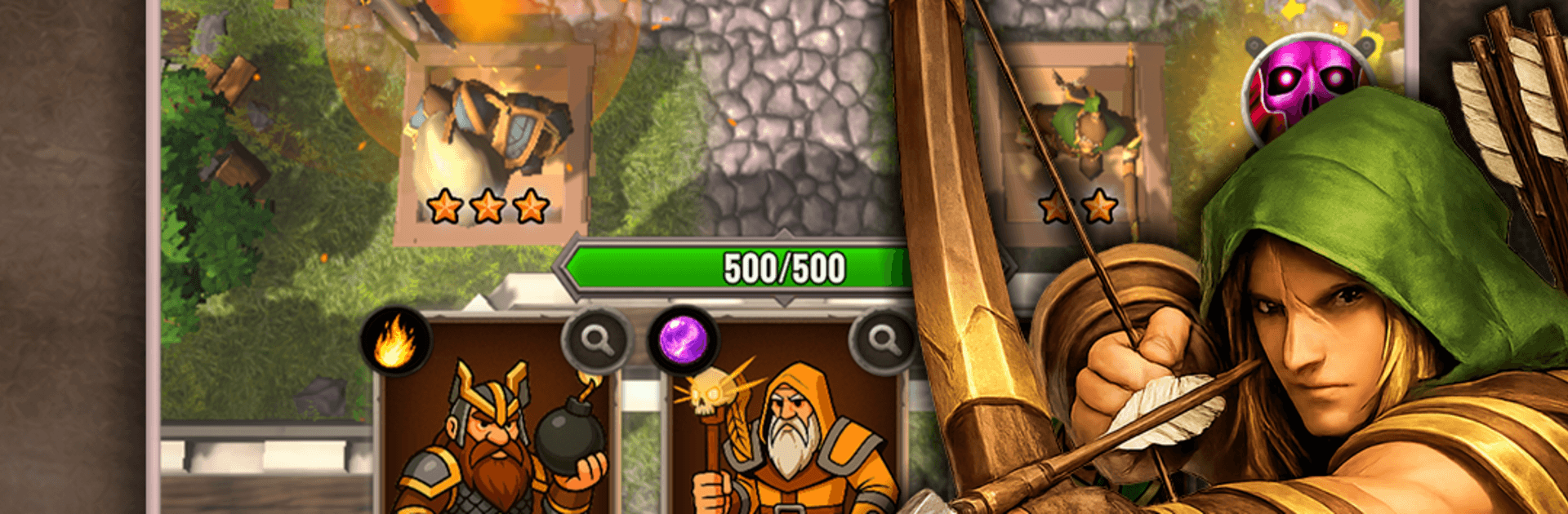
Ancient Defense is a Strategy game from Ray Games Studio where you hold the castle walls against relentless invasions. You’ll assemble a squad of specialists, drop them onto key platforms, and tweak your plan as enemy types change from wave to wave. Prefer playing on a bigger screen? It runs smoothly on BlueStacks if you like mouse-precision placement.

Game Features

  • Build your battle deck: Choose which units you’ll bring into each stage and set up smart combos that fit the map and the threats you expect.
  • Place-and-hold defense: Position characters on vantage points, manage ranges and damage types, and time abilities to stop enemies before they reach the gate.
  • Distinct heroes and roles: Field archers, frost and lightning casters, bomb slingers, flame adepts, light-channeling mages, and more—each with unique perks and attack patterns.
  • Powerful active skills: Call down meteors, freeze entire lanes, plant sneaky traps, boost allies, or even frighten enemy lines to buy precious seconds.
  • Boss encounters: Face climactic fights that push your timing and team setup, with patterns that punish one-note strategies.
  • Progress that sticks: Upgrade units and spells between runs, unlock meaningful perks, and fine-tune your roster so the next attempt hits harder.
  • Varied realms to conquer: Work through medieval-themed maps with fresh enemy mixes and environmental twists that keep you adapting.
  • Strategy-first pacing: Classic tower defense feel with a focus on synergy, placement, and moment-to-moment decisions rather than grinding or guesswork.
  • Satisfying growth curve: Every improvement nudges your defense forward, turning close calls into confident holds as you refine your approach.

Ready to top the leaderboard? We bet you do. Let precise controls and sharp visuals optimized on BlueStacks lead you to victory.


Game Features

Enhancements

  • Macros
  • Multi Instance
  • Multi Instance Sync
  • Eco Mode
  • Enhancements
Macros

Macros

Skip the boring parts of a game. Play Ancient Defense with Macros and get the edge. Simply record a sequence of commands and execute them at any moment.
Multi Instance

Multi Instance

Why limit to one game on your phone when you can play many on your PC? Open multiple instances of Ancient Defense at once with Multi-Instance. Leverage the power of different accounts by doing more.
Multi Instance Sync

Multi Instance Sync

Get the best out of Ancient Defense with Multi-Instance Sync. Play the game from different accounts and build your own empire. Use Multi-instance sync to repeat the action in the main BlueStacks instance on all other instances.
Eco Mode

Eco Mode

Find the rarest heroes by making multiple summons in Ancient Defense. And while you are at it, reduce your PC’s resource consumption with the Eco Mode. Farm efficiently. Get the best results.
Read More

How to Download and Play Ancient Defense on PC or Mac

  • Download and install BlueStacks on your PC or Mac

  • Complete Google sign-in to access the Play Store, or do it later

  • Look for Ancient Defense in the search bar at the top right corner

  • Click to install Ancient Defense from the search results

  • Complete Google sign-in (if you skipped step 2) to install Ancient Defense

  • Click the Ancient Defense icon on the home screen to start playing

video
Watch Video

Minimum System Requirements

With BlueStacks 5, you can get started on a PC that fulfills the following requirements.

  • Operating System

    Microsoft Windows 7 or above, macOS 11 (Big Sur) or above

  • Processor

    Intel, AMD or Apple Silicon Processor

  • RAM

    at least 4GB

  • HDD

    10GB Free Disk Space

Note:

* You must be an Administrator on your PC. Up to date graphics drivers from Microsoft or the chipset vendor.

Ancient Defense - FAQs

  • How to play Ancient Defense on Windows PC & Mac?

    Play Ancient Defense on your PC or Mac by following these simple steps.

    • Click on 'Play Ancient Defense on PC’ to download BlueStacks
    • Install it and log-in to Google Play Store
    • Launch and play the game.
  • Why is BlueStacks the fastest and safest platform to play games on PC?

    BlueStacks respects your privacy and is always safe and secure to use. It does not carry any malware, spyware, or any sort of additional software that could harm your PC.

    It is engineered to optimize speed and performance for a seamless gaming experience.

  • What are Ancient Defense PC requirements?

    Minimum requirement to run Ancient Defense on your PC

    • OS: Microsoft Windows 7 or above MacOS 11 (Big Sur) or above
    • Processor: Intel, AMD or Apple Silicon Processor
    • RAM: Your PC must have at least 4GB of RAM. (Note that having 4GB or more disk space is not a substitute for RAM)
    • HDD: 10GB Free Disk Space.
    • You must be an Administrator on your PC.