Animal Hunt Sniper Shooting

Animal Hunt Sniper Shooting

Strategy

| Golden Guns Studio

Play on PC with BlueStacks or from our cloud

  • Overview
  • Game Features
  • How to Play

Page Modified On: January 02, 2026

Play Animal Hunt Sniper Shooting on PC or Mac

Bring your A-game to Animal Hunt Sniper Shooting, the Strategy game sensation from Golden Guns Studio. Give your gameplay the much-needed boost with precise game controls, high FPS graphics, and top-tier features on your PC or Mac with BlueStacks.

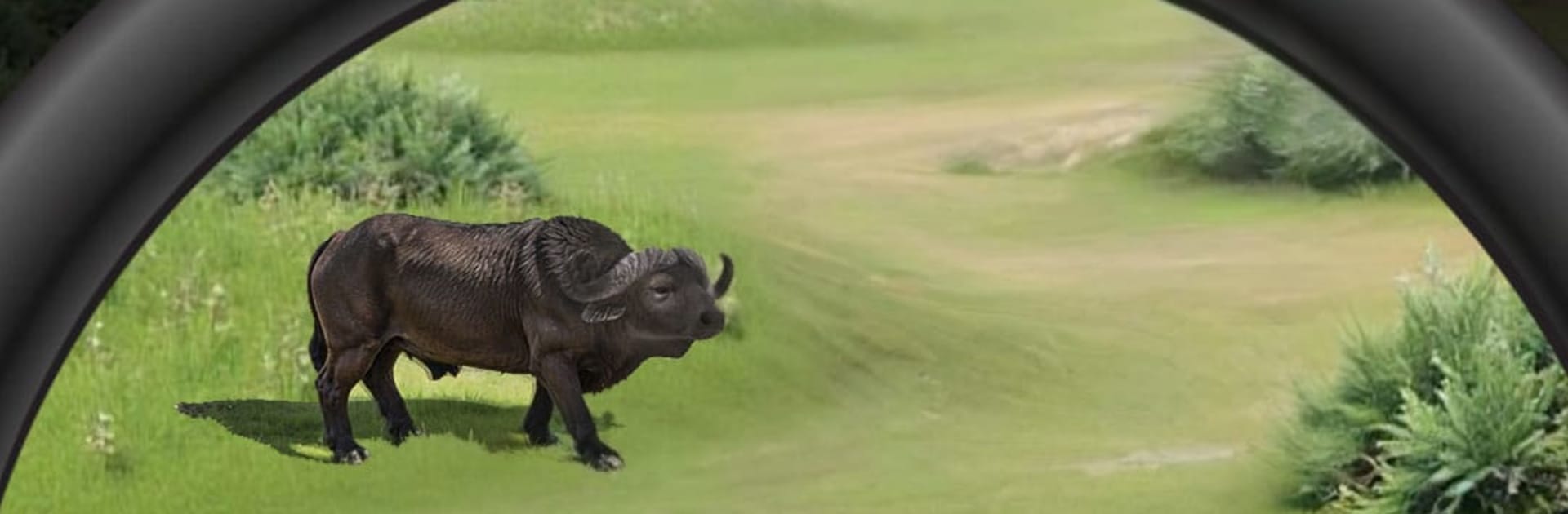
Animal Hunt Sniper Shooting is basically a calm but tense hunting game where the whole loop is stalking animals, lining up a shot, and watching that slow motion camera follow the bullet. Maps move from thick forests to open savannah and icy hills, and each place plays a little different. Deer and zebras spook and sprint when a shot whiffs, bears and lions take more power to drop, and distance matters because shots arc and lose punch. It feels methodical. Players watch the wind in the grass, check the herd, adjust zoom, then breathe and click. The best moments are those clean long shots that land just right and the animal AI reacting like it actually noticed something was wrong.

There is a bunch of rifles to unlock and tweak, with scopes and upgrades that make a real difference, so early gear feels a bit shaky and later kits reach farther and hit harder. Daily missions hand out currency and set little goals, and there is an offline mode for quiet practice when signal is bad. If someone likes competition, there are tournaments and a global board that keeps score on precision and speed, not just random spray. On PC through BlueStacks, mouse aiming feels natural and quick weapon switching on keys helps when the target turns or the range changes. It is not frantic arcade shooting, more steady patience and small decisions, which suits the wildlife theme and makes each hunt its own little puzzle.

Make your gaming sessions memorable with precise controls that give you an edge in close combats and visuals that pop up, bringing every character to life.


Game Features

Enhancements

  • Macros
  • Multi Instance
  • Multi Instance Sync
  • Eco Mode
  • Enhancements
Macros

Macros

Skip the boring parts of a game. Play Animal Hunt Sniper Shooting with Macros and get the edge. Simply record a sequence of commands and execute them at any moment.
Multi Instance

Multi Instance

Why limit to one game on your phone when you can play many on your PC? Open multiple instances of Animal Hunt Sniper Shooting at once with Multi-Instance. Leverage the power of different accounts by doing more.
Multi Instance Sync

Multi Instance Sync

Get the best out of Animal Hunt Sniper Shooting with Multi-Instance Sync. Play the game from different accounts and build your own empire. Use Multi-instance sync to repeat the action in the main BlueStacks instance on all other instances.
Eco Mode

Eco Mode

Find the rarest heroes by making multiple summons in Animal Hunt Sniper Shooting. And while you are at it, reduce your PC’s resource consumption with the Eco Mode. Farm efficiently. Get the best results.
Read More

How to Download and Play Animal Hunt Sniper Shooting on PC or Mac

  • Download and install BlueStacks on your PC or Mac

  • Complete Google sign-in to access the Play Store, or do it later

  • Look for Animal Hunt Sniper Shooting in the search bar at the top right corner

  • Click to install Animal Hunt Sniper Shooting from the search results

  • Complete Google sign-in (if you skipped step 2) to install Animal Hunt Sniper Shooting

  • Click the Animal Hunt Sniper Shooting icon on the home screen to start playing

video
Watch Video

Minimum System Requirements

With BlueStacks 5, you can get started on a PC that fulfills the following requirements.

  • Operating System

    Microsoft Windows 7 or above, macOS 11 (Big Sur) or above

  • Processor

    Intel, AMD or Apple Silicon Processor

  • RAM

    at least 4GB

  • HDD

    10GB Free Disk Space

Note:

* You must be an Administrator on your PC. Up to date graphics drivers from Microsoft or the chipset vendor.

Animal Hunt Sniper Shooting - FAQs

  • How to play Animal Hunt Sniper Shooting on Windows PC & Mac?

    Play Animal Hunt Sniper Shooting on your PC or Mac by following these simple steps.

    • Click on 'Play Animal Hunt Sniper Shooting on PC’ to download BlueStacks
    • Install it and log-in to Google Play Store
    • Launch and play the game.
  • Why is BlueStacks the fastest and safest platform to play games on PC?

    BlueStacks respects your privacy and is always safe and secure to use. It does not carry any malware, spyware, or any sort of additional software that could harm your PC.

    It is engineered to optimize speed and performance for a seamless gaming experience.

  • What are Animal Hunt Sniper Shooting PC requirements?

    Minimum requirement to run Animal Hunt Sniper Shooting on your PC

    • OS: Microsoft Windows 7 or above MacOS 11 (Big Sur) or above
    • Processor: Intel, AMD or Apple Silicon Processor
    • RAM: Your PC must have at least 4GB of RAM. (Note that having 4GB or more disk space is not a substitute for RAM)
    • HDD: 10GB Free Disk Space.
    • You must be an Administrator on your PC.