Gun Game FPS Shooting Games 3D

Gun Game FPS Shooting Games 3D

Action

| Games Crate

Play on PC with BlueStacks or from our cloud

  • Overview
  • Game Features
  • How to Play

Page Modified On: November 28, 2025

Play Gun Game FPS Shooting Games 3D on PC or Mac

Join millions to experience Gun Game FPS Shooting Games 3D, an exciting Action game from Games Crate. With BlueStacks App Player, you are always a step ahead of your opponent, ready to outplay them with faster gameplay and better control with the mouse and keyboard on your PC or Mac.

About the Game

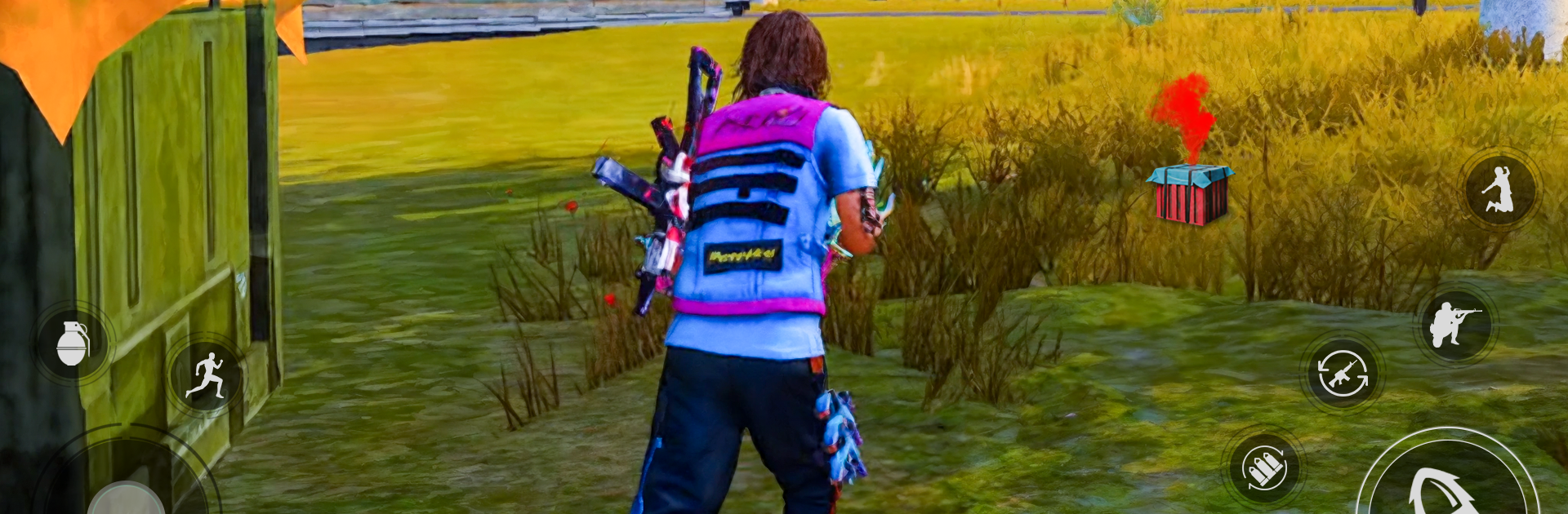
Gun Game FPS Shooting Games 3D is a fast, no-fuss shooter where every second counts. Built by Games Crate, this Action title lets you jump between tense solo missions and quick competitive matches without getting bogged down. Prefer playing on PC? It works great with BlueStacks, too.

Game Features

  • Gun Game Mode
    Work your way through a full weapon ladder—start with a pistol and end with heavier gear. First player to finish the list wins, so every elimination matters.

  • Team and Free for All
    Squad up for coordinated takedowns or go solo in FFA if you like the chaos. Clean, readable maps and quick respawns keep the pace high.

  • Offline Single-Player Missions
    Take on commando-style operations with waves of enemies and tight objectives. It’s designed for offline play, so you can run missions anywhere.

  • A Full Arsenal
    Grab assault rifles, sniper rifles, shotguns, pistols, grenades, and melee options like a knife—or even a frying pan—when things get close.

  • Satisfying Shooting Feel
    Snappy controls, clear hit feedback, and occasional slow-motion kill shots make great aim feel rewarding without overcomplicating the action.

  • Lightweight and Ready to Go
    The install stays low MB, loads fast, and gets you into matches quickly. Great when you want a shooter that doesn’t hog storage.

  • Multiplayer Showdowns
    Coordinate roles, lock down angles, and push objectives as a team. Whether you prefer long-range picks or close-up pressure, there’s room for your playstyle.

  • Modern 3D Combat
    Crisp weapon models and straightforward effects keep the focus on reaction time and positioning, not clutter.

Slay your opponents with your epic moves. Play it your way on BlueStacks and dominate the battlefield.


Game Features

Enhancements

  • Macros
  • Multi Instance
  • Multi Instance Sync
  • Eco Mode
  • Enhancements
Macros

Macros

Skip the boring parts of a game. Play Gun Game FPS Shooting Games 3D with Macros and get the edge. Simply record a sequence of commands and execute them at any moment.
Multi Instance

Multi Instance

Why limit to one game on your phone when you can play many on your PC? Open multiple instances of Gun Game FPS Shooting Games 3D at once with Multi-Instance. Leverage the power of different accounts by doing more.
Multi Instance Sync

Multi Instance Sync

Get the best out of Gun Game FPS Shooting Games 3D with Multi-Instance Sync. Play the game from different accounts and build your own empire. Use Multi-instance sync to repeat the action in the main BlueStacks instance on all other instances.
Eco Mode

Eco Mode

Find the rarest heroes by making multiple summons in Gun Game FPS Shooting Games 3D. And while you are at it, reduce your PC’s resource consumption with the Eco Mode. Farm efficiently. Get the best results.
Read More

How to Download and Play Gun Game FPS Shooting Games 3D on PC or Mac

  • Download and install BlueStacks on your PC or Mac

  • Complete Google sign-in to access the Play Store, or do it later

  • Look for Gun Game FPS Shooting Games 3D in the search bar at the top right corner

  • Click to install Gun Game FPS Shooting Games 3D from the search results

  • Complete Google sign-in (if you skipped step 2) to install Gun Game FPS Shooting Games 3D

  • Click the Gun Game FPS Shooting Games 3D icon on the home screen to start playing

video
Watch Video

Minimum System Requirements

With BlueStacks 5, you can get started on a PC that fulfills the following requirements.

  • Operating System

    Microsoft Windows 7 or above, macOS 11 (Big Sur) or above

  • Processor

    Intel, AMD or Apple Silicon Processor

  • RAM

    at least 4GB

  • HDD

    10GB Free Disk Space

Note:

* You must be an Administrator on your PC. Up to date graphics drivers from Microsoft or the chipset vendor.

Gun Game FPS Shooting Games 3D - FAQs

  • How to play Gun Game FPS Shooting Games 3D on Windows PC & Mac?

    Play Gun Game FPS Shooting Games 3D on your PC or Mac by following these simple steps.

    • Click on 'Play Gun Game FPS Shooting Games 3D on PC’ to download BlueStacks
    • Install it and log-in to Google Play Store
    • Launch and play the game.
  • Why is BlueStacks the fastest and safest platform to play games on PC?

    BlueStacks respects your privacy and is always safe and secure to use. It does not carry any malware, spyware, or any sort of additional software that could harm your PC.

    It is engineered to optimize speed and performance for a seamless gaming experience.

  • What are Gun Game FPS Shooting Games 3D PC requirements?

    Minimum requirement to run Gun Game FPS Shooting Games 3D on your PC

    • OS: Microsoft Windows 7 or above MacOS 11 (Big Sur) or above
    • Processor: Intel, AMD or Apple Silicon Processor
    • RAM: Your PC must have at least 4GB of RAM. (Note that having 4GB or more disk space is not a substitute for RAM)
    • HDD: 10GB Free Disk Space.
    • You must be an Administrator on your PC.