Base Defense: Drone War

Base Defense: Drone War

Strategy

| GentleDog

Play on PC with BlueStacks or from our cloud

  • Overview
  • Game Features
  • How to Play

Page Modified On: May 05, 2026

Play Base Defense: Drone War on PC or Mac

Step into the World of Base Defense: Drone War, a thrilling Strategy game from the house of GentleDog. Play this Android game on BlueStacks App Player and experience immersive gaming on PC or Mac.

About the Game

Base Defense: Drone War puts you in charge of humanity’s last stronghold, and it doesn’t waste time getting messy. Waves keep coming, your turrets keep firing, and your brain’s always juggling what to build next. It’s a Strategy game from GentleDog that mixes chill idle progress with satisfying “watch it all blow up” moments—great on mobile and surprisingly comfy on PC with BlueStacks, too.

Game Features

  • Optional Ads, Real Rewards
    Watch ads only if you want perks like an extra life or a quick gold boost. No pop-ups hijacking your screen, ever.

  • Ground-to-Orbit Firepower
    Start with humble machine guns and grow into anti-air setups, combat choppers, long-range missiles, and a full-on space fleet. Unlock the tech tree to push your arsenal even further.

  • Idle Growth That Actually Feels Good
    Beat enemies to earn gold, then keep raking it in from upgraded mining while you’re away. Come back richer, tougher, and ready to expand again.

  • Stronger Every Run
    Spend gems on Research for permanent stat boosts. Even if a run ends, your upgrades stick, so each comeback hits harder.

  • Smarter Coverage, Safer Base
    Boost base HP and armor, extend radar range, and widen missile reach to shred threats before they get near your walls.

  • New-Player Boosts
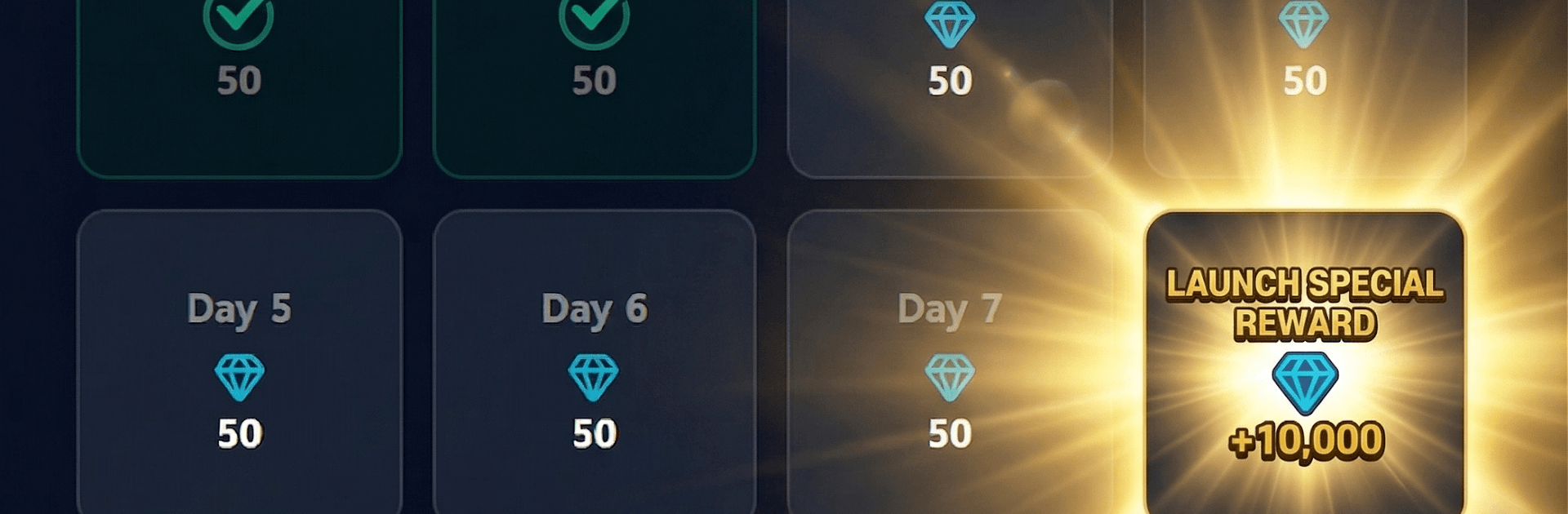
    Daily check-ins help you snowball fast. Make it to Day 7 to snag the “Beginner’s Luck” buff and some handy support.

  • Tap In, Zone Out
    Units auto-attack, leaving you free to focus on upgrades and timing. Great for short breaks or long sessions—your base keeps growing either way.

Ready to top the leaderboard? We bet you do. Let precise controls and sharp visuals optimized on BlueStacks lead you to victory.


Game Features

Enhancements

  • Macros
  • Multi Instance
  • Multi Instance Sync
  • Eco Mode
  • Enhancements
Macros

Macros

Skip the boring parts of a game. Play Base Defense: Drone War with Macros and get the edge. Simply record a sequence of commands and execute them at any moment.
Multi Instance

Multi Instance

Why limit to one game on your phone when you can play many on your PC? Open multiple instances of Base Defense: Drone War at once with Multi-Instance. Leverage the power of different accounts by doing more.
Multi Instance Sync

Multi Instance Sync

Get the best out of Base Defense: Drone War with Multi-Instance Sync. Play the game from different accounts and build your own empire. Use Multi-instance sync to repeat the action in the main BlueStacks instance on all other instances.
Eco Mode

Eco Mode

Find the rarest heroes by making multiple summons in Base Defense: Drone War. And while you are at it, reduce your PC’s resource consumption with the Eco Mode. Farm efficiently. Get the best results.
Read More

How to Download and Play Base Defense: Drone War on PC or Mac

  • Download and install BlueStacks on your PC or Mac

  • Complete Google sign-in to access the Play Store, or do it later

  • Look for Base Defense: Drone War in the search bar at the top right corner

  • Click to install Base Defense: Drone War from the search results

  • Complete Google sign-in (if you skipped step 2) to install Base Defense: Drone War

  • Click the Base Defense: Drone War icon on the home screen to start playing

video
Watch Video

Minimum System Requirements

With BlueStacks 5, you can get started on a PC that fulfills the following requirements.

  • Operating System

    Microsoft Windows 7 or above, macOS 11 (Big Sur) or above

  • Processor

    Intel, AMD or Apple Silicon Processor

  • RAM

    at least 4GB

  • HDD

    10GB Free Disk Space

Note:

* You must be an Administrator on your PC. Up to date graphics drivers from Microsoft or the chipset vendor.

Base Defense: Drone War - FAQs

  • How to play Base Defense: Drone War on Windows PC & Mac?

    Play Base Defense: Drone War on your PC or Mac by following these simple steps.

    • Click on 'Play Base Defense: Drone War on PC’ to download BlueStacks
    • Install it and log-in to Google Play Store
    • Launch and play the game.
  • Why is BlueStacks the fastest and safest platform to play games on PC?

    BlueStacks respects your privacy and is always safe and secure to use. It does not carry any malware, spyware, or any sort of additional software that could harm your PC.

    It is engineered to optimize speed and performance for a seamless gaming experience.

  • What are Base Defense: Drone War PC requirements?

    Minimum requirement to run Base Defense: Drone War on your PC

    • OS: Microsoft Windows 7 or above MacOS 11 (Big Sur) or above
    • Processor: Intel, AMD or Apple Silicon Processor
    • RAM: Your PC must have at least 4GB of RAM. (Note that having 4GB or more disk space is not a substitute for RAM)
    • HDD: 10GB Free Disk Space.
    • You must be an Administrator on your PC.