Battle of Lands -Pirate Empire

Battle of Lands -Pirate Empire

Strategy

| Invent Venture

Play on PC with BlueStacks or from our cloud

  • Overview
  • Game Features
  • How to Play

Page Modified On: September 19, 2025

Play Battle of Lands -Pirate Empire on PC or Mac

Join millions to experience Battle of Lands -Pirate Empire, an exciting Strategy game from Invent Venture. With BlueStacks App Player, you are always a step ahead of your opponent, ready to outplay them with faster gameplay and better control with the mouse and keyboard on your PC or Mac.

About the Game

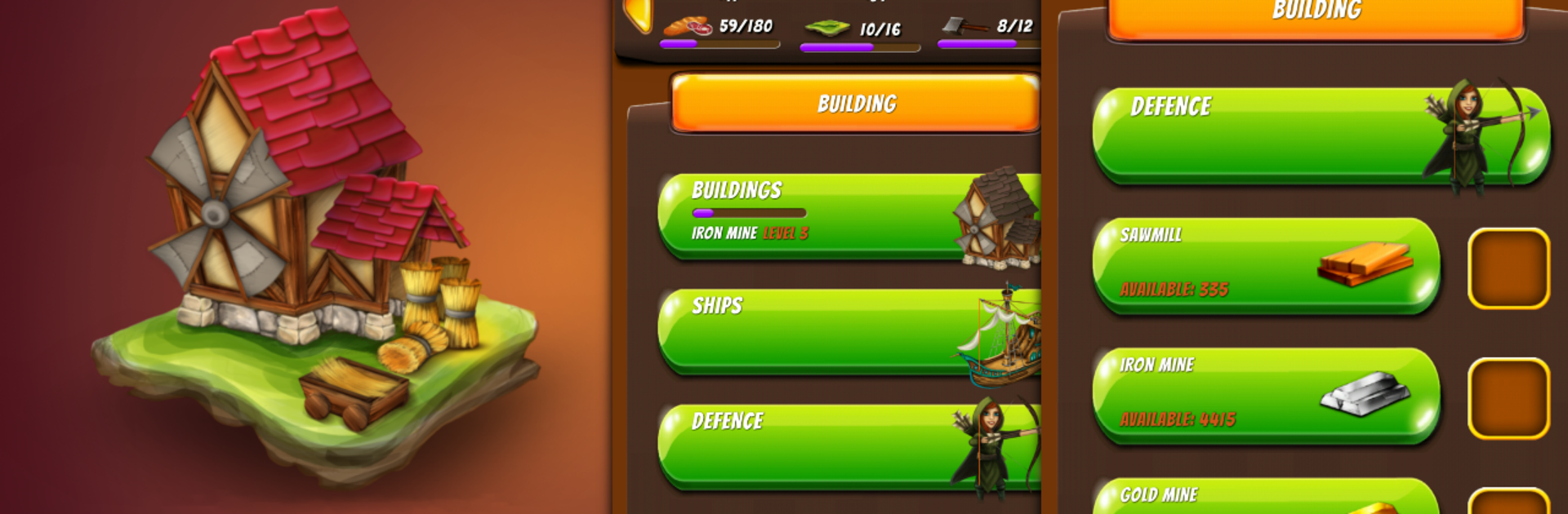
Battle of Lands -Pirate Empire is a Strategy game where you build a chain of islands, raise a navy, and outthink anyone who dares sail your way. It’s real-time, fast on the surface, and surprisingly deep once you start juggling resources, tech, and fleet formations. Prefer a bigger screen and mouse control? You can play it on your PC with BlueStacks without changing how the game feels.

Game Features

  • Island Economy: Set up farms, sawmills, and mines to keep food, wood, iron, and gold flowing. Residences add workers, which speeds up everything—because waiting on slow builds is no fun.
  • Shipyard & Fleet: From nimble Battle Boats to hulking Galleons, assemble a navy that fits your style. Transporters keep your islands supplied, while Colonizers claim new territory for your growing empire.
  • Tactical Warships: Use long-range Mortars to crack defenses, unleash Fire Ships when you need extra punch, and bring out Imperial Frigates for ruthless endgame control—torpedoes included.
  • Shore Defenses: Archers and Ballista keep early raiders honest; Trebuchets and Cannons bring the pain when things heat up. A well-placed Great Cannon can shred lines of ships before they land a shot.
  • Research & Upgrades: The Laboratory isn’t just fluff—unlock Camouflage to hide your fleet, Fortification to brace your islands, and a Fire Catapult for clutch naval skirmishes.
  • Strategic Stations: Deploy Mining Stations to small islands, use Merchant Stations to trade surplus, and push a Defense Station into open water to keep your sea lanes safe.
  • Scouting & Sabotage: Send a Spy to peek at enemy tech, ships, and defenses. Feeling bold? A Kamikaze Ship can ruin a base at the worst possible moment—for them.

Slay your opponents with your epic moves. Play it your way on BlueStacks and dominate the battlefield.


Game Features

Enhancements

  • Macros
  • Multi Instance
  • Multi Instance Sync
  • Eco Mode
  • Enhancements
Macros

Macros

Skip the boring parts of a game. Play Battle of Lands -Pirate Empire with Macros and get the edge. Simply record a sequence of commands and execute them at any moment.
Multi Instance

Multi Instance

Why limit to one game on your phone when you can play many on your PC? Open multiple instances of Battle of Lands -Pirate Empire at once with Multi-Instance. Leverage the power of different accounts by doing more.
Multi Instance Sync

Multi Instance Sync

Get the best out of Battle of Lands -Pirate Empire with Multi-Instance Sync. Play the game from different accounts and build your own empire. Use Multi-instance sync to repeat the action in the main BlueStacks instance on all other instances.
Eco Mode

Eco Mode

Find the rarest heroes by making multiple summons in Battle of Lands -Pirate Empire. And while you are at it, reduce your PC’s resource consumption with the Eco Mode. Farm efficiently. Get the best results.
Read More

How to Download and Play Battle of Lands -Pirate Empire on PC or Mac

  • Download and install BlueStacks on your PC or Mac

  • Complete Google sign-in to access the Play Store, or do it later

  • Look for Battle of Lands -Pirate Empire in the search bar at the top right corner

  • Click to install Battle of Lands -Pirate Empire from the search results

  • Complete Google sign-in (if you skipped step 2) to install Battle of Lands -Pirate Empire

  • Click the Battle of Lands -Pirate Empire icon on the home screen to start playing

video
Watch Video

Minimum System Requirements

With BlueStacks 5, you can get started on a PC that fulfills the following requirements.

  • Operating System

    Microsoft Windows 7 or above, macOS 11 (Big Sur) or above

  • Processor

    Intel, AMD or Apple Silicon Processor

  • RAM

    at least 4GB

  • HDD

    10GB Free Disk Space

Note:

* You must be an Administrator on your PC. Up to date graphics drivers from Microsoft or the chipset vendor.

Battle of Lands -Pirate Empire - FAQs

  • How to play Battle of Lands -Pirate Empire on Windows PC & Mac?

    Play Battle of Lands -Pirate Empire on your PC or Mac by following these simple steps.

    • Click on 'Play Battle of Lands -Pirate Empire on PC’ to download BlueStacks
    • Install it and log-in to Google Play Store
    • Launch and play the game.
  • Why is BlueStacks the fastest and safest platform to play games on PC?

    BlueStacks respects your privacy and is always safe and secure to use. It does not carry any malware, spyware, or any sort of additional software that could harm your PC.

    It is engineered to optimize speed and performance for a seamless gaming experience.

  • What are Battle of Lands -Pirate Empire PC requirements?

    Minimum requirement to run Battle of Lands -Pirate Empire on your PC

    • OS: Microsoft Windows 7 or above MacOS 11 (Big Sur) or above
    • Processor: Intel, AMD or Apple Silicon Processor
    • RAM: Your PC must have at least 4GB of RAM. (Note that having 4GB or more disk space is not a substitute for RAM)
    • HDD: 10GB Free Disk Space.
    • You must be an Administrator on your PC.