Before Dawn
Before Dawn

Before Dawn

Strategy

| Allex85

Play on PC with BlueStacks or from our cloud

  • Overview
  • Game Features
  • How to Play

Page Modified On: August 17, 2026

Play Before Dawn on PC or Mac

Explore a whole new adventure with Before Dawn, a Strategy game created by Allex85. Experience great gameplay with BlueStacks, the most popular gaming platform to play Android games on your PC or Mac.

About the Game

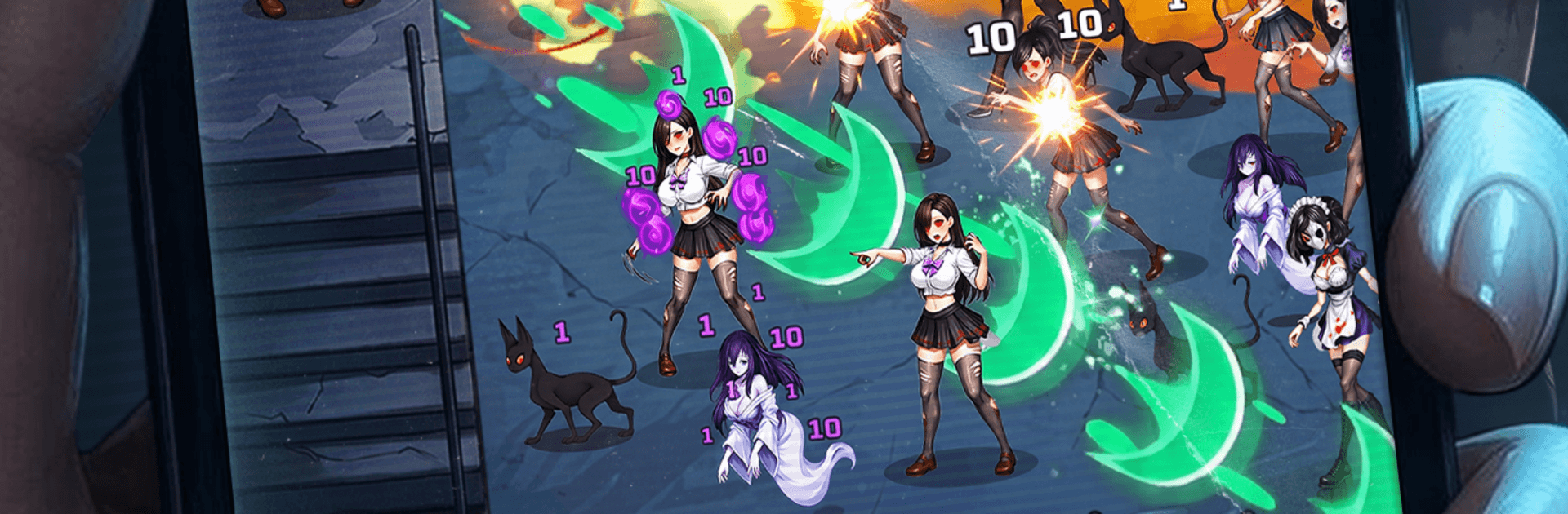
Before Dawn is a Strategy game about holding the line when nightmares spill into the waking world. You’re a sealed-away prodigy who rediscovers her magic, splicing elements together to blast back an endless swarm while piecing together the memories they’ve swallowed. It’s part quick-fire survival, part build tinkering, with a story that slowly pulls you through the haze. If you like playing on a bigger screen, it also runs nicely on BlueStacks.

Game Features

  • Spell-Slinging Defense: Stand your ground against ceaseless waves and make every cast count as the pressure keeps climbing.
  • Element Fusion: Mix different elements on the fly to create fresh spell effects—chain lightning, icy bursts, fiery arcs, and stranger hybrids if you’re bold.
  • Rune Loadouts: Slot and swap runes to shape your playstyle, from high-risk burst damage to steady, crowd-clearing control.
  • Varied Arenas: Each stage throws a new twist—tight corridors, open plazas, shifting hazards—so your plan can’t stay the same for long.
  • Boss Showdowns: Massive, unsettling foes test your timing, positioning, and the limits of your favorite build.
  • Memory Puzzle: Hunt down shards and clues, rebuild fragments of the past, and watch the larger mystery click into place.
  • Rift Expeditions: Explore a rogue-like realm filled with unpredictable events, odd bargains, and entities that don’t play fair.
  • Urban Legend Files: Unlock secret characters and uncover eerie myths hiding in back alleys, subway echoes, and the city’s sleepless corners.

Get ready for a buttery smooth, high-performance gaming action only on BlueStacks.

Game Features

Enhancements

  • Macros
  • Multi Instance
  • Multi Instance Sync
  • Eco Mode
  • Enhancements
Macros

Macros

Skip the boring parts of a game. Play Before Dawn with Macros and get the edge. Simply record a sequence of commands and execute them at any moment.
Multi Instance

Multi Instance

Why limit to one game on your phone when you can play many on your PC? Open multiple instances of Before Dawn at once with Multi-Instance. Leverage the power of different accounts by doing more.
Multi Instance Sync

Multi Instance Sync

Get the best out of Before Dawn with Multi-Instance Sync. Play the game from different accounts and build your own empire. Use Multi-instance sync to repeat the action in the main BlueStacks instance on all other instances.
Eco Mode

Eco Mode

Find the rarest heroes by making multiple summons in Before Dawn. And while you are at it, reduce your PC’s resource consumption with the Eco Mode. Farm efficiently. Get the best results.
Read More

How to Download and Play Before Dawn on PC or Mac

  • Download and install BlueStacks on your PC or Mac

  • Complete Google sign-in to access the Play Store, or do it later

  • Look for Before Dawn in the search bar at the top right corner

  • Click to install Before Dawn from the search results

  • Complete Google sign-in (if you skipped step 2) to install Before Dawn

  • Click the Before Dawn icon on the home screen to start playing

video
Watch Video

Minimum System Requirements

With BlueStacks 5, you can get started on a PC that fulfills the following requirements.

  • Operating System

    Microsoft Windows 7 or above, macOS 11 (Big Sur) or above

  • Processor

    Intel, AMD or Apple Silicon Processor

  • RAM

    at least 4GB

  • HDD

    10GB Free Disk Space

Note:

* You must be an Administrator on your PC. Up to date graphics drivers from Microsoft or the chipset vendor.

Before Dawn - FAQs

  • How to play Before Dawn on Windows PC & Mac?

    Play Before Dawn on your PC or Mac by following these simple steps.

    • Click on 'Play Before Dawn on PC’ to download BlueStacks
    • Install it and log-in to Google Play Store
    • Launch and play the game.
  • Why is BlueStacks the fastest and safest platform to play games on PC?

    BlueStacks respects your privacy and is always safe and secure to use. It does not carry any malware, spyware, or any sort of additional software that could harm your PC.

    It is engineered to optimize speed and performance for a seamless gaming experience.

  • What are Before Dawn PC requirements?

    Minimum requirement to run Before Dawn on your PC

    • OS: Microsoft Windows 7 or above MacOS 11 (Big Sur) or above
    • Processor: Intel, AMD or Apple Silicon Processor
    • RAM: Your PC must have at least 4GB of RAM. (Note that having 4GB or more disk space is not a substitute for RAM)
    • HDD: 10GB Free Disk Space.
    • You must be an Administrator on your PC.