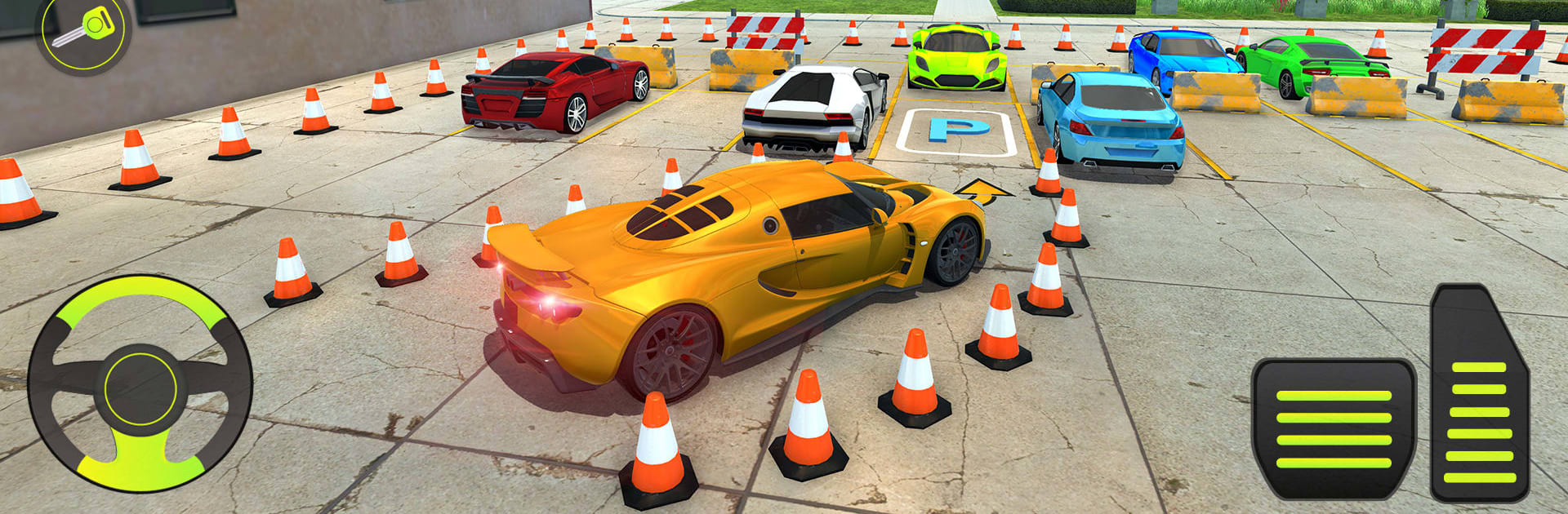
Car Parking Driving: Car Games

Car Parking Driving: Car Games

Strategy

| crushiz

Play on PC with BlueStacks or from our cloud

  • Overview
  • Game Features
  • How to Play

Page Modified On: November 28, 2025

Play Car Parking Driving: Car Games on PC or Mac

From the innovators and creators at crushiz, Car Parking Driving: Car Games is another fun addition to the World of Strategy games. Go beyond your mobile screen and play it bigger and better on your PC or Mac. An immersive experience awaits you.

This is one of those parking games that treats every spot like a tiny puzzle. It is not about racing at all. The whole thing is threading a car through cones and barriers, keeping the paint clean, and nudging into the exact box without tapping anything. Reverse parking shows up a lot, with tight angles that look simple until the back end swings wide and clips a pole. The layouts keep shifting, sometimes wider, sometimes annoyingly narrow, and it really pushes careful steering and throttle control. There is a bit of open driving to breathe, but the heart of it is those strict, clean landings that make a neat little thump of satisfaction when the car lines up just right.

Controls are flexible and the camera options help a ton, especially the rear view for backing in. Visuals are clean and the car audio sits nicely in the background without being too loud. Players can paint the cars and throw on decals, then jump into a challenge mode that keeps upping the precision. On PC with BlueStacks, keyboard or a gamepad makes the slow, careful movements feel steadier than touch, so squeezing through tight gaps is less jittery. It teaches patience more than speed, and anyone who likes methodical, skill-based driving will probably enjoy it. Some stages are strict about positioning which can feel fussy, but sticking a perfect reverse into a narrow bay after a few tries feels way better than it should.

Start your journey now. Download the game on BlueStacks, invite your friends, and march on a new adventure.


Game Features

Enhancements

  • Macros
  • Multi Instance
  • Multi Instance Sync
  • Eco Mode
  • Enhancements
Macros

Macros

Skip the boring parts of a game. Play Car Parking Driving: Car Games with Macros and get the edge. Simply record a sequence of commands and execute them at any moment.
Multi Instance

Multi Instance

Why limit to one game on your phone when you can play many on your PC? Open multiple instances of Car Parking Driving: Car Games at once with Multi-Instance. Leverage the power of different accounts by doing more.
Multi Instance Sync

Multi Instance Sync

Get the best out of Car Parking Driving: Car Games with Multi-Instance Sync. Play the game from different accounts and build your own empire. Use Multi-instance sync to repeat the action in the main BlueStacks instance on all other instances.
Eco Mode

Eco Mode

Find the rarest heroes by making multiple summons in Car Parking Driving: Car Games. And while you are at it, reduce your PC’s resource consumption with the Eco Mode. Farm efficiently. Get the best results.
Read More

How to Download and Play Car Parking Driving: Car Games on PC or Mac

  • Download and install BlueStacks on your PC or Mac

  • Complete Google sign-in to access the Play Store, or do it later

  • Look for Car Parking Driving: Car Games in the search bar at the top right corner

  • Click to install Car Parking Driving: Car Games from the search results

  • Complete Google sign-in (if you skipped step 2) to install Car Parking Driving: Car Games

  • Click the Car Parking Driving: Car Games icon on the home screen to start playing

video
Watch Video

Minimum System Requirements

With BlueStacks 5, you can get started on a PC that fulfills the following requirements.

  • Operating System

    Microsoft Windows 7 or above, macOS 11 (Big Sur) or above

  • Processor

    Intel, AMD or Apple Silicon Processor

  • RAM

    at least 4GB

  • HDD

    10GB Free Disk Space

Note:

* You must be an Administrator on your PC. Up to date graphics drivers from Microsoft or the chipset vendor.

Car Parking Driving: Car Games - FAQs

  • How to play Car Parking Driving: Car Games on Windows PC & Mac?

    Play Car Parking Driving: Car Games on your PC or Mac by following these simple steps.

    • Click on 'Play Car Parking Driving: Car Games on PC’ to download BlueStacks
    • Install it and log-in to Google Play Store
    • Launch and play the game.
  • Why is BlueStacks the fastest and safest platform to play games on PC?

    BlueStacks respects your privacy and is always safe and secure to use. It does not carry any malware, spyware, or any sort of additional software that could harm your PC.

    It is engineered to optimize speed and performance for a seamless gaming experience.

  • What are Car Parking Driving: Car Games PC requirements?

    Minimum requirement to run Car Parking Driving: Car Games on your PC

    • OS: Microsoft Windows 7 or above MacOS 11 (Big Sur) or above
    • Processor: Intel, AMD or Apple Silicon Processor
    • RAM: Your PC must have at least 4GB of RAM. (Note that having 4GB or more disk space is not a substitute for RAM)
    • HDD: 10GB Free Disk Space.
    • You must be an Administrator on your PC.