City Block Party: Craft World

City Block Party: Craft World

Strategy

| Simba Gaming Studio

Play on PC with BlueStacks or from our cloud

  • Overview
  • Game Features
  • How to Play

Page Modified On: January 09, 2026

Play City Block Party: Craft World on PC or Mac

Explore a whole new adventure with City Block Party: Craft World, a Strategy game created by Simba Gaming Studio. Experience great gameplay with BlueStacks, the most popular gaming platform to play Android games on your PC or Mac.

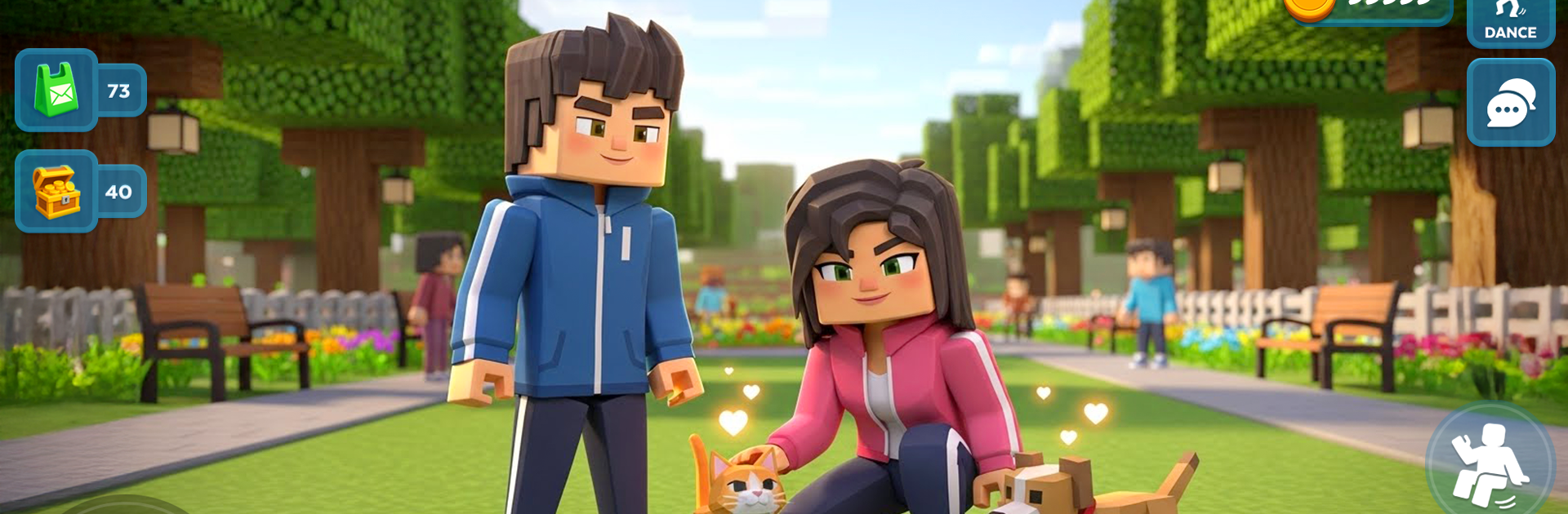
City Block Party: Craft World plays like a relaxed blocky city sandbox where players do a bit of everything. It is all about making a character that actually looks how someone wants, with names, outfits, hats, bags, shoes, the whole set, then dropping into a bright town that never feels empty. The city has cars to floor it, bikes and motorbikes for quick runs, and a goofy air glider that lets players skim over rooftops. Movement and third person controls are smooth, so swapping from walking to driving to a quick paint blaster shootout is no problem. The shooting is playful, more like paintball than anything serious, and the sounds sell that soft arcade tone.

The best surprise is the social layer. NPCs are not just background, they can call or message inside the game, show up for small challenges, or tag along for a quick paint fight. There are simple missions scattered around, like collecting garbage for rewards that unlock little extras, so there is always a reason to poke into a new alley or house. On PC with BlueStacks, aiming the paint blaster with a mouse and steering vehicles with the keyboard just feels cleaner, especially when traffic gets busy. It is a colorful open world that pushes creativity first, then adds enough mini activities to keep that loop going without stress or grind.

Slay your opponents with your epic moves. Play it your way on BlueStacks and dominate the battlefield.


Game Features

Enhancements

  • Macros
  • Multi Instance
  • Multi Instance Sync
  • Eco Mode
  • Enhancements
Macros

Macros

Skip the boring parts of a game. Play City Block Party: Craft World with Macros and get the edge. Simply record a sequence of commands and execute them at any moment.
Multi Instance

Multi Instance

Why limit to one game on your phone when you can play many on your PC? Open multiple instances of City Block Party: Craft World at once with Multi-Instance. Leverage the power of different accounts by doing more.
Multi Instance Sync

Multi Instance Sync

Get the best out of City Block Party: Craft World with Multi-Instance Sync. Play the game from different accounts and build your own empire. Use Multi-instance sync to repeat the action in the main BlueStacks instance on all other instances.
Eco Mode

Eco Mode

Find the rarest heroes by making multiple summons in City Block Party: Craft World. And while you are at it, reduce your PC’s resource consumption with the Eco Mode. Farm efficiently. Get the best results.
Read More

How to Download and Play City Block Party: Craft World on PC or Mac

  • Download and install BlueStacks on your PC or Mac

  • Complete Google sign-in to access the Play Store, or do it later

  • Look for City Block Party: Craft World in the search bar at the top right corner

  • Click to install City Block Party: Craft World from the search results

  • Complete Google sign-in (if you skipped step 2) to install City Block Party: Craft World

  • Click the City Block Party: Craft World icon on the home screen to start playing

video
Watch Video

Minimum System Requirements

With BlueStacks 5, you can get started on a PC that fulfills the following requirements.

  • Operating System

    Microsoft Windows 7 or above, macOS 11 (Big Sur) or above

  • Processor

    Intel, AMD or Apple Silicon Processor

  • RAM

    at least 4GB

  • HDD

    10GB Free Disk Space

Note:

* You must be an Administrator on your PC. Up to date graphics drivers from Microsoft or the chipset vendor.

City Block Party: Craft World - FAQs

  • How to play City Block Party: Craft World on Windows PC & Mac?

    Play City Block Party: Craft World on your PC or Mac by following these simple steps.

    • Click on 'Play City Block Party: Craft World on PC’ to download BlueStacks
    • Install it and log-in to Google Play Store
    • Launch and play the game.
  • Why is BlueStacks the fastest and safest platform to play games on PC?

    BlueStacks respects your privacy and is always safe and secure to use. It does not carry any malware, spyware, or any sort of additional software that could harm your PC.

    It is engineered to optimize speed and performance for a seamless gaming experience.

  • What are City Block Party: Craft World PC requirements?

    Minimum requirement to run City Block Party: Craft World on your PC

    • OS: Microsoft Windows 7 or above MacOS 11 (Big Sur) or above
    • Processor: Intel, AMD or Apple Silicon Processor
    • RAM: Your PC must have at least 4GB of RAM. (Note that having 4GB or more disk space is not a substitute for RAM)
    • HDD: 10GB Free Disk Space.
    • You must be an Administrator on your PC.