City Conflict: Global Wars

City Conflict: Global Wars

Strategy

| CuiveMedia

Play on PC with BlueStacks or from our cloud

  • Overview
  • Game Features
  • How to Play

Page Modified On: September 25, 2026

Play City Conflict: Global Wars on PC or Mac

Explore a whole new adventure with City Conflict: Global Wars, a Strategy game created by CuiveMedia. Experience great gameplay with BlueStacks, the most popular gaming platform to play Android games on your PC or Mac.

About the Game

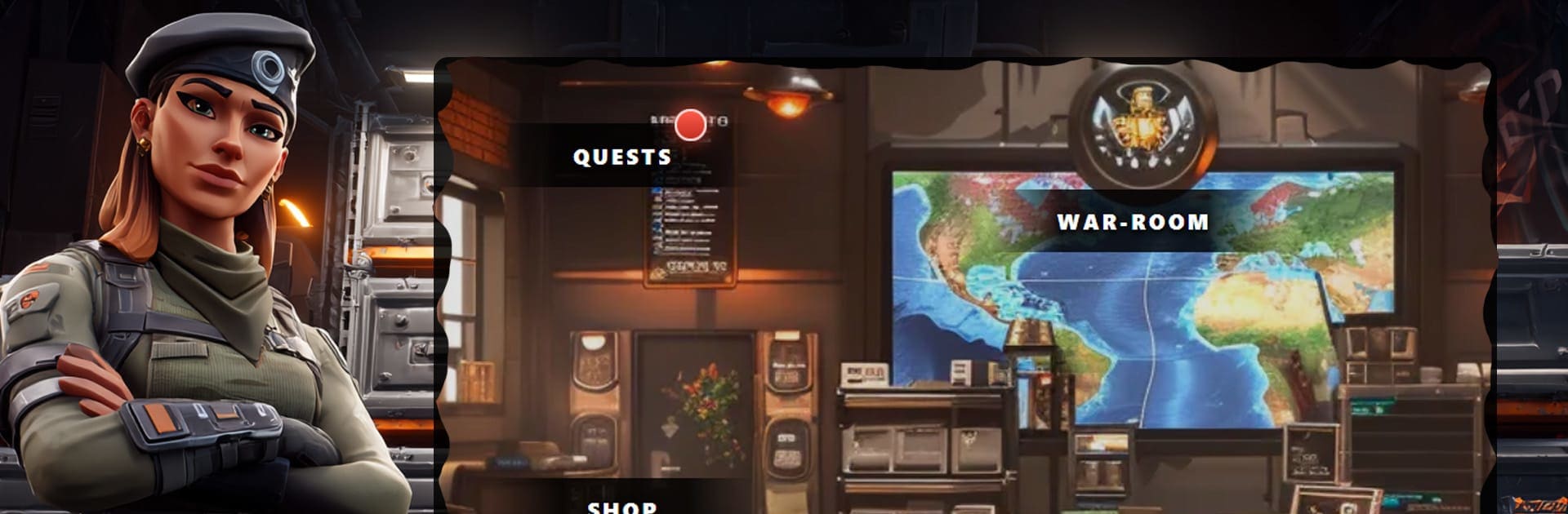
City Conflict: Global Wars drops you into a single, shared world where thousands of players build, battle, and bargain their way across a real Earth map. It’s a real-time Strategy experience focused on modern city-building, combined-arms warfare, and player-driven diplomacy that actually changes the map. Want a bigger view and smoother controls? BlueStacks handles that nicely.

Game Features

  • Deep City-Building: Construct a modern metropolis with dozens of specialized buildings, manage 11 resources, keep pollution in check, and grow a population that powers your industry and army.
  • Live Combat, Real Decisions: Battles play out in real time and hinge on your unit mix, formations, scouting, and timing—not coin flips.
  • Earth-Sized Map: Expand across recognizable geography, establish new cities, secure resource zones, and launch long-range raids that reshape borders.
  • Combined-Arms Warfare: Field infantry, tanks, artillery, and air wings; pair them with capable officers and generals to build devastating strike groups.
  • Alliances and Real Diplomacy: Join or form alliances of up to 50 players, plan multi-front campaigns, trade resources, set truces, and coordinate invasions that hit like clockwork.
  • Commanders and Companions: Recruit distinctive leaders with skill paths and gear slots, unlock milestone upgrades, and boost forces with rare companions and crafted weapons.
  • Competitive Modes: Climb ranked PvP in the arena, clear a hefty campaign with boss encounters, and challenge towering world bosses with friends.
  • Fair Progression: Play free and keep up through smart planning; optional purchases can speed things along, but the game stays open to everyone.
  • No Autoplay Here: Every march, target, and ability is under your control, so wins feel earned—not automated.
  • Persistent World Impact: Your choices leave a mark on a living map where alliances rise, rivalries simmer, and territory lines don’t stay still for long.

Start your journey now. Download the game on BlueStacks, invite your friends, and march on a new adventure.


Game Features

Enhancements

  • Macros
  • Multi Instance
  • Multi Instance Sync
  • Eco Mode
  • Enhancements
Macros

Macros

Skip the boring parts of a game. Play City Conflict: Global Wars with Macros and get the edge. Simply record a sequence of commands and execute them at any moment.
Multi Instance

Multi Instance

Why limit to one game on your phone when you can play many on your PC? Open multiple instances of City Conflict: Global Wars at once with Multi-Instance. Leverage the power of different accounts by doing more.
Multi Instance Sync

Multi Instance Sync

Get the best out of City Conflict: Global Wars with Multi-Instance Sync. Play the game from different accounts and build your own empire. Use Multi-instance sync to repeat the action in the main BlueStacks instance on all other instances.
Eco Mode

Eco Mode

Find the rarest heroes by making multiple summons in City Conflict: Global Wars. And while you are at it, reduce your PC’s resource consumption with the Eco Mode. Farm efficiently. Get the best results.
Read More

How to Download and Play City Conflict: Global Wars on PC or Mac

  • Download and install BlueStacks on your PC or Mac

  • Complete Google sign-in to access the Play Store, or do it later

  • Look for City Conflict: Global Wars in the search bar at the top right corner

  • Click to install City Conflict: Global Wars from the search results

  • Complete Google sign-in (if you skipped step 2) to install City Conflict: Global Wars

  • Click the City Conflict: Global Wars icon on the home screen to start playing

video
Watch Video

Minimum System Requirements

With BlueStacks 5, you can get started on a PC that fulfills the following requirements.

  • Operating System

    Microsoft Windows 7 or above, macOS 11 (Big Sur) or above

  • Processor

    Intel, AMD or Apple Silicon Processor

  • RAM

    at least 4GB

  • HDD

    10GB Free Disk Space

Note:

* You must be an Administrator on your PC. Up to date graphics drivers from Microsoft or the chipset vendor.

City Conflict: Global Wars - FAQs

  • How to play City Conflict: Global Wars on Windows PC & Mac?

    Play City Conflict: Global Wars on your PC or Mac by following these simple steps.

    • Click on 'Play City Conflict: Global Wars on PC’ to download BlueStacks
    • Install it and log-in to Google Play Store
    • Launch and play the game.
  • Why is BlueStacks the fastest and safest platform to play games on PC?

    BlueStacks respects your privacy and is always safe and secure to use. It does not carry any malware, spyware, or any sort of additional software that could harm your PC.

    It is engineered to optimize speed and performance for a seamless gaming experience.

  • What are City Conflict: Global Wars PC requirements?

    Minimum requirement to run City Conflict: Global Wars on your PC

    • OS: Microsoft Windows 7 or above MacOS 11 (Big Sur) or above
    • Processor: Intel, AMD or Apple Silicon Processor
    • RAM: Your PC must have at least 4GB of RAM. (Note that having 4GB or more disk space is not a substitute for RAM)
    • HDD: 10GB Free Disk Space.
    • You must be an Administrator on your PC.