Clash Warlords - Might and Mag

Clash Warlords - Might and Mag

Strategy

| Xin Games

Play on PC with BlueStacks or from our cloud

  • Overview
  • Game Features
  • How to Play

Page Modified On: November 20, 2025

Play Clash Warlords - Might and Mag on PC or Mac

Bring your A-game to Clash Warlords – Might and Mag, the Strategy game sensation from Xin Games. Give your gameplay the much-needed boost with precise game controls, high FPS graphics, and top-tier features on your PC or Mac with BlueStacks.

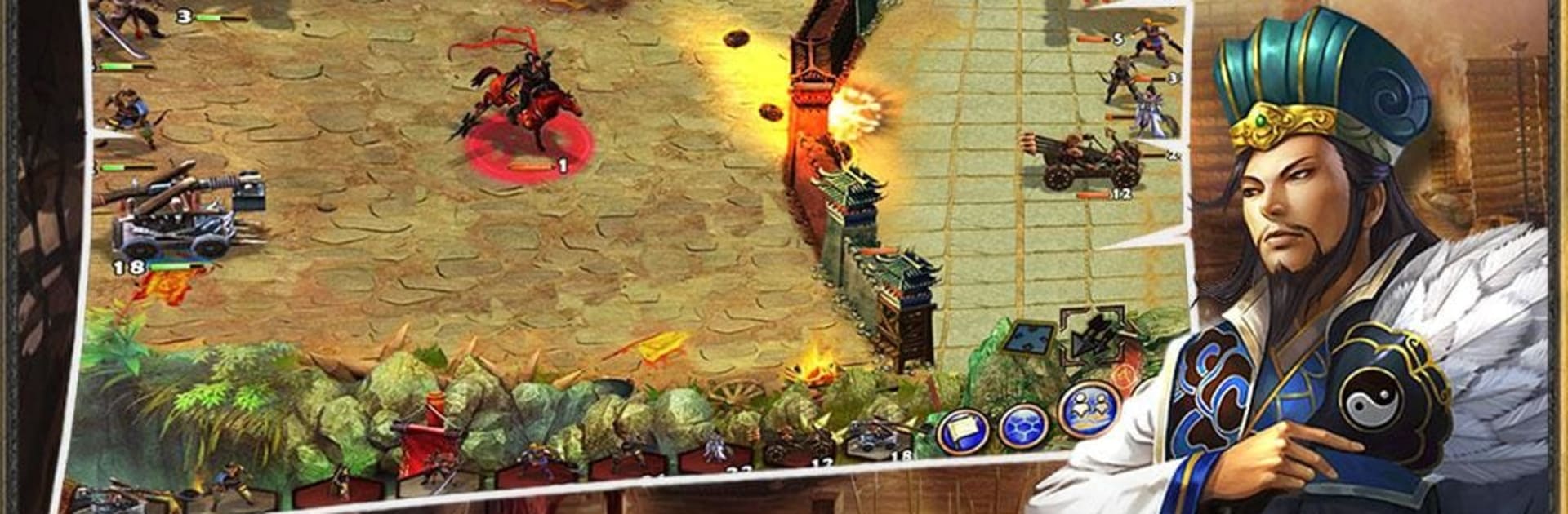
Clash Warlords – Might and Mag plays like a mix of a board game and a card game, with slow, thinky battles that reward careful placement and turn order tricks. Heroes lead squads, tactic cards tilt a fight at the right moment, and the maps have zones to poke through so it is not just fight after fight. The campaign throws a lot of missions at the player, more than enough to chew on, and the difficulty bumps feel fair rather than cheap. On PC through BlueStacks it feels clean to control, clicking tiles and dropping cards with a mouse is quick, and the bigger screen helps read skills without squinting.

The Arena is a whole side game. There is a Training room where everyone uses the same gear so losses do not sting, a Ranking room where personal builds matter, a visible leaderboard that shows the current heavy hitters, and a Playback area to rewatch recent fights or study someone else with a reference id. There is even a PVE corner inside Arena that throws boss fights at the player to raise the Arena battle level before testing real opponents. Quests hand out rewards based on progress, and a simple shop sells Arena tokens and little props to tinker with builds. What stands out most is how each small choice matters, which hero goes first, which tile to hold, which card to keep for later, and it all stacks into wins that feel earned rather than lucky.

Ready to top the leaderboard? We bet you do. Let precise controls and sharp visuals optimized on BlueStacks lead you to victory.


Game Features

Enhancements

  • Macros
  • Multi Instance
  • Multi Instance Sync
  • Eco Mode
  • Enhancements
Macros

Macros

Skip the boring parts of a game. Play Clash Warlords - Might and Mag with Macros and get the edge. Simply record a sequence of commands and execute them at any moment.
Multi Instance

Multi Instance

Why limit to one game on your phone when you can play many on your PC? Open multiple instances of Clash Warlords - Might and Mag at once with Multi-Instance. Leverage the power of different accounts by doing more.
Multi Instance Sync

Multi Instance Sync

Get the best out of Clash Warlords - Might and Mag with Multi-Instance Sync. Play the game from different accounts and build your own empire. Use Multi-instance sync to repeat the action in the main BlueStacks instance on all other instances.
Eco Mode

Eco Mode

Find the rarest heroes by making multiple summons in Clash Warlords - Might and Mag. And while you are at it, reduce your PC’s resource consumption with the Eco Mode. Farm efficiently. Get the best results.
Read More

How to Download and Play Clash Warlords - Might and Mag on PC or Mac

  • Download and install BlueStacks on your PC or Mac

  • Complete Google sign-in to access the Play Store, or do it later

  • Look for Clash Warlords - Might and Mag in the search bar at the top right corner

  • Click to install Clash Warlords - Might and Mag from the search results

  • Complete Google sign-in (if you skipped step 2) to install Clash Warlords - Might and Mag

  • Click the Clash Warlords - Might and Mag icon on the home screen to start playing

video
Watch Video

Minimum System Requirements

With BlueStacks 5, you can get started on a PC that fulfills the following requirements.

  • Operating System

    Microsoft Windows 7 or above, macOS 11 (Big Sur) or above

  • Processor

    Intel, AMD or Apple Silicon Processor

  • RAM

    at least 4GB

  • HDD

    10GB Free Disk Space

Note:

* You must be an Administrator on your PC. Up to date graphics drivers from Microsoft or the chipset vendor.

Clash Warlords - Might and Mag - FAQs

  • How to play Clash Warlords - Might and Mag on Windows PC & Mac?

    Play Clash Warlords - Might and Mag on your PC or Mac by following these simple steps.

    • Click on 'Play Clash Warlords - Might and Mag on PC’ to download BlueStacks
    • Install it and log-in to Google Play Store
    • Launch and play the game.
  • Why is BlueStacks the fastest and safest platform to play games on PC?

    BlueStacks respects your privacy and is always safe and secure to use. It does not carry any malware, spyware, or any sort of additional software that could harm your PC.

    It is engineered to optimize speed and performance for a seamless gaming experience.

  • What are Clash Warlords - Might and Mag PC requirements?

    Minimum requirement to run Clash Warlords - Might and Mag on your PC

    • OS: Microsoft Windows 7 or above MacOS 11 (Big Sur) or above
    • Processor: Intel, AMD or Apple Silicon Processor
    • RAM: Your PC must have at least 4GB of RAM. (Note that having 4GB or more disk space is not a substitute for RAM)
    • HDD: 10GB Free Disk Space.
    • You must be an Administrator on your PC.