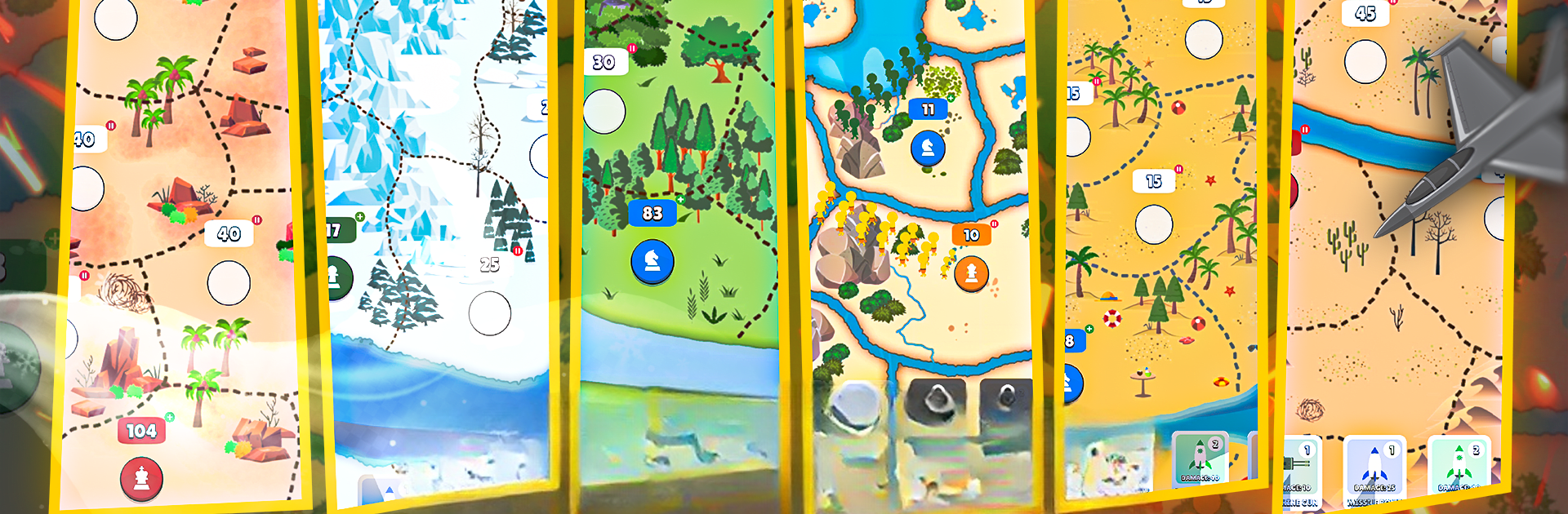
Build and Battle Conquer Game

Build and Battle Conquer Game

Strategy

| Pocket Games Realm

Play on PC with BlueStacks or from our cloud

  • Overview
  • Game Features
  • How to Play

Page Modified On: March 21, 2025

Play Build and Battle Conquer Game on PC or Mac

Bring your A-game to Build and Battle Conquer Game, the Strategy game sensation from Pocket Games Realm. Give your gameplay the much-needed boost with precise game controls, high FPS graphics, and top-tier features on your PC or Mac with BlueStacks.

About the Game

In Build and Battle Conquer Game by Pocket Games Realm, players tackle intense strategy challenges amidst epic battles and cunning tactics. This strategy game lets you command vast armies, fortify defenses, and dominate territories as you vie for global supremacy. Whether you’re planning your next move or engaging in full-scale war, every choice can alter the tide of battle.

Game Features

  • Strategic Depth
    Command strategic points, build alliances, and deploy resources wisely. Navigate through complex tactical decisions where your cunning determines success.

  • Dynamic Gameplay
    Adapt to new challenges with customizable armies and varied unit types. Your unique strategies and tactics shape the ever-evolving battlefield.

  • Immersive Experience
    Stunning visuals and soundscapes create a rich tapestry, bringing each strategic battle to life.

  • Community Engagement
    Join a vibrant community of commanders. Share strategies, climb global leaderboards, and form alliances to change the course of war.

  • Regular Content Updates
    Stay engaged with frequent updates introducing new features and game modes, keeping the battle fresh and exciting.

Play with enhanced graphics on BlueStacks for a seamless strategy experience.

Get ready for a buttery smooth, high-performance gaming action only on BlueStacks.

Game Features

Enhancements

  • Macros
  • Multi Instance
  • Multi Instance Sync
  • Eco Mode
  • Enhancements
Macros

Macros

Skip the boring parts of a game. Play Build and Battle Conquer Game with Macros and get the edge. Simply record a sequence of commands and execute them at any moment.
Multi Instance

Multi Instance

Why limit to one game on your phone when you can play many on your PC? Open multiple instances of Build and Battle Conquer Game at once with Multi-Instance. Leverage the power of different accounts by doing more.
Multi Instance Sync

Multi Instance Sync

Get the best out of Build and Battle Conquer Game with Multi-Instance Sync. Play the game from different accounts and build your own empire. Use Multi-instance sync to repeat the action in the main BlueStacks instance on all other instances.
Eco Mode

Eco Mode

Find the rarest heroes by making multiple summons in Build and Battle Conquer Game. And while you are at it, reduce your PC’s resource consumption with the Eco Mode. Farm efficiently. Get the best results.
Read More

How to Download and Play Build and Battle Conquer Game on PC or Mac

  • Download and install BlueStacks on your PC or Mac

  • Complete Google sign-in to access the Play Store, or do it later

  • Look for Build and Battle Conquer Game in the search bar at the top right corner

  • Click to install Build and Battle Conquer Game from the search results

  • Complete Google sign-in (if you skipped step 2) to install Build and Battle Conquer Game

  • Click the Build and Battle Conquer Game icon on the home screen to start playing

video
Watch Video

Minimum System Requirements

With BlueStacks 5, you can get started on a PC that fulfills the following requirements.

  • Operating System

    Microsoft Windows 7 or above, macOS 11 (Big Sur) or above

  • Processor

    Intel, AMD or Apple Silicon Processor

  • RAM

    at least 4GB

  • HDD

    10GB Free Disk Space

Note:

* You must be an Administrator on your PC. Up to date graphics drivers from Microsoft or the chipset vendor.

Build and Battle Conquer Game - FAQs

  • How to play Build and Battle Conquer Game on Windows PC & Mac?

    Play Build and Battle Conquer Game on your PC or Mac by following these simple steps.

    • Click on 'Play Build and Battle Conquer Game on PC’ to download BlueStacks
    • Install it and log-in to Google Play Store
    • Launch and play the game.
  • Why is BlueStacks the fastest and safest platform to play games on PC?

    BlueStacks respects your privacy and is always safe and secure to use. It does not carry any malware, spyware, or any sort of additional software that could harm your PC.

    It is engineered to optimize speed and performance for a seamless gaming experience.

  • What are Build and Battle Conquer Game PC requirements?

    Minimum requirement to run Build and Battle Conquer Game on your PC

    • OS: Microsoft Windows 7 or above MacOS 11 (Big Sur) or above
    • Processor: Intel, AMD or Apple Silicon Processor
    • RAM: Your PC must have at least 4GB of RAM. (Note that having 4GB or more disk space is not a substitute for RAM)
    • HDD: 10GB Free Disk Space.
    • You must be an Administrator on your PC.