Cossacks
Cossacks

Cossacks

Strategy

| DMP games studio

Play on PC with BlueStacks or from our cloud

  • Overview
  • Game Features
  • How to Play

Page Modified On: July 14, 2026

Play Cossacks on PC or Mac

Explore a whole new adventure with Cossacks, a Strategy game created by DMP games studio. Experience great gameplay with BlueStacks, the most popular gaming platform to play Android games on your PC or Mac.

About the Game

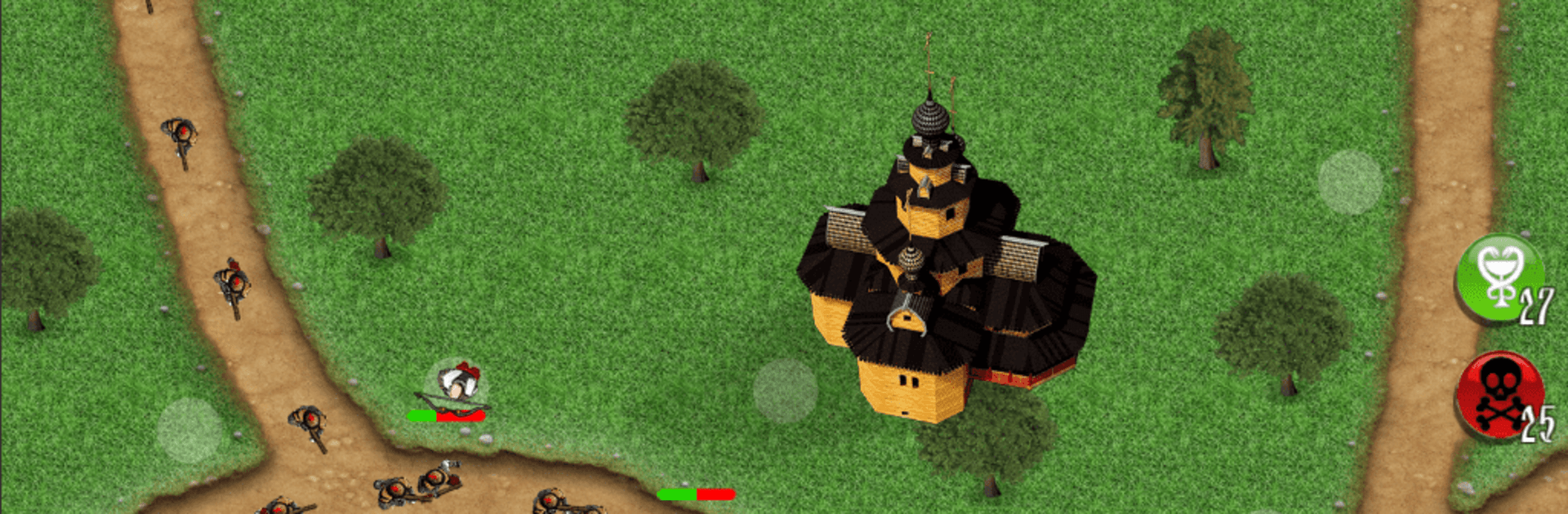
Cossacks is a Strategy tower-defense romp set in the age of the Ukrainian Cossacks. It’s all about smart placement, snappy upgrades, and that satisfying moment when your defenses hold by a sliver. Prefer a bigger display and crisp controls? It also plays smoothly on BlueStacks.

Game Features

  • Three playable sides: Pick Ukraine (Cossacks), Russia, or Poland. Swap between them whenever you like and grow all three armies over time.
  • Historical TD, sharp tactics: Build a defense line with archers, spearmen, pistol-wielding fighters, and gunners, each bringing a different punch to your setup.
  • Branching upgrades: Every unit follows a progression path—turn basic troops into specialized counters like sturdier front-liners or precise long‑range hitters.
  • Path control that matters: Enemies follow winding routes, so tower placement and coverage overlap are everything. Create choke points, stack synergies, and plug gaps fast.
  • Two kinds of currency: Spend silver during a level for on-the-spot buys and upgrades, then use gold earned from victories for permanent boosts, resources, and new gear.
  • Mid-battle management: Enemies don’t just march by—they hit back. Heal wounded defenders, replace units, or push upgrades right in the middle of a wave.
  • Speed at your command: Slow time for precision or speed it up when your build’s humming.
  • Panic buttons with limits: Call a map-wide strike or a full-team heal in tight spots. You only get a few charges, so time them carefully.
  • Quick sessions, deep strategy: Great for short breaks but with enough depth to tinker, test, and perfect your favorite builds.

Ready to top the leaderboard? We bet you do. Let precise controls and sharp visuals optimized on BlueStacks lead you to victory.


Game Features

Enhancements

  • Macros
  • Multi Instance
  • Multi Instance Sync
  • Eco Mode
  • Enhancements
Macros

Macros

Skip the boring parts of a game. Play Cossacks with Macros and get the edge. Simply record a sequence of commands and execute them at any moment.
Multi Instance

Multi Instance

Why limit to one game on your phone when you can play many on your PC? Open multiple instances of Cossacks at once with Multi-Instance. Leverage the power of different accounts by doing more.
Multi Instance Sync

Multi Instance Sync

Get the best out of Cossacks with Multi-Instance Sync. Play the game from different accounts and build your own empire. Use Multi-instance sync to repeat the action in the main BlueStacks instance on all other instances.
Eco Mode

Eco Mode

Find the rarest heroes by making multiple summons in Cossacks. And while you are at it, reduce your PC’s resource consumption with the Eco Mode. Farm efficiently. Get the best results.
Read More

How to Download and Play Cossacks on PC or Mac

  • Download and install BlueStacks on your PC or Mac

  • Complete Google sign-in to access the Play Store, or do it later

  • Look for Cossacks in the search bar at the top right corner

  • Click to install Cossacks from the search results

  • Complete Google sign-in (if you skipped step 2) to install Cossacks

  • Click the Cossacks icon on the home screen to start playing

video
Watch Video

Minimum System Requirements

With BlueStacks 5, you can get started on a PC that fulfills the following requirements.

  • Operating System

    Microsoft Windows 7 or above, macOS 11 (Big Sur) or above

  • Processor

    Intel, AMD or Apple Silicon Processor

  • RAM

    at least 4GB

  • HDD

    10GB Free Disk Space

Note:

* You must be an Administrator on your PC. Up to date graphics drivers from Microsoft or the chipset vendor.

Cossacks - FAQs

  • How to play Cossacks on Windows PC & Mac?

    Play Cossacks on your PC or Mac by following these simple steps.

    • Click on 'Play Cossacks on PC’ to download BlueStacks
    • Install it and log-in to Google Play Store
    • Launch and play the game.
  • Why is BlueStacks the fastest and safest platform to play games on PC?

    BlueStacks respects your privacy and is always safe and secure to use. It does not carry any malware, spyware, or any sort of additional software that could harm your PC.

    It is engineered to optimize speed and performance for a seamless gaming experience.

  • What are Cossacks PC requirements?

    Minimum requirement to run Cossacks on your PC

    • OS: Microsoft Windows 7 or above MacOS 11 (Big Sur) or above
    • Processor: Intel, AMD or Apple Silicon Processor
    • RAM: Your PC must have at least 4GB of RAM. (Note that having 4GB or more disk space is not a substitute for RAM)
    • HDD: 10GB Free Disk Space.
    • You must be an Administrator on your PC.