Country Balls: Power Protocol

Country Balls: Power Protocol

Strategy

| MAD PIXEL

Play on PC with BlueStacks or from our cloud

  • Overview
  • Game Features
  • How to Play

Page Modified On: December 22, 2025

Play Country Balls: Power Protocol on PC or Mac

Explore a whole new adventure with Country Balls: Power Protocol, a Strategy game created by MAD PIXEL. Experience great gameplay with BlueStacks, the most popular gaming platform to play Android games on your PC or Mac.

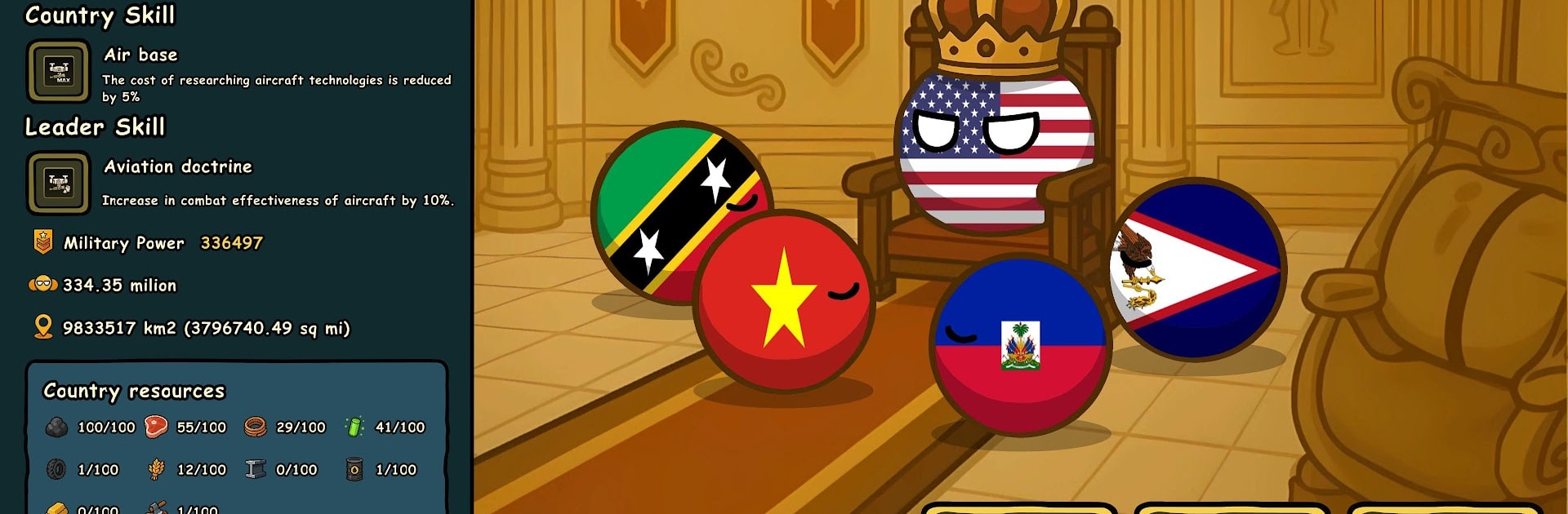
Country Balls: Power Protocol is a goofy but surprisingly thoughtful world takeover game where the familiar flag balls run the show. The map starts split apart and the job is to push one ball to the top by any means. Income ticks every second, so it becomes a mix of idle growth and quick decisions. Players pump money into industries, trade, and other economic upgrades to snowball, then pick targets and routes that keep that cash rolling.

Victory can be loud or quiet. Go loud with cartoon armies, tanks, jets, subs, missile batteries, and yes, nukes, then redraw borders the blunt way. Or go quiet by spreading faith and swaying ideology until neighbors fold without a shot. Swapping between pressure and persuasion is the trick, because the more land controlled, the faster the economy snowballs. Each countryball has its own look and little personality touches, and random global events toss plans off course in funny ways. The tone never takes itself too serious, but there is real planning in timing upgrades, choosing when to strike, and when to sit tight.

On PC with BlueStacks it is very click friendly. Zooming around the globe, queueing upgrades, and dropping units feels faster with a mouse, and simple hotkeys clean up the usual mobile tapping. The big screen helps a lot when battles, timers, and event popups all crowd in. It suits anyone who likes grand-map strategy but also enjoys watching numbers climb while tweaking a build. Sessions can run short or long since income keeps ticking, and there is always another country to charm or crush. The goal is simple enough: unite all 195 and be the last ball rolling.

Ready to top the leaderboard? We bet you do. Let precise controls and sharp visuals optimized on BlueStacks lead you to victory.


Game Features

Enhancements

  • Macros
  • Multi Instance
  • Multi Instance Sync
  • Eco Mode
  • Enhancements
Macros

Macros

Skip the boring parts of a game. Play Country Balls: Power Protocol with Macros and get the edge. Simply record a sequence of commands and execute them at any moment.
Multi Instance

Multi Instance

Why limit to one game on your phone when you can play many on your PC? Open multiple instances of Country Balls: Power Protocol at once with Multi-Instance. Leverage the power of different accounts by doing more.
Multi Instance Sync

Multi Instance Sync

Get the best out of Country Balls: Power Protocol with Multi-Instance Sync. Play the game from different accounts and build your own empire. Use Multi-instance sync to repeat the action in the main BlueStacks instance on all other instances.
Eco Mode

Eco Mode

Find the rarest heroes by making multiple summons in Country Balls: Power Protocol. And while you are at it, reduce your PC’s resource consumption with the Eco Mode. Farm efficiently. Get the best results.
Read More

How to Download and Play Country Balls: Power Protocol on PC or Mac

  • Download and install BlueStacks on your PC or Mac

  • Complete Google sign-in to access the Play Store, or do it later

  • Look for Country Balls: Power Protocol in the search bar at the top right corner

  • Click to install Country Balls: Power Protocol from the search results

  • Complete Google sign-in (if you skipped step 2) to install Country Balls: Power Protocol

  • Click the Country Balls: Power Protocol icon on the home screen to start playing

video
Watch Video

Minimum System Requirements

With BlueStacks 5, you can get started on a PC that fulfills the following requirements.

  • Operating System

    Microsoft Windows 7 or above, macOS 11 (Big Sur) or above

  • Processor

    Intel, AMD or Apple Silicon Processor

  • RAM

    at least 4GB

  • HDD

    10GB Free Disk Space

Note:

* You must be an Administrator on your PC. Up to date graphics drivers from Microsoft or the chipset vendor.

Country Balls: Power Protocol - FAQs

  • How to play Country Balls: Power Protocol on Windows PC & Mac?

    Play Country Balls: Power Protocol on your PC or Mac by following these simple steps.

    • Click on 'Play Country Balls: Power Protocol on PC’ to download BlueStacks
    • Install it and log-in to Google Play Store
    • Launch and play the game.
  • Why is BlueStacks the fastest and safest platform to play games on PC?

    BlueStacks respects your privacy and is always safe and secure to use. It does not carry any malware, spyware, or any sort of additional software that could harm your PC.

    It is engineered to optimize speed and performance for a seamless gaming experience.

  • What are Country Balls: Power Protocol PC requirements?

    Minimum requirement to run Country Balls: Power Protocol on your PC

    • OS: Microsoft Windows 7 or above MacOS 11 (Big Sur) or above
    • Processor: Intel, AMD or Apple Silicon Processor
    • RAM: Your PC must have at least 4GB of RAM. (Note that having 4GB or more disk space is not a substitute for RAM)
    • HDD: 10GB Free Disk Space.
    • You must be an Administrator on your PC.