Crusade of Empires
Crusade of Empires

Crusade of Empires

Strategy

| Time Killers Studios

Play on PC with BlueStacks or from our cloud

  • Overview
  • Game Features
  • How to Play

Page Modified On: May 11, 2026

Play Crusade of Empires on PC or Mac

Join millions to experience Crusade of Empires, an exciting Strategy game from Time Killers Studios. With BlueStacks App Player, you are always a step ahead of your opponent, ready to outplay them with faster gameplay and better control with the mouse and keyboard on your PC or Mac.

About the Game

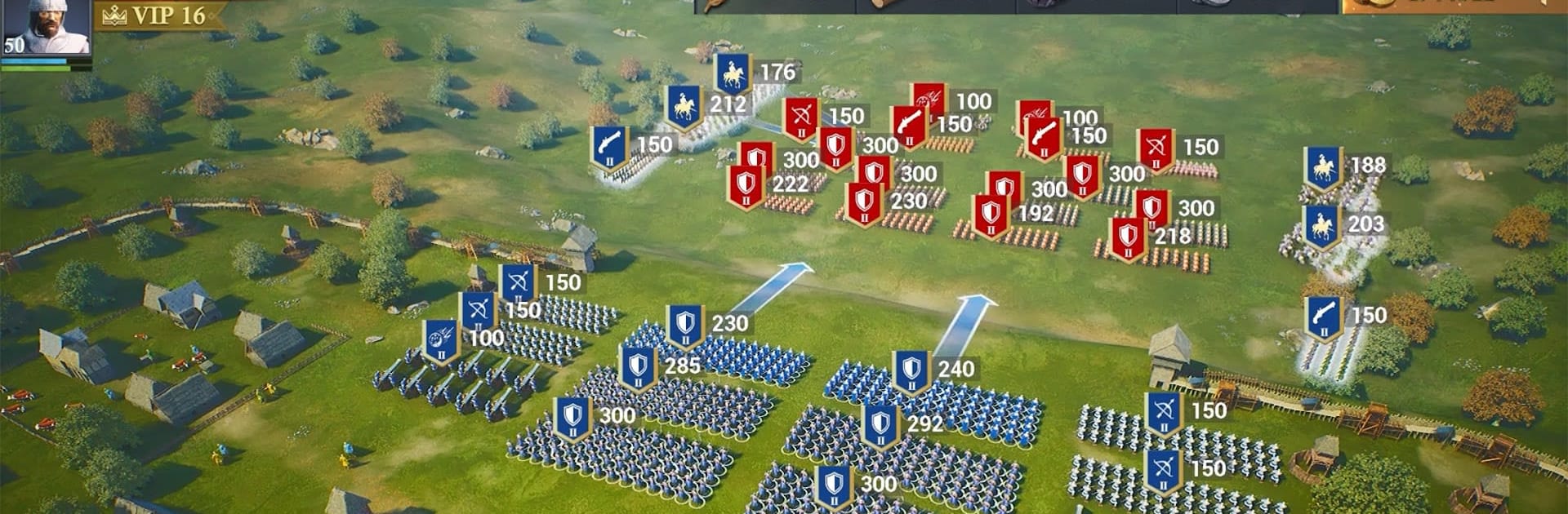
Crusade of Empires is a medieval Strategy game where you take a small stronghold and turn it into a force that can actually hold a crown. You’ll juggle city-building, army management, and real-time battles across a massive map shaped by alliances and rival kingdoms. Want the full view on a bigger screen? It also plays smoothly on PC with BlueStacks.

Game Features

  • Build Your Stronghold: Shape your city from the ground up—upgrade buildings, unlock tech, and set up defenses that make attackers think twice.
  • Fortify and Research: Invest in walls, workshops, and academies to boost production, speed up training, and sharpen your strategic edge.
  • Train Real Medieval Units: Field classic compositions with armored knights, precise archers, and heavy siege engines; mix and match to counter whatever your enemies send.
  • Lead with Heroes: Recruit historic-inspired commanders, each with distinct skills that change how your army fights, supports, and survives.
  • Real-Time PvP Warfare: Battle players across the globe in live skirmishes and full-scale clashes where timing, scouting, and coordination matter.
  • Alliances That Matter: Team up to share resources, launch rally attacks, reinforce borders, and plan multi-front operations without stepping on each other’s toes.
  • Kingdom vs. Kingdom Events: Join cross-server wars that flip the map on its head—push lines, defend key routes, and adapt as objectives shift.
  • Control the Map: Capture forts, secure resource sites, and hold strategic choke points to fuel your war machine and starve out rivals.
  • Fight for the Capital: Coordinate a siege on the central seat of power and claim the throne—if you can keep it.
  • From Time Killers Studios: Built for players who enjoy long-term planning, tactical tweaks, and the satisfying grind of growing an empire in real time.

Slay your opponents with your epic moves. Play it your way on BlueStacks and dominate the battlefield.


Game Features

Enhancements

  • Macros
  • Multi Instance
  • Multi Instance Sync
  • Eco Mode
  • Enhancements
Macros

Macros

Skip the boring parts of a game. Play Crusade of Empires with Macros and get the edge. Simply record a sequence of commands and execute them at any moment.
Multi Instance

Multi Instance

Why limit to one game on your phone when you can play many on your PC? Open multiple instances of Crusade of Empires at once with Multi-Instance. Leverage the power of different accounts by doing more.
Multi Instance Sync

Multi Instance Sync

Get the best out of Crusade of Empires with Multi-Instance Sync. Play the game from different accounts and build your own empire. Use Multi-instance sync to repeat the action in the main BlueStacks instance on all other instances.
Eco Mode

Eco Mode

Find the rarest heroes by making multiple summons in Crusade of Empires. And while you are at it, reduce your PC’s resource consumption with the Eco Mode. Farm efficiently. Get the best results.
Read More

How to Download and Play Crusade of Empires on PC or Mac

  • Download and install BlueStacks on your PC or Mac

  • Complete Google sign-in to access the Play Store, or do it later

  • Look for Crusade of Empires in the search bar at the top right corner

  • Click to install Crusade of Empires from the search results

  • Complete Google sign-in (if you skipped step 2) to install Crusade of Empires

  • Click the Crusade of Empires icon on the home screen to start playing

video
Watch Video

Minimum System Requirements

With BlueStacks 5, you can get started on a PC that fulfills the following requirements.

  • Operating System

    Microsoft Windows 7 or above, macOS 11 (Big Sur) or above

  • Processor

    Intel, AMD or Apple Silicon Processor

  • RAM

    at least 4GB

  • HDD

    10GB Free Disk Space

Note:

* You must be an Administrator on your PC. Up to date graphics drivers from Microsoft or the chipset vendor.

Crusade of Empires - FAQs

  • How to play Crusade of Empires on Windows PC & Mac?

    Play Crusade of Empires on your PC or Mac by following these simple steps.

    • Click on 'Play Crusade of Empires on PC’ to download BlueStacks
    • Install it and log-in to Google Play Store
    • Launch and play the game.
  • Why is BlueStacks the fastest and safest platform to play games on PC?

    BlueStacks respects your privacy and is always safe and secure to use. It does not carry any malware, spyware, or any sort of additional software that could harm your PC.

    It is engineered to optimize speed and performance for a seamless gaming experience.

  • What are Crusade of Empires PC requirements?

    Minimum requirement to run Crusade of Empires on your PC

    • OS: Microsoft Windows 7 or above MacOS 11 (Big Sur) or above
    • Processor: Intel, AMD or Apple Silicon Processor
    • RAM: Your PC must have at least 4GB of RAM. (Note that having 4GB or more disk space is not a substitute for RAM)
    • HDD: 10GB Free Disk Space.
    • You must be an Administrator on your PC.