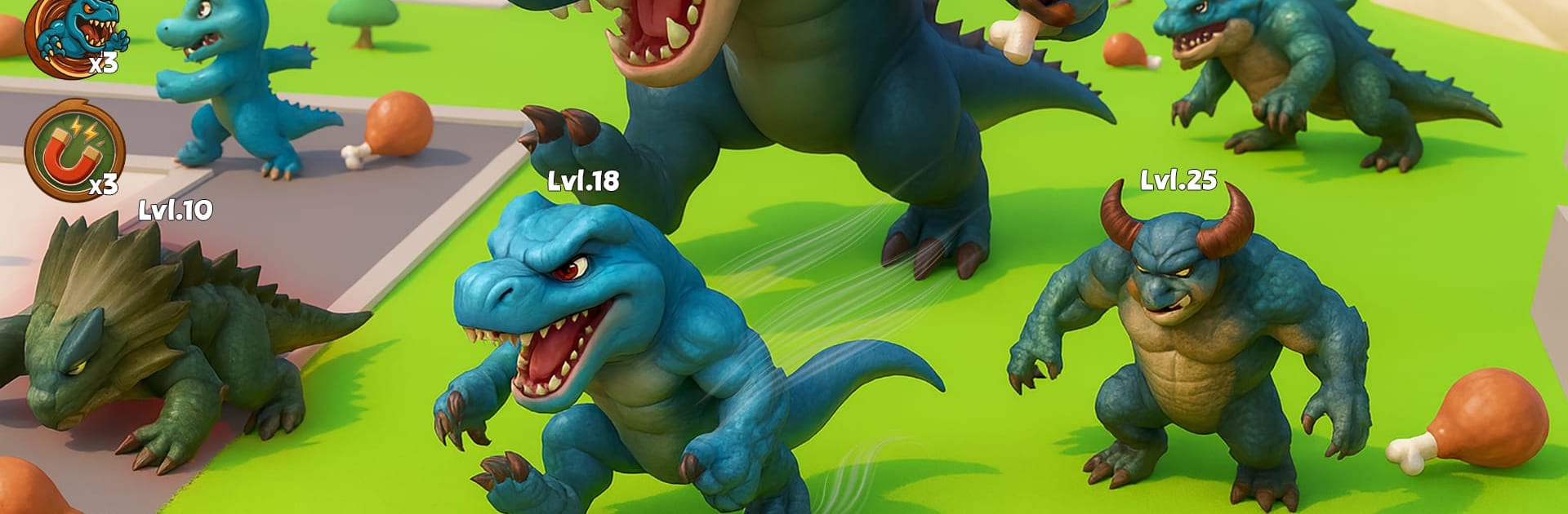
Dinosaur Evolution: Dino Game

Dinosaur Evolution: Dino Game

Strategy

| Giochi Studios

Play on PC with BlueStacks or from our cloud

  • Overview
  • Game Features
  • How to Play

Page Modified On: August 20, 2026

Play Dinosaur Evolution: Dino Game on PC or Mac

Play Dinosaur Evolution: Dino Game by Giochi Studios on PC or Mac with BlueStacks. Use a bigger screen, mouse and keyboard controls, and smoother performance while you play.

About the Game

Dinosaur Evolution: Dino Game is a Strategy experience where you start as a scrappy little hatchling and fight your way up the prehistoric food chain. Every battle, upgrade, and choice shapes the creature you evolve into next, turning raw survival into a tactical grind. Expect tense hunts, big clashes, and that “whoa” moment when your dino becomes a true powerhouse.

Game Features

  • Grow Through Evolution: Begin small and morph through new forms, unlocking fresh moves and traits as you win fights.
  • Fierce Territory Fights: Challenge rival packs, protect your turf, and push into enemy zones in fast, high-stakes clashes.
  • Jungle and Rockland Biomes: Stalk through dense trails, rocky ridges, and open clearings that change how you hunt, chase, and escape.
  • Ability-Driven Combat: Trigger special skills, time your strikes, and chain attacks to outthink heavier hitters.
  • Pick Your Playstyle: Build a bruiser, a quick ambusher, or a balanced hunter by choosing which abilities to power up.
  • Survival Challenges: Deal with escalating encounters, scarce safe spots, and roaming predators that keep you on edge.
  • Big-Scale Dino Brawls: Jump into chaotic melees where multiple beasts collide and everyone’s fighting for dominance.
  • Smooth On PC With BlueStacks: Prefer a bigger screen and crisp controls? It plays great on BlueStacks without any fuss.

Ready to top the leaderboard? We bet you do. Let precise controls and sharp visuals optimized on BlueStacks lead you to victory.


Game Features

Enhancements

  • Macros
  • Multi Instance
  • Multi Instance Sync
  • Eco Mode
  • Enhancements
Macros

Macros

Skip the boring parts of a game. Play Dinosaur Evolution: Dino Game with Macros and get the edge. Simply record a sequence of commands and execute them at any moment.
Multi Instance

Multi Instance

Why limit to one game on your phone when you can play many on your PC? Open multiple instances of Dinosaur Evolution: Dino Game at once with Multi-Instance. Leverage the power of different accounts by doing more.
Multi Instance Sync

Multi Instance Sync

Get the best out of Dinosaur Evolution: Dino Game with Multi-Instance Sync. Play the game from different accounts and build your own empire. Use Multi-instance sync to repeat the action in the main BlueStacks instance on all other instances.
Eco Mode

Eco Mode

Find the rarest heroes by making multiple summons in Dinosaur Evolution: Dino Game. And while you are at it, reduce your PC’s resource consumption with the Eco Mode. Farm efficiently. Get the best results.
Read More

How to Download and Play Dinosaur Evolution: Dino Game on PC or Mac

  • Download and install BlueStacks on your PC or Mac

  • Complete Google sign-in to access the Play Store, or do it later

  • Look for Dinosaur Evolution: Dino Game in the search bar at the top right corner

  • Click to install Dinosaur Evolution: Dino Game from the search results

  • Complete Google sign-in (if you skipped step 2) to install Dinosaur Evolution: Dino Game

  • Click the Dinosaur Evolution: Dino Game icon on the home screen to start playing

video
Watch Video

Minimum System Requirements

With BlueStacks 5, you can get started on a PC that fulfills the following requirements.

  • Operating System

    Microsoft Windows 7 or above, macOS 11 (Big Sur) or above

  • Processor

    Intel, AMD or Apple Silicon Processor

  • RAM

    at least 4GB

  • HDD

    10GB Free Disk Space

Note:

* You must be an Administrator on your PC. Up to date graphics drivers from Microsoft or the chipset vendor.

Dinosaur Evolution: Dino Game - FAQs

  • How to play Dinosaur Evolution: Dino Game on Windows PC & Mac?

    Play Dinosaur Evolution: Dino Game on your PC or Mac by following these simple steps.

    • Click on 'Play Dinosaur Evolution: Dino Game on PC’ to download BlueStacks
    • Install it and log-in to Google Play Store
    • Launch and play the game.
  • Why is BlueStacks the fastest and safest platform to play games on PC?

    BlueStacks respects your privacy and is always safe and secure to use. It does not carry any malware, spyware, or any sort of additional software that could harm your PC.

    It is engineered to optimize speed and performance for a seamless gaming experience.

  • What are Dinosaur Evolution: Dino Game PC requirements?

    Minimum requirement to run Dinosaur Evolution: Dino Game on your PC

    • OS: Microsoft Windows 7 or above MacOS 11 (Big Sur) or above
    • Processor: Intel, AMD or Apple Silicon Processor
    • RAM: Your PC must have at least 4GB of RAM. (Note that having 4GB or more disk space is not a substitute for RAM)
    • HDD: 10GB Free Disk Space.
    • You must be an Administrator on your PC.