Gears Tower Defense: Merge TD

Gears Tower Defense: Merge TD

Strategy

| Moon Ship Studio

Play on PC with BlueStacks or from our cloud

Click here to Pre-Register for Gears Tower Defense: Merge TD
  • Overview
  • Features
  • How to Play

Page Modified On: April 02, 2026

Play Gears Tower Defense: Merge TD on PC or Mac

Gears Tower Defense: Merge TD brings the Strategy genre to life, and throws up exciting challenges for gamers. Developed by Moon Ship Studio, this Android game is best experienced on BlueStacks, the World’s #1 app player for PC and Mac users.

About the Game

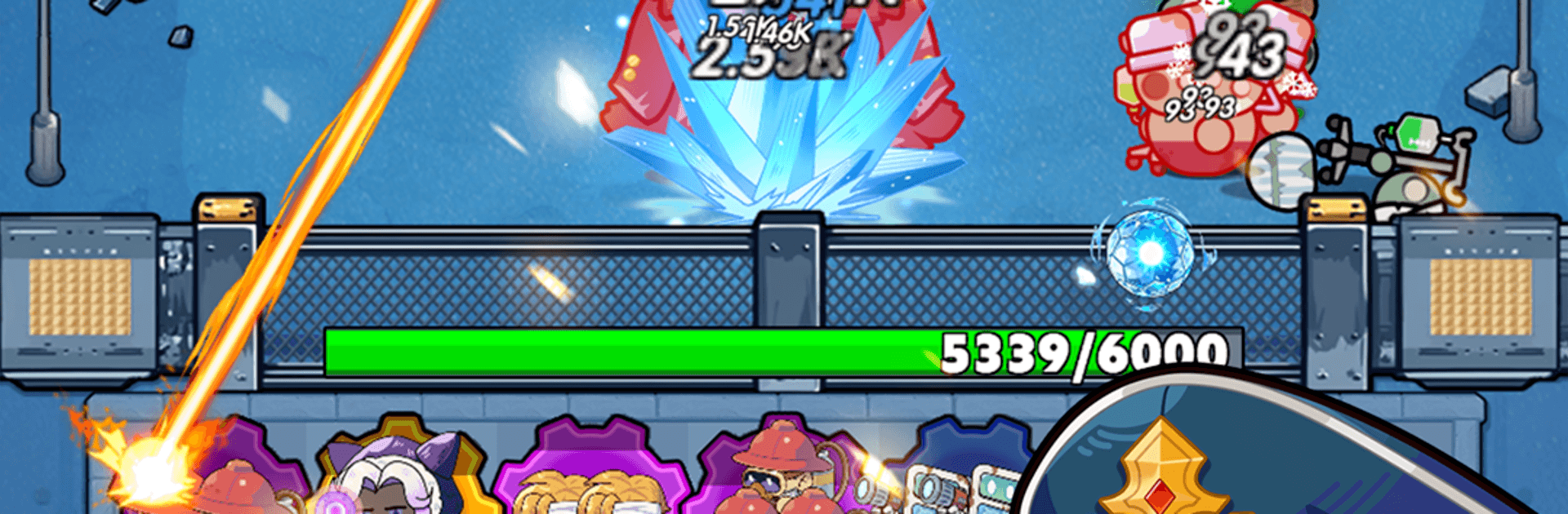
Gears Tower Defense: Merge TD is a Strategy game from Moon Ship Studio that turns your battlefield into a humming, steam-powered contraption. You’ll merge parts, link machines, and watch entire lines of defense spring to life as your clockwork network clicks into place. It’s all about smart placement, quick picks between waves, and those satisfying “aha” moments when your build suddenly snowballs. Prefer a bigger screen and precise controls? It runs nicely on BlueStacks, too.

Game Features

  • Gear Linkage System: Connect compatible gears and trigger chain reactions that boost firepower, speed, or utility across your setup. Placement matters more than ever.
  • Merge and Evolve Towers: Combine matching gears to unlock stronger turrets with new behaviors, then fine-tune your layout to squeeze out every last bit of efficiency.
  • Roguelike Choices, Every Wave: Grab randomized skills and modifiers as the battle unfolds. Each run pushes you toward different builds and quirky power combos.
  • Steam Heroes to Command: Earn and upgrade steam-driven heroes tied to your merges. Pick their paths to reinforce your favorite tactics or cover a weak spot.
  • Big, Mean Boss Encounters: Face towering mechanical beasts with unique patterns and phases that test both your timing and your tower positioning.
  • Steampunk Style, Front and Center: Brass pipes, clanking pistons, and gloomy industrial backdrops give each map a gritty, Victorian-fueled vibe.
  • Endless Tinkering and Customization: Mix links, perks, heroes, and upgrades to create wild synergies—then push your gear fortress to see how far it can hold.

Start your journey now. Download the game on BlueStacks, invite your friends, and march on a new adventure.


Features

  • Macros

    Skip the boring parts of a game. Play Gears Tower Defense: Merge TD with Macros and get the edge. Simply record a sequence of commands and execute them at any moment.

  • Multi Instance

    Why limit to one game on your phone when you can play many on your PC? Open multiple instances of Gears Tower Defense: Merge TD at once with Multi-Instance. Leverage the power of different accounts by doing more.

  • Multi Instance Sync

    Get the best out of Gears Tower Defense: Merge TD with Multi-Instance Sync. Play the game from different accounts and build your own empire. Use Multi-instance sync to repeat the action in the main BlueStacks instance on all other instances.

  • Eco Mode

    Find the rarest heroes by making multiple summons in Gears Tower Defense: Merge TD. And while you are at it, reduce your PC’s resource consumption with the Eco Mode. Farm efficiently. Get the best results.

How to Download and Play Gears Tower Defense: Merge TD on PC or Mac

  • Download and install BlueStacks on your PC or Mac

  • Complete Google sign-in to access the Play Store, or do it later

  • Look for Gears Tower Defense: Merge TD in the search bar at the top right corner

  • Click to install Gears Tower Defense: Merge TD from the search results

  • Complete Google sign-in (if you skipped step 2) to install Gears Tower Defense: Merge TD

  • Click the Gears Tower Defense: Merge TD icon on the home screen to start playing

video
Watch Video

Minimum System Requirements

With BlueStacks 5, you can get started on a PC that fulfills the following requirements.

  • Operating System

    Microsoft Windows 7 or above, macOS 11 (Big Sur) or above

  • Processor

    Intel, AMD or Apple Silicon Processor

  • RAM

    at least 4GB

  • HDD

    10GB Free Disk Space

Note:

* You must be an Administrator on your PC. Up to date graphics drivers from Microsoft or the chipset vendor.

Exclusive Gaming Content. And More.

Get the latest updates on the BlueStacks Blog.

See More
Gears Tower Defense: Merge TD

Be among the first to play Gears Tower Defense: Merge TD on PC

Get notified when the Game launches

Gears Tower Defense: Merge TD - FAQs

  • How to play Gears Tower Defense: Merge TD on Windows PC & Mac?

    Play Gears Tower Defense: Merge TD on your PC or Mac by following these simple steps.

    • Click on 'Play Gears Tower Defense: Merge TD on PC’ to download BlueStacks
    • Install it and log-in to Google Play Store
    • Launch and play the game.
  • Why is BlueStacks the fastest and safest platform to play games on PC?

    BlueStacks respects your privacy and is always safe and secure to use. It does not carry any malware, spyware, or any sort of additional software that could harm your PC.

    It is engineered to optimize speed and performance for a seamless gaming experience.

  • What are Gears Tower Defense: Merge TD PC requirements?

    Minimum requirement to run Gears Tower Defense: Merge TD on your PC

    • OS: Microsoft Windows 7 or above MacOS 11 (Big Sur) or above
    • Processor: Intel, AMD or Apple Silicon Processor
    • RAM: Your PC must have at least 4GB of RAM. (Note that having 4GB or more disk space is not a substitute for RAM)
    • HDD: 10GB Free Disk Space.
    • You must be an Administrator on your PC.