
Goopy Wars
Goopy Wars

Goopy Wars

Strategy

| Cameo Games

Play on PC with BlueStacks or from our cloud

  • Overview
  • Game Features
  • How to Play

Page Modified On: August 29, 2025

Play Goopy Wars on PC or Mac

From the innovators and creators at Cameo Games, Goopy Wars is another fun addition to the World of Strategy games. Go beyond your mobile screen and play it bigger and better on your PC or Mac. An immersive experience awaits you.

About the Game

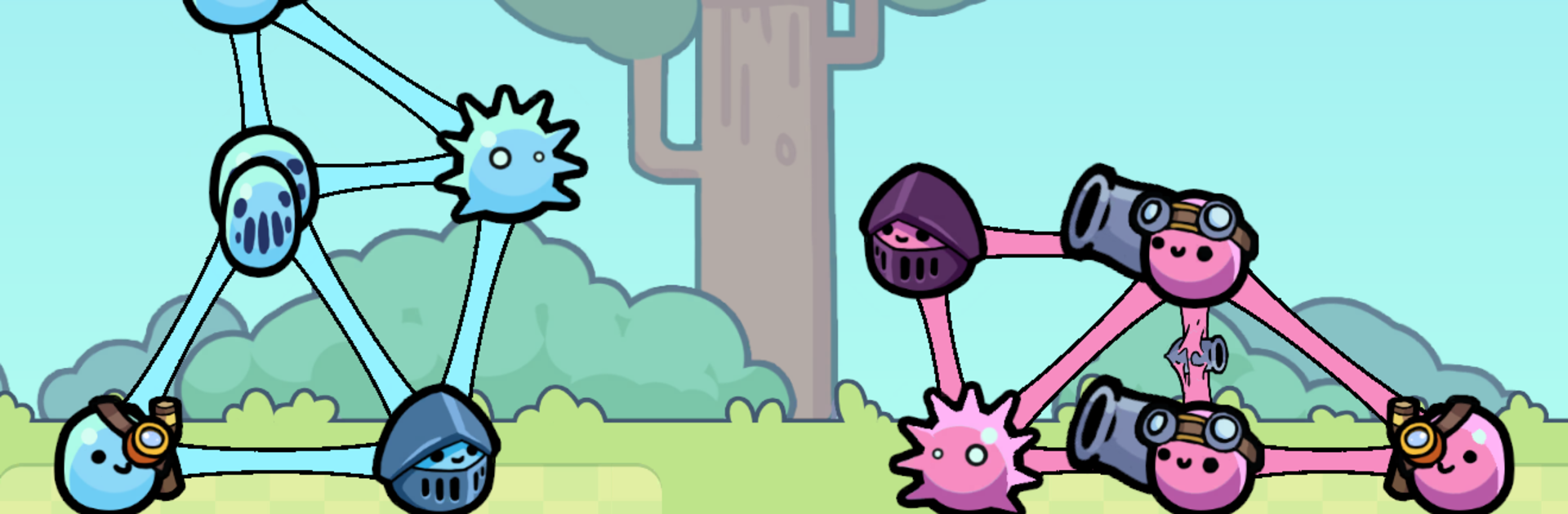
Goopy Wars from Cameo Games is a quirky Strategy mashup where you build a wobbly stack of gooey fighters and watch them throw down in physics-fueled brawls. Your tower’s balance, height, and placement choices decide whether it holds or hilariously topples. It’s all about clever planning, satisfying chaos, and climbing a competitive ladder one tense match at a time.

Game Features

  • Physics-Driven Mayhem: Gravity isn’t a suggestion here. Towers sway, pieces slip, and a single bad move can set off glorious chain reactions.
  • Strategic Stacking: Every goop has weight, shape, and purpose. Place heavy hitters low, protect fragile utilities, and keep the whole thing upright long enough to win.
  • Plan-Then-Auto Combat: Build in the prep phase, then let the fight play out automatically. Smart layouts and timing beat brute force.
  • Competitive Ladder: Test your creations against real opponents and push for a higher rank. Tweak, retry, and inch your way up the board.
  • Mix, Match, Experiment: Try different goop combos and roles to discover surprising synergies. Small adjustments can flip a matchup.
  • Quick, Snackable Rounds: Matches are short and punchy, perfect for a few tries on a break—or a long tinkering session.
  • Play Your Way on PC: Prefer a bigger screen and precise placement? Goopy Wars runs smoothly on BlueStacks, great for building and fine-tuning your tower.

Start your journey now. Download the game on BlueStacks, invite your friends, and march on a new adventure.


Game Features

Enhancements

  • Macros
  • Multi Instance
  • Multi Instance Sync
  • Eco Mode
  • Enhancements
Macros

Macros

Skip the boring parts of a game. Play Goopy Wars with Macros and get the edge. Simply record a sequence of commands and execute them at any moment.
Multi Instance

Multi Instance

Why limit to one game on your phone when you can play many on your PC? Open multiple instances of Goopy Wars at once with Multi-Instance. Leverage the power of different accounts by doing more.
Multi Instance Sync

Multi Instance Sync

Get the best out of Goopy Wars with Multi-Instance Sync. Play the game from different accounts and build your own empire. Use Multi-instance sync to repeat the action in the main BlueStacks instance on all other instances.
Eco Mode

Eco Mode

Find the rarest heroes by making multiple summons in Goopy Wars. And while you are at it, reduce your PC’s resource consumption with the Eco Mode. Farm efficiently. Get the best results.
Read More

How to Download and Play Goopy Wars on PC or Mac

  • Download and install BlueStacks on your PC or Mac

  • Complete Google sign-in to access the Play Store, or do it later

  • Look for Goopy Wars in the search bar at the top right corner

  • Click to install Goopy Wars from the search results

  • Complete Google sign-in (if you skipped step 2) to install Goopy Wars

  • Click the Goopy Wars icon on the home screen to start playing

video
Watch Video

Minimum System Requirements

With BlueStacks 5, you can get started on a PC that fulfills the following requirements.

  • Operating System

    Microsoft Windows 7 or above, macOS 11 (Big Sur) or above

  • Processor

    Intel, AMD or Apple Silicon Processor

  • RAM

    at least 4GB

  • HDD

    10GB Free Disk Space

Note:

* You must be an Administrator on your PC. Up to date graphics drivers from Microsoft or the chipset vendor.

Goopy Wars - FAQs

  • How to play Goopy Wars on Windows PC & Mac?

    Play Goopy Wars on your PC or Mac by following these simple steps.

    • Click on 'Play Goopy Wars on PC’ to download BlueStacks
    • Install it and log-in to Google Play Store
    • Launch and play the game.
  • Why is BlueStacks the fastest and safest platform to play games on PC?

    BlueStacks respects your privacy and is always safe and secure to use. It does not carry any malware, spyware, or any sort of additional software that could harm your PC.

    It is engineered to optimize speed and performance for a seamless gaming experience.

  • What are Goopy Wars PC requirements?

    Minimum requirement to run Goopy Wars on your PC

    • OS: Microsoft Windows 7 or above MacOS 11 (Big Sur) or above
    • Processor: Intel, AMD or Apple Silicon Processor
    • RAM: Your PC must have at least 4GB of RAM. (Note that having 4GB or more disk space is not a substitute for RAM)
    • HDD: 10GB Free Disk Space.
    • You must be an Administrator on your PC.






