Heroes Return: TD
Heroes Return: TD

Heroes Return: TD

Strategy

| Peachcat Online Co., Limited

Play on PC with BlueStacks or from our cloud

  • Overview
  • Game Features
  • How to Play

Page Modified On: August 15, 2026

Play Heroes Return: TD on PC or Mac

Heroes Return: TD by Peachcat Online Co., Limited has plenty to keep you busy. BlueStacks lets you play it on PC or Mac with more screen space, better control, and fewer mobile limits.

About the Game

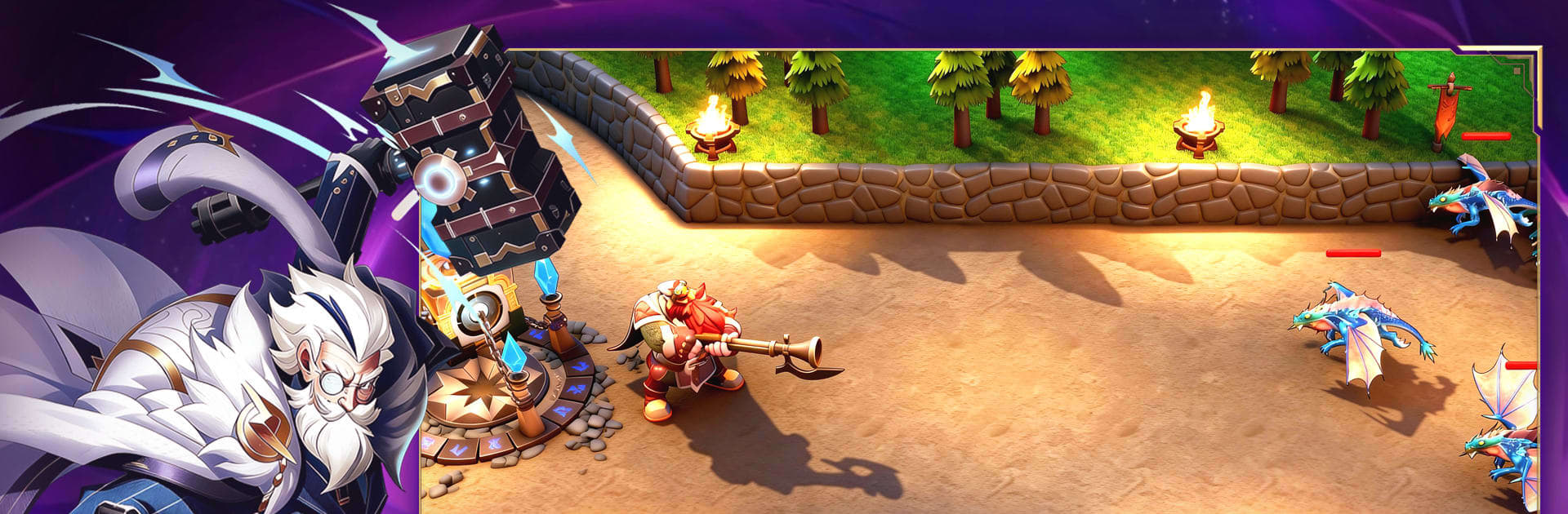
Heroes Return: TD is a Strategy take on tower defense where brains beat brute force. Plan routes, place towers, and pair them with standout heroes to outsmart relentless waves and crafty human rivals. It also plays nicely on PC with BlueStacks.

Game Features

  • Living Maps: Winding paths, hidden forks, open fields, and tight choke points let you design traps, reroute enemies, and uncover little surprises as you go.
  • Flexible Builds: Mix distinct tower types, chain unique skills, choose branching upgrades, and manage resources with care—small tweaks can flip the entire match.
  • Abyss Trial Endurance: Take on an endless gauntlet where waves grow meaner over time, pushing your layouts, timing, and quick fixes to the edge.
  • Competitive Climb: Practice fundamentals in a training arena, rise through a ranked ladder, and fight for bragging rights in global showdowns where mind games rule.
  • Hero Synergy: Heroes aren’t lone wolves; they anchor lanes, trigger slick combos with towers, and reshape your formation into something truly nasty for invaders.
  • Brains Over Brawn: Big numbers help, but smart placement, path control, and clutch ability use are what actually close out tough runs.
  • Learn by Doing: Experiment, try weird ideas, and refine what works. The game rewards creative thinking far more than sticking to one so‑called “best” build.

Get ready for a buttery smooth, high-performance gaming action only on BlueStacks.

Game Features

Enhancements

  • Macros
  • Multi Instance
  • Multi Instance Sync
  • Eco Mode
  • Enhancements
Macros

Macros

Skip the boring parts of a game. Play Heroes Return: TD with Macros and get the edge. Simply record a sequence of commands and execute them at any moment.
Multi Instance

Multi Instance

Why limit to one game on your phone when you can play many on your PC? Open multiple instances of Heroes Return: TD at once with Multi-Instance. Leverage the power of different accounts by doing more.
Multi Instance Sync

Multi Instance Sync

Get the best out of Heroes Return: TD with Multi-Instance Sync. Play the game from different accounts and build your own empire. Use Multi-instance sync to repeat the action in the main BlueStacks instance on all other instances.
Eco Mode

Eco Mode

Find the rarest heroes by making multiple summons in Heroes Return: TD. And while you are at it, reduce your PC’s resource consumption with the Eco Mode. Farm efficiently. Get the best results.
Read More

How to Download and Play Heroes Return: TD on PC or Mac

  • Download and install BlueStacks on your PC or Mac

  • Complete Google sign-in to access the Play Store, or do it later

  • Look for Heroes Return: TD in the search bar at the top right corner

  • Click to install Heroes Return: TD from the search results

  • Complete Google sign-in (if you skipped step 2) to install Heroes Return: TD

  • Click the Heroes Return: TD icon on the home screen to start playing

video
Watch Video

Minimum System Requirements

With BlueStacks 5, you can get started on a PC that fulfills the following requirements.

  • Operating System

    Microsoft Windows 7 or above, macOS 11 (Big Sur) or above

  • Processor

    Intel, AMD or Apple Silicon Processor

  • RAM

    at least 4GB

  • HDD

    10GB Free Disk Space

Note:

* You must be an Administrator on your PC. Up to date graphics drivers from Microsoft or the chipset vendor.

Heroes Return: TD - FAQs

  • How to play Heroes Return: TD on Windows PC & Mac?

    Play Heroes Return: TD on your PC or Mac by following these simple steps.

    • Click on 'Play Heroes Return: TD on PC’ to download BlueStacks
    • Install it and log-in to Google Play Store
    • Launch and play the game.
  • Why is BlueStacks the fastest and safest platform to play games on PC?

    BlueStacks respects your privacy and is always safe and secure to use. It does not carry any malware, spyware, or any sort of additional software that could harm your PC.

    It is engineered to optimize speed and performance for a seamless gaming experience.

  • What are Heroes Return: TD PC requirements?

    Minimum requirement to run Heroes Return: TD on your PC

    • OS: Microsoft Windows 7 or above MacOS 11 (Big Sur) or above
    • Processor: Intel, AMD or Apple Silicon Processor
    • RAM: Your PC must have at least 4GB of RAM. (Note that having 4GB or more disk space is not a substitute for RAM)
    • HDD: 10GB Free Disk Space.
    • You must be an Administrator on your PC.