I am Falcon
I am Falcon

I am Falcon

Strategy

| ZAZO Games

Play on PC with BlueStacks or from our cloud

  • Overview
  • Game Features
  • How to Play

Page Modified On: September 25, 2026

Play I am Falcon on PC or Mac

I am Falcon by ZAZO Games has plenty to keep you busy. BlueStacks lets you play it on PC or Mac with more screen space, better control, and fewer mobile limits.

About the Game

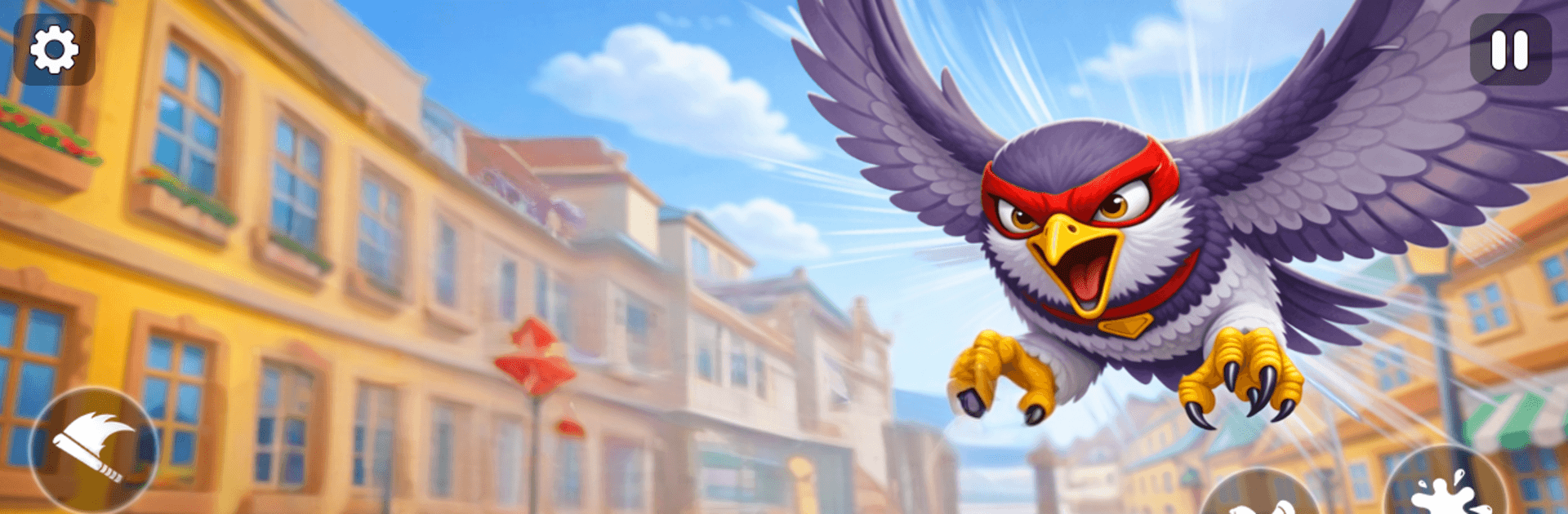
I am Falcon turns the city skyline into your playground. You’re a wild raptor with real freedom to soar, skim rooftops, and pick your own path; it’s Strategy at heart, powered by smart route-planning, target selection, and timing your dives just right. Want a wider view and comfortable controls? It plays nicely on BlueStacks.

Game Features

  • Living city reactions: Buzz past streets and parks and watch people respond—some stare, some scatter, and a few panic when you clip the crosswalk at top speed.
  • Open-sky freedom: Roam a sprawling urban map packed with towers, bridges, plazas, and hidden corners you’ll only spot from above.
  • Fluid flight controls: Bank, climb, and plunge with responsive handling that makes sharp turns, smooth glides, and steep drops feel natural.
  • Expressive playstyles: Cruise peacefully, stalk prey with patience, or cause a little ruckus—your sky, your rules.
  • Varied missions: Take on time trials, precision routes, hunting challenges, and high-velocity dives that test nerve and control.
  • Rooftops to roadways: Perch on ledges to scout your approach, then rocket off skyscrapers, weave between buildings, and skim street level.
  • Progress and rewards: Finish challenges to earn payouts and unlock tougher objectives that push your flying skills further.
  • Citywide vantage points: Trace new shortcuts, discover updrafts, and chart low-level corridors as you learn the best lines through the skyline.
  • Natural bird behavior: Subtle banking, quick recoveries, and momentum-based movement make mastering advanced maneuvers satisfying.
  • Quick hops or long sessions: Jump in for a few missions or spend an afternoon crafting the perfect loop across your favorite districts.

Start your journey now. Download the game on BlueStacks, invite your friends, and march on a new adventure.


Game Features

Enhancements

  • Macros
  • Multi Instance
  • Multi Instance Sync
  • Eco Mode
  • Enhancements
Macros

Macros

Skip the boring parts of a game. Play I am Falcon with Macros and get the edge. Simply record a sequence of commands and execute them at any moment.
Multi Instance

Multi Instance

Why limit to one game on your phone when you can play many on your PC? Open multiple instances of I am Falcon at once with Multi-Instance. Leverage the power of different accounts by doing more.
Multi Instance Sync

Multi Instance Sync

Get the best out of I am Falcon with Multi-Instance Sync. Play the game from different accounts and build your own empire. Use Multi-instance sync to repeat the action in the main BlueStacks instance on all other instances.
Eco Mode

Eco Mode

Find the rarest heroes by making multiple summons in I am Falcon. And while you are at it, reduce your PC’s resource consumption with the Eco Mode. Farm efficiently. Get the best results.
Read More

How to Download and Play I am Falcon on PC or Mac

  • Download and install BlueStacks on your PC or Mac

  • Complete Google sign-in to access the Play Store, or do it later

  • Look for I am Falcon in the search bar at the top right corner

  • Click to install I am Falcon from the search results

  • Complete Google sign-in (if you skipped step 2) to install I am Falcon

  • Click the I am Falcon icon on the home screen to start playing

video
Watch Video

Minimum System Requirements

With BlueStacks 5, you can get started on a PC that fulfills the following requirements.

  • Operating System

    Microsoft Windows 7 or above, macOS 11 (Big Sur) or above

  • Processor

    Intel, AMD or Apple Silicon Processor

  • RAM

    at least 4GB

  • HDD

    10GB Free Disk Space

Note:

* You must be an Administrator on your PC. Up to date graphics drivers from Microsoft or the chipset vendor.

I am Falcon - FAQs

  • How to play I am Falcon on Windows PC & Mac?

    Play I am Falcon on your PC or Mac by following these simple steps.

    • Click on 'Play I am Falcon on PC’ to download BlueStacks
    • Install it and log-in to Google Play Store
    • Launch and play the game.
  • Why is BlueStacks the fastest and safest platform to play games on PC?

    BlueStacks respects your privacy and is always safe and secure to use. It does not carry any malware, spyware, or any sort of additional software that could harm your PC.

    It is engineered to optimize speed and performance for a seamless gaming experience.

  • What are I am Falcon PC requirements?

    Minimum requirement to run I am Falcon on your PC

    • OS: Microsoft Windows 7 or above MacOS 11 (Big Sur) or above
    • Processor: Intel, AMD or Apple Silicon Processor
    • RAM: Your PC must have at least 4GB of RAM. (Note that having 4GB or more disk space is not a substitute for RAM)
    • HDD: 10GB Free Disk Space.
    • You must be an Administrator on your PC.