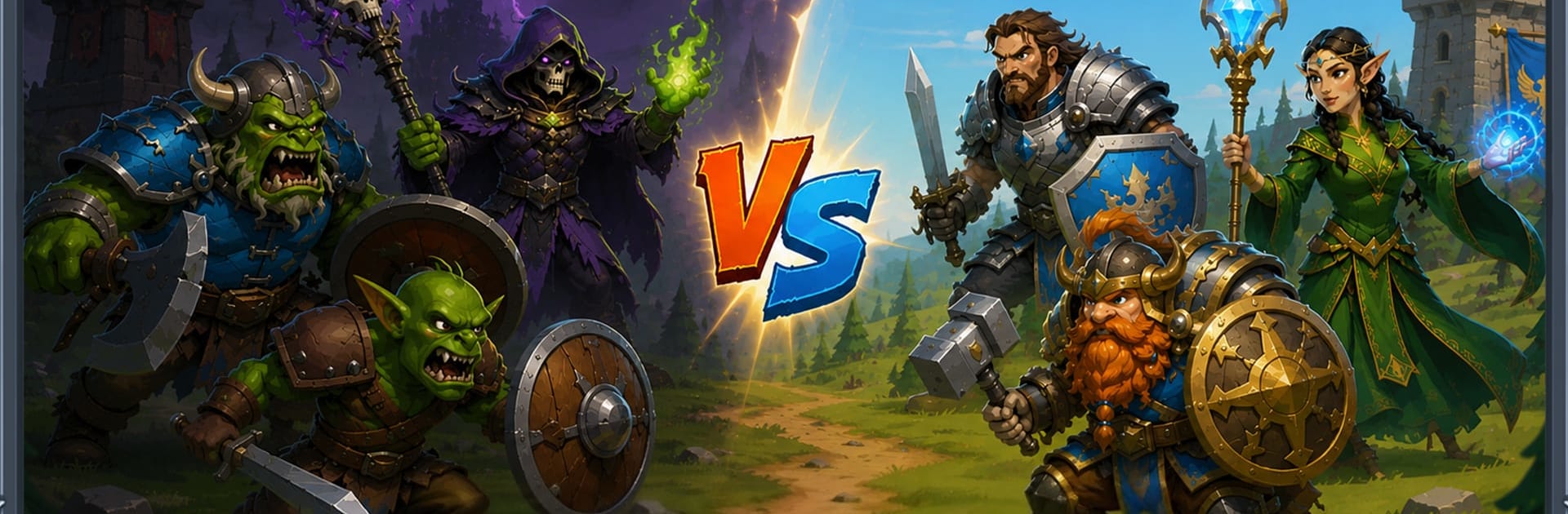
Kingdom Rush: Defense Strategy

Kingdom Rush: Defense Strategy

Strategy

| Childhood_Studio

Play on PC with BlueStacks or from our cloud

  • Overview
  • Game Features
  • How to Play

Page Modified On: October 12, 2026

Play Kingdom Rush: Defense Strategy on PC or Mac

Step into the World of Kingdom Rush: Defense Strategy, a thrilling Strategy game from the house of Childhood_Studio. Play this Android game on BlueStacks App Player and experience immersive gaming on PC or Mac.

About the Game

Kingdom Rush: Defense Strategy drops you into a lively fantasy war where every wave hits harder than the last. It’s a Strategy spin on classic tower defense—easy to learn, full of smart choices, and endlessly replayable. Expect quick decisions, clever combos, and that satisfying moment when your plan holds against a brutal push.

Game Features

  • Smart Tower Placement: Build and position towers to control paths, funnel enemies, and create deadly choke points that keep your realm safe.
  • Distinct Roles for Every Tower: Mix damage, crowd control, and support; upgrade on the fly to adapt when the next wave throws something nasty your way.
  • Heroes and Elven Backup: Recruit frontline warriors and legendary Elven allies, then trigger their special skills at clutch moments to tip tough fights.
  • Spells That Change the Fight: Unleash powerful magic to blast swarms, slow speedy threats, or set up perfect combos with your towers and troops.
  • Meaningful Resource Choices: Spend gold wisely—upgrade, hold, or expand—so your defenses don’t buckle when boss units and big groups roll in.
  • Ever-Changing Enemy Waves: Face Orcs, Goblins, Dark Wizards, speedy runners, armored bruisers, and screen-filling bosses that force new approaches.
  • Fresh Challenges on Every Map: New layouts and enemy patterns keep you on your toes, rewarding flexible builds and quick mid-battle adjustments.
  • Offline Play Anytime: No connection needed; play wherever you like—and it feels great on BlueStacks if you prefer big-screen comfort.
  • A Living Fantasy Realm: March across hand-crafted battlefields packed with medieval flair, magical sparks, and plenty of room for bold, creative defenses.

BlueStacks gives you more room to focus on the game and less time adjusting around mobile limitations.


Game Features

Enhancements

  • Macros
  • Multi Instance
  • Multi Instance Sync
  • Eco Mode
  • Enhancements
Macros

Macros

Skip the boring parts of a game. Play Kingdom Rush: Defense Strategy with Macros and get the edge. Simply record a sequence of commands and execute them at any moment.
Multi Instance

Multi Instance

Why limit to one game on your phone when you can play many on your PC? Open multiple instances of Kingdom Rush: Defense Strategy at once with Multi-Instance. Leverage the power of different accounts by doing more.
Multi Instance Sync

Multi Instance Sync

Get the best out of Kingdom Rush: Defense Strategy with Multi-Instance Sync. Play the game from different accounts and build your own empire. Use Multi-instance sync to repeat the action in the main BlueStacks instance on all other instances.
Eco Mode

Eco Mode

Find the rarest heroes by making multiple summons in Kingdom Rush: Defense Strategy. And while you are at it, reduce your PC’s resource consumption with the Eco Mode. Farm efficiently. Get the best results.
Read More

How to Download and Play Kingdom Rush: Defense Strategy on PC or Mac

  • Download and install BlueStacks on your PC or Mac

  • Complete Google sign-in to access the Play Store, or do it later

  • Look for Kingdom Rush: Defense Strategy in the search bar at the top right corner

  • Click to install Kingdom Rush: Defense Strategy from the search results

  • Complete Google sign-in (if you skipped step 2) to install Kingdom Rush: Defense Strategy

  • Click the Kingdom Rush: Defense Strategy icon on the home screen to start playing

video
Watch Video

Minimum System Requirements

With BlueStacks 5, you can get started on a PC that fulfills the following requirements.

  • Operating System

    Microsoft Windows 7 or above, macOS 11 (Big Sur) or above

  • Processor

    Intel, AMD or Apple Silicon Processor

  • RAM

    at least 4GB

  • HDD

    10GB Free Disk Space

Note:

* You must be an Administrator on your PC. Up to date graphics drivers from Microsoft or the chipset vendor.

Kingdom Rush: Defense Strategy - FAQs

  • How to play Kingdom Rush: Defense Strategy on Windows PC & Mac?

    Play Kingdom Rush: Defense Strategy on your PC or Mac by following these simple steps.

    • Click on 'Play Kingdom Rush: Defense Strategy on PC’ to download BlueStacks
    • Install it and log-in to Google Play Store
    • Launch and play the game.
  • Why is BlueStacks the fastest and safest platform to play games on PC?

    BlueStacks respects your privacy and is always safe and secure to use. It does not carry any malware, spyware, or any sort of additional software that could harm your PC.

    It is engineered to optimize speed and performance for a seamless gaming experience.

  • What are Kingdom Rush: Defense Strategy PC requirements?

    Minimum requirement to run Kingdom Rush: Defense Strategy on your PC

    • OS: Microsoft Windows 7 or above MacOS 11 (Big Sur) or above
    • Processor: Intel, AMD or Apple Silicon Processor
    • RAM: Your PC must have at least 4GB of RAM. (Note that having 4GB or more disk space is not a substitute for RAM)
    • HDD: 10GB Free Disk Space.
    • You must be an Administrator on your PC.