Last Pirate
Last Pirate

Last Pirate

Strategy

| Moonlife HK

Play on PC with BlueStacks or from our cloud

  • Overview
  • Game Features
  • How to Play

Page Modified On: September 11, 2026

Play Last Pirate on PC or Mac

Last Pirate by Moonlife HK has plenty to keep you busy. BlueStacks lets you play it on PC or Mac with more screen space, better control, and fewer mobile limits.

About the Game

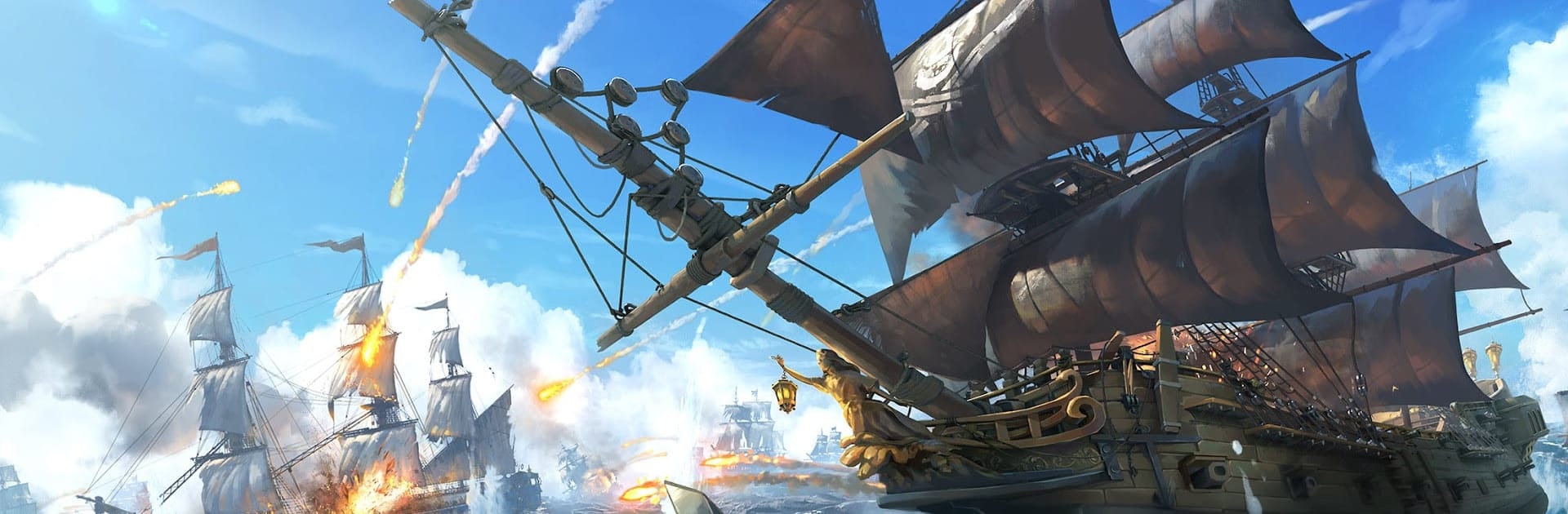
Last Pirate drops you into rough waters where every choice matters and every cannonball counts. You’re the captain, the mapmaker, and the mastermind behind a growing fleet. Last Pirate is a Strategy game, so expect smart planning, sharp naval tactics, and a whole lot of risky decisions that pay off big when they go right. Prefer playing on a bigger screen? It feels great on PC with BlueStacks.

Game Features

  • Open-Seas Exploration: Chart new routes, discover bustling ports and eerie coves, and take on side stories that lead to rare loot and unexpected showdowns.
  • Custom Flagship Design: Tailor your Flagship from sails to figurehead, then slot in the guns, armor, and utilities that match your playstyle—fast raider, hulking brawler, or something in between.
  • Fleet Building & Crew: Recruit specialists, assign roles, and balance morale and supplies; a well-synced crew can flip a bad fight into a legendary win.
  • Tactical Naval Combat: Outmaneuver pirates, patrol fleets, and sea beasts with positioning, skill timing, and smart target focus—victory’s more brains than brute force.
  • Port Sieges & Control: Assault ports, sentry towers, and narrow straits; hold them to unlock trade routes, defenses, and exclusive upgrade materials.
  • Treasure Hunts & Maps: Piece together cryptic charts, chase rumors across stormy waters, and dig up caches before rival captains sniff them out.
  • Alliances & Rivalries: Team up to share intel, coordinate multi-fleet strikes, and defend territory—or go rogue and ambush the greedy.
  • Crafting & Upgrades: Gather timber, ore, and rare parts to forge cannons, reinforce hulls, and expand cabins; every upgrade nudges speed, armor, and firepower in your favor.
  • Encounters at Sea: Face roaming monsters and unpredictable weather that test your build, your nerve, and your ability to improvise under pressure.

Ready to top the leaderboard? We bet you do. Let precise controls and sharp visuals optimized on BlueStacks lead you to victory.


Game Features

Enhancements

  • Macros
  • Multi Instance
  • Multi Instance Sync
  • Eco Mode
  • Enhancements
Macros

Macros

Skip the boring parts of a game. Play Last Pirate with Macros and get the edge. Simply record a sequence of commands and execute them at any moment.
Multi Instance

Multi Instance

Why limit to one game on your phone when you can play many on your PC? Open multiple instances of Last Pirate at once with Multi-Instance. Leverage the power of different accounts by doing more.
Multi Instance Sync

Multi Instance Sync

Get the best out of Last Pirate with Multi-Instance Sync. Play the game from different accounts and build your own empire. Use Multi-instance sync to repeat the action in the main BlueStacks instance on all other instances.
Eco Mode

Eco Mode

Find the rarest heroes by making multiple summons in Last Pirate. And while you are at it, reduce your PC’s resource consumption with the Eco Mode. Farm efficiently. Get the best results.
Read More

How to Download and Play Last Pirate on PC or Mac

  • Download and install BlueStacks on your PC or Mac

  • Complete Google sign-in to access the Play Store, or do it later

  • Look for Last Pirate in the search bar at the top right corner

  • Click to install Last Pirate from the search results

  • Complete Google sign-in (if you skipped step 2) to install Last Pirate

  • Click the Last Pirate icon on the home screen to start playing

video
Watch Video

Minimum System Requirements

With BlueStacks 5, you can get started on a PC that fulfills the following requirements.

  • Operating System

    Microsoft Windows 7 or above, macOS 11 (Big Sur) or above

  • Processor

    Intel, AMD or Apple Silicon Processor

  • RAM

    at least 4GB

  • HDD

    10GB Free Disk Space

Note:

* You must be an Administrator on your PC. Up to date graphics drivers from Microsoft or the chipset vendor.

Last Pirate - FAQs

  • How to play Last Pirate on Windows PC & Mac?

    Play Last Pirate on your PC or Mac by following these simple steps.

    • Click on 'Play Last Pirate on PC’ to download BlueStacks
    • Install it and log-in to Google Play Store
    • Launch and play the game.
  • Why is BlueStacks the fastest and safest platform to play games on PC?

    BlueStacks respects your privacy and is always safe and secure to use. It does not carry any malware, spyware, or any sort of additional software that could harm your PC.

    It is engineered to optimize speed and performance for a seamless gaming experience.

  • What are Last Pirate PC requirements?

    Minimum requirement to run Last Pirate on your PC

    • OS: Microsoft Windows 7 or above MacOS 11 (Big Sur) or above
    • Processor: Intel, AMD or Apple Silicon Processor
    • RAM: Your PC must have at least 4GB of RAM. (Note that having 4GB or more disk space is not a substitute for RAM)
    • HDD: 10GB Free Disk Space.
    • You must be an Administrator on your PC.