Legions of Rome
Legions of Rome

Legions of Rome

Strategy

| DNS studio

Play on PC with BlueStacks or from our cloud

  • Overview
  • Game Features
  • How to Play

Page Modified On: November 28, 2025

Play Legions of Rome on PC or Mac

Step into the World of Legions of Rome, a thrilling Strategy game from the house of DNS studio. Play this Android game on BlueStacks App Player and experience immersive gaming on PC or Mac.

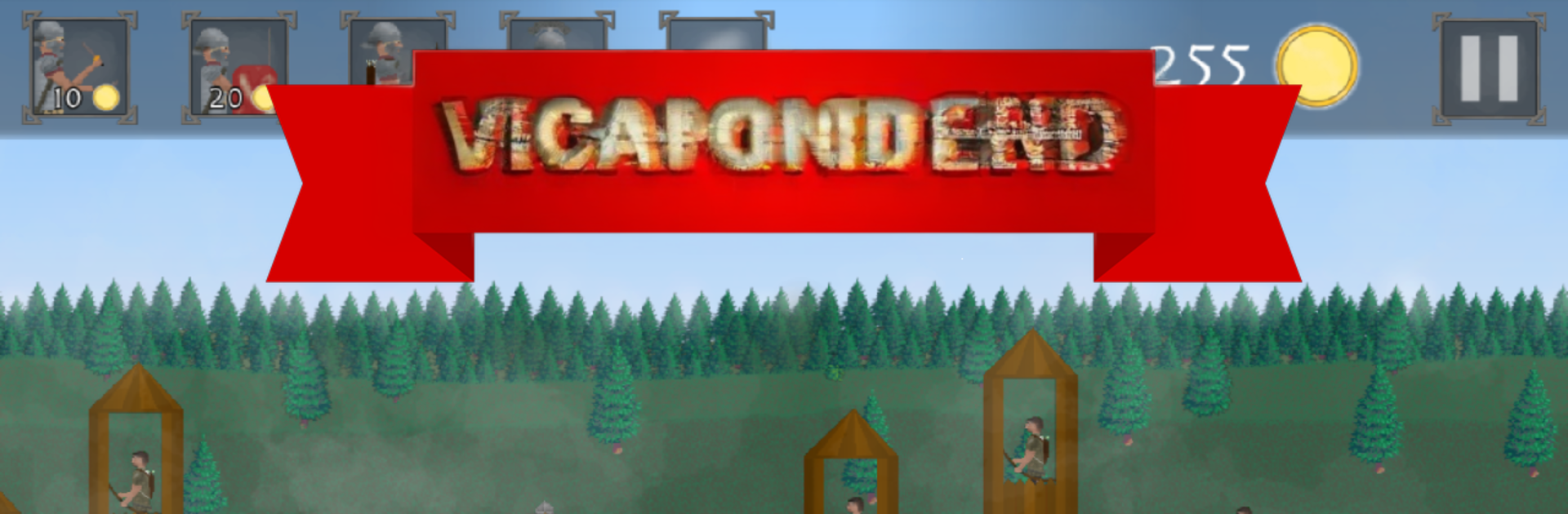
Legions of Rome is a fast, punchy strategy battler where the player runs a Roman warband and pushes through barbarian forts, one fight after another. Battles are simple to control and surprisingly tense. The player taps to send legionaries forward, calls in arrow volleys, and wheels out catapults when walls need to crack. It feels a bit like a siege toybox. The animations have weight, shields slam, arrows hiss, and the sound goes full Roman trumpet when a charge lands. Visuals look clean and readable, dust kicking up and banners waving enough to sell the scene without getting messy.

The loop is straightforward. Scout the enemy layout, pick units that make sense, then time abilities so the line does not crumble. Early encounters let anyone cruise, later ones punish sloppy timing, so quick thinking matters. Between fights, there are unit improvements and new tools to unlock, which nudges the player to rethink tactics as defenses change. The campaign hops across strongholds and castles, with bosses that soak damage and force a proper plan. It works nicely on PC with BlueStacks too, since a mouse makes rapid taps and target selection feel crisp, and the bigger screen helps with reading ranges. Writing leans into Roman bravado in a goofy way, but it gives the clashes some charm. If someone wants short, satisfying sieges and a steady climb in challenge, this scratches that itch.

Ready to top the leaderboard? We bet you do. Let precise controls and sharp visuals optimized on BlueStacks lead you to victory.


Game Features

Enhancements

  • Macros
  • Multi Instance
  • Multi Instance Sync
  • Eco Mode
  • Enhancements
Macros

Macros

Skip the boring parts of a game. Play Legions of Rome with Macros and get the edge. Simply record a sequence of commands and execute them at any moment.
Multi Instance

Multi Instance

Why limit to one game on your phone when you can play many on your PC? Open multiple instances of Legions of Rome at once with Multi-Instance. Leverage the power of different accounts by doing more.
Multi Instance Sync

Multi Instance Sync

Get the best out of Legions of Rome with Multi-Instance Sync. Play the game from different accounts and build your own empire. Use Multi-instance sync to repeat the action in the main BlueStacks instance on all other instances.
Eco Mode

Eco Mode

Find the rarest heroes by making multiple summons in Legions of Rome. And while you are at it, reduce your PC’s resource consumption with the Eco Mode. Farm efficiently. Get the best results.
Read More

How to Download and Play Legions of Rome on PC or Mac

  • Download and install BlueStacks on your PC or Mac

  • Complete Google sign-in to access the Play Store, or do it later

  • Look for Legions of Rome in the search bar at the top right corner

  • Click to install Legions of Rome from the search results

  • Complete Google sign-in (if you skipped step 2) to install Legions of Rome

  • Click the Legions of Rome icon on the home screen to start playing

video
Watch Video

Minimum System Requirements

With BlueStacks 5, you can get started on a PC that fulfills the following requirements.

  • Operating System

    Microsoft Windows 7 or above, macOS 11 (Big Sur) or above

  • Processor

    Intel, AMD or Apple Silicon Processor

  • RAM

    at least 4GB

  • HDD

    10GB Free Disk Space

Note:

* You must be an Administrator on your PC. Up to date graphics drivers from Microsoft or the chipset vendor.

Legions of Rome - FAQs

  • How to play Legions of Rome on Windows PC & Mac?

    Play Legions of Rome on your PC or Mac by following these simple steps.

    • Click on 'Play Legions of Rome on PC’ to download BlueStacks
    • Install it and log-in to Google Play Store
    • Launch and play the game.
  • Why is BlueStacks the fastest and safest platform to play games on PC?

    BlueStacks respects your privacy and is always safe and secure to use. It does not carry any malware, spyware, or any sort of additional software that could harm your PC.

    It is engineered to optimize speed and performance for a seamless gaming experience.

  • What are Legions of Rome PC requirements?

    Minimum requirement to run Legions of Rome on your PC

    • OS: Microsoft Windows 7 or above MacOS 11 (Big Sur) or above
    • Processor: Intel, AMD or Apple Silicon Processor
    • RAM: Your PC must have at least 4GB of RAM. (Note that having 4GB or more disk space is not a substitute for RAM)
    • HDD: 10GB Free Disk Space.
    • You must be an Administrator on your PC.