
Merge Battle - Bullet Defense

Merge Battle - Bullet Defense

Strategy

| ayoub moustaid

Play on PC with BlueStacks or from our cloud

  • Overview
  • Game Features
  • How to Play

Page Modified On: July 20, 2026

Play Merge Battle - Bullet Defense on PC or Mac

Merge Battle – Bullet Defense by ayoub moustaid has plenty to keep you busy. BlueStacks lets you play it on PC or Mac with more screen space, better control, and fewer mobile limits.

About the Game

Merge Battle – Bullet Defense is a Strategy mash‑up of tower defense and idle resource management where your base is always one wave away from trouble. You’ll place turrets, fuse matching ones into stronger versions, and keep your ammo factory humming so the guns never go quiet. Want to relax and tinker or push for perfect placement and timing? It works both ways—and plays great on BlueStacks if you like a mouse and a bigger screen.

Game Features

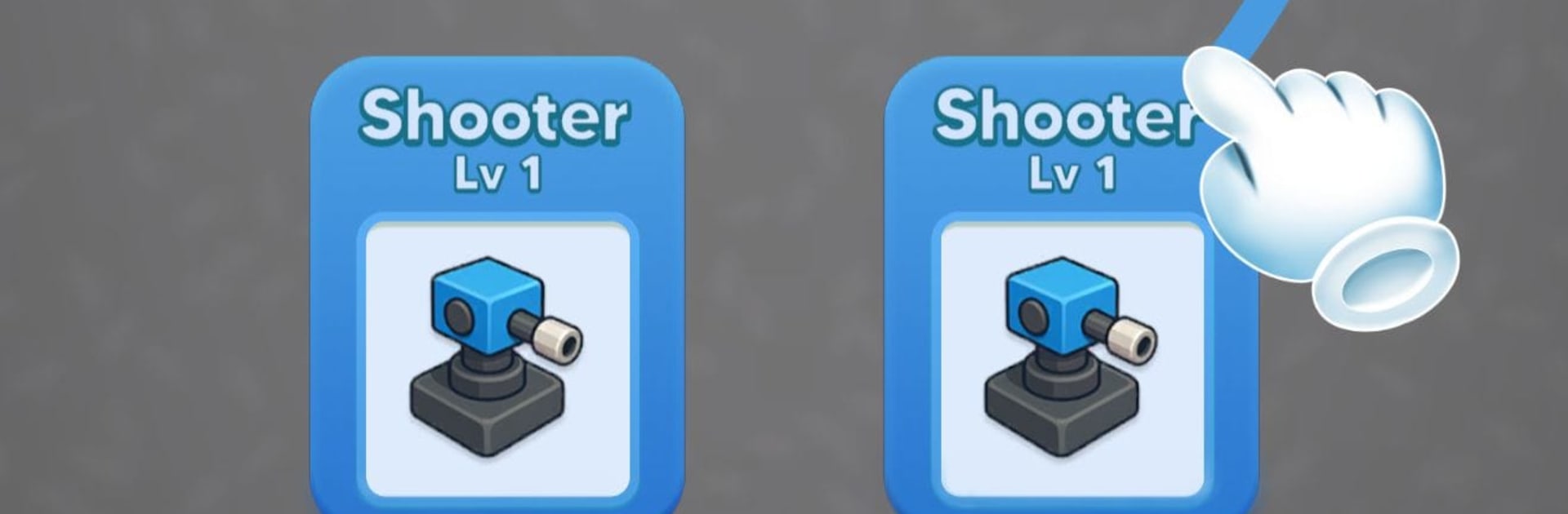
  • Merge-powered firepower: Drop Shooter, Machine Gun, and Bullet Launcher turrets onto the grid, then fuse twins to create a tougher, faster, longer‑range version. Small upgrades stack into huge stopping power.
  • Bullet factory management: Your slicer cranks out bullets over time. Tune its speed, efficiency, and capacity so your turrets stay fed when the pressure’s on.
  • Wave-by-wave challenge: Enemies roll in with new patterns and armor. Adjust placements, reroute your plan mid-run, and see how long your base can hold.
  • Between-wave cards: Pick smart perks after each round—instant ammo bursts, quicker slicing, brutal damage and fire-rate boosts, or a clutch base repair when things get messy.
  • Simple, tactile controls: Drag, drop, merge, repeat. Easy to grasp, but the depth shows up when space gets tight and every square matters.
  • Boss encounters: Unique foes test your build and timing, forcing creative merges and bold upgrade choices.
  • Clean 3D look and punchy effects: Bright visuals and chunky impacts make every volley feel satisfying.

Start your journey now. Download the game on BlueStacks, invite your friends, and march on a new adventure.


Game Features

Enhancements

  • Macros
  • Multi Instance
  • Multi Instance Sync
  • Eco Mode
  • Enhancements
Macros

Macros

Skip the boring parts of a game. Play Merge Battle - Bullet Defense with Macros and get the edge. Simply record a sequence of commands and execute them at any moment.
Multi Instance

Multi Instance

Why limit to one game on your phone when you can play many on your PC? Open multiple instances of Merge Battle - Bullet Defense at once with Multi-Instance. Leverage the power of different accounts by doing more.
Multi Instance Sync

Multi Instance Sync

Get the best out of Merge Battle - Bullet Defense with Multi-Instance Sync. Play the game from different accounts and build your own empire. Use Multi-instance sync to repeat the action in the main BlueStacks instance on all other instances.
Eco Mode

Eco Mode

Find the rarest heroes by making multiple summons in Merge Battle - Bullet Defense. And while you are at it, reduce your PC’s resource consumption with the Eco Mode. Farm efficiently. Get the best results.
Read More

How to Download and Play Merge Battle - Bullet Defense on PC or Mac

  • Download and install BlueStacks on your PC or Mac

  • Complete Google sign-in to access the Play Store, or do it later

  • Look for Merge Battle - Bullet Defense in the search bar at the top right corner

  • Click to install Merge Battle - Bullet Defense from the search results

  • Complete Google sign-in (if you skipped step 2) to install Merge Battle - Bullet Defense

  • Click the Merge Battle - Bullet Defense icon on the home screen to start playing

video
Watch Video

Minimum System Requirements

With BlueStacks 5, you can get started on a PC that fulfills the following requirements.

  • Operating System

    Microsoft Windows 7 or above, macOS 11 (Big Sur) or above

  • Processor

    Intel, AMD or Apple Silicon Processor

  • RAM

    at least 4GB

  • HDD

    10GB Free Disk Space

Note:

* You must be an Administrator on your PC. Up to date graphics drivers from Microsoft or the chipset vendor.

Merge Battle - Bullet Defense - FAQs

  • How to play Merge Battle - Bullet Defense on Windows PC & Mac?

    Play Merge Battle - Bullet Defense on your PC or Mac by following these simple steps.

    • Click on 'Play Merge Battle - Bullet Defense on PC’ to download BlueStacks
    • Install it and log-in to Google Play Store
    • Launch and play the game.
  • Why is BlueStacks the fastest and safest platform to play games on PC?

    BlueStacks respects your privacy and is always safe and secure to use. It does not carry any malware, spyware, or any sort of additional software that could harm your PC.

    It is engineered to optimize speed and performance for a seamless gaming experience.

  • What are Merge Battle - Bullet Defense PC requirements?

    Minimum requirement to run Merge Battle - Bullet Defense on your PC

    • OS: Microsoft Windows 7 or above MacOS 11 (Big Sur) or above
    • Processor: Intel, AMD or Apple Silicon Processor
    • RAM: Your PC must have at least 4GB of RAM. (Note that having 4GB or more disk space is not a substitute for RAM)
    • HDD: 10GB Free Disk Space.
    • You must be an Administrator on your PC.







