Merge Fight Tactics
Merge Fight Tactics

Merge Fight Tactics

Strategy

| Homecooked Games

Play on PC with BlueStacks or from our cloud

  • Overview
  • Game Features
  • How to Play

Page Modified On: May 25, 2026

Play Merge Fight Tactics on PC or Mac

Merge Fight Tactics by Homecooked Games has plenty to keep you busy. BlueStacks lets you play it on PC or Mac with more screen space, better control, and fewer mobile limits.

About the Game

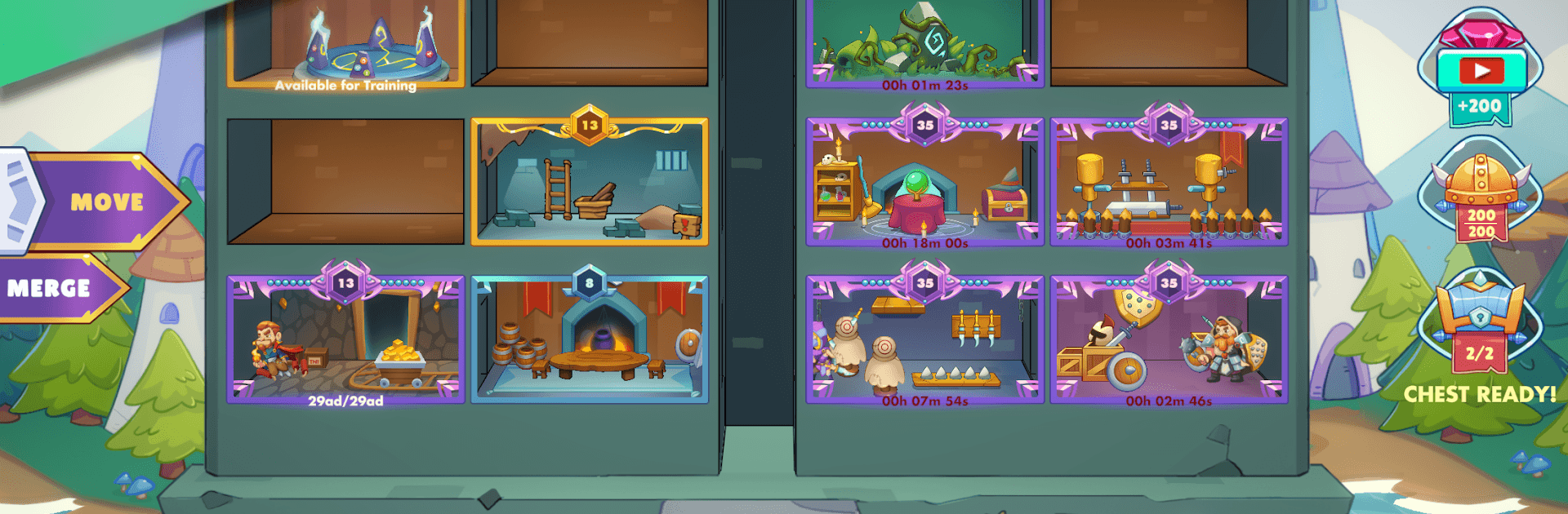
Merge Fight Tactics is a Strategy mash-up where base building meets quick, tactical battles. You’ll set up a growing outpost, fuse buildings to supercharge production, and send a crew of heroes into short, satisfying fights where placement actually matters. It keeps going even when you’re not playing, and it’s just as comfy on your phone as it is on BlueStacks at your desk.

Game Features

  • Build and merge: Construct resource buildings, then merge matching ones to unlock stronger tiers and faster output. Bigger base, bigger gains.
  • Always making progress: Your setup keeps working while you’re away, so you come back to fresh resources and new moves to make. No grinding wall.
  • Snap decisions, smart placement: Drag heroes onto the field, read the enemy layout, and shuffle positions to counter threats. Short battles, plenty of room for strategy.
  • Heroes with real roles: Collect a growing roster spanning 10+ classes—tanks, assassins, mages, supports, and more—each bringing a different job to the team.
  • Talents that matter: Tinker with 15+ unique talents to sharpen your favorite builds, amplify class strengths, or patch up team weaknesses.
  • Synergy wins fights: Mix classes and abilities to trigger powerful combos. The right blend turns a close call into a clean win.
  • A long road of battles: Take on a hefty campaign with 200+ handcrafted encounters, from simple skirmishes to tricky formations that test your timing and setup.
  • Endless team tinkering: Swap lineups, try offbeat combos, and chase that “just one more run” feeling as you refine your perfect squad.

Get ready for a buttery smooth, high-performance gaming action only on BlueStacks.

Game Features

Enhancements

  • Macros
  • Multi Instance
  • Multi Instance Sync
  • Eco Mode
  • Enhancements
Macros

Macros

Skip the boring parts of a game. Play Merge Fight Tactics with Macros and get the edge. Simply record a sequence of commands and execute them at any moment.
Multi Instance

Multi Instance

Why limit to one game on your phone when you can play many on your PC? Open multiple instances of Merge Fight Tactics at once with Multi-Instance. Leverage the power of different accounts by doing more.
Multi Instance Sync

Multi Instance Sync

Get the best out of Merge Fight Tactics with Multi-Instance Sync. Play the game from different accounts and build your own empire. Use Multi-instance sync to repeat the action in the main BlueStacks instance on all other instances.
Eco Mode

Eco Mode

Find the rarest heroes by making multiple summons in Merge Fight Tactics. And while you are at it, reduce your PC’s resource consumption with the Eco Mode. Farm efficiently. Get the best results.
Read More

How to Download and Play Merge Fight Tactics on PC or Mac

  • Download and install BlueStacks on your PC or Mac

  • Complete Google sign-in to access the Play Store, or do it later

  • Look for Merge Fight Tactics in the search bar at the top right corner

  • Click to install Merge Fight Tactics from the search results

  • Complete Google sign-in (if you skipped step 2) to install Merge Fight Tactics

  • Click the Merge Fight Tactics icon on the home screen to start playing

video
Watch Video

Minimum System Requirements

With BlueStacks 5, you can get started on a PC that fulfills the following requirements.

  • Operating System

    Microsoft Windows 7 or above, macOS 11 (Big Sur) or above

  • Processor

    Intel, AMD or Apple Silicon Processor

  • RAM

    at least 4GB

  • HDD

    10GB Free Disk Space

Note:

* You must be an Administrator on your PC. Up to date graphics drivers from Microsoft or the chipset vendor.

Merge Fight Tactics - FAQs

  • How to play Merge Fight Tactics on Windows PC & Mac?

    Play Merge Fight Tactics on your PC or Mac by following these simple steps.

    • Click on 'Play Merge Fight Tactics on PC’ to download BlueStacks
    • Install it and log-in to Google Play Store
    • Launch and play the game.
  • Why is BlueStacks the fastest and safest platform to play games on PC?

    BlueStacks respects your privacy and is always safe and secure to use. It does not carry any malware, spyware, or any sort of additional software that could harm your PC.

    It is engineered to optimize speed and performance for a seamless gaming experience.

  • What are Merge Fight Tactics PC requirements?

    Minimum requirement to run Merge Fight Tactics on your PC

    • OS: Microsoft Windows 7 or above MacOS 11 (Big Sur) or above
    • Processor: Intel, AMD or Apple Silicon Processor
    • RAM: Your PC must have at least 4GB of RAM. (Note that having 4GB or more disk space is not a substitute for RAM)
    • HDD: 10GB Free Disk Space.
    • You must be an Administrator on your PC.