Mybots - Clash Cards Battle

Mybots - Clash Cards Battle

Strategy

| Comadran Studios SLU

Play on PC with BlueStacks or from our cloud

  • Overview
  • Game Features
  • How to Play

Page Modified On: October 13, 2025

Play Mybots - Clash Cards Battle on PC or Mac

Mybots – Clash Cards Battle brings the Strategy genre to life, and throws up exciting challenges for gamers. Developed by Comadran Studios SLU, this Android game is best experienced on BlueStacks, the World’s #1 app player for PC and Mac users.

About the Game

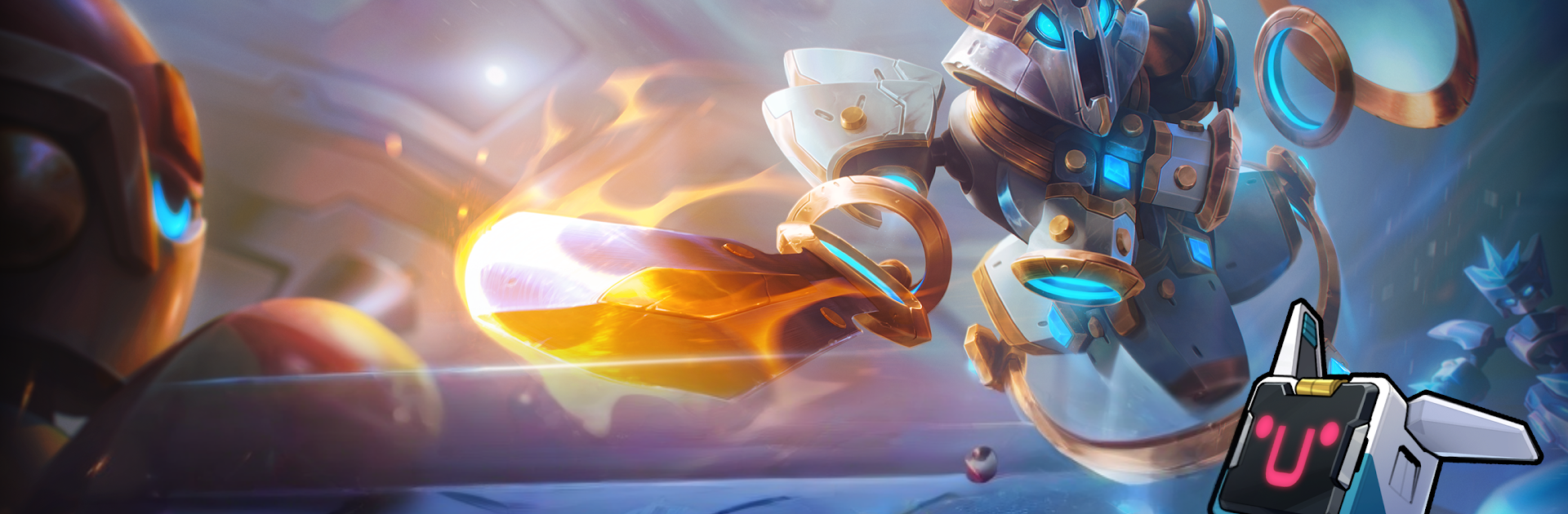
Mybots – Clash Cards Battle mixes tactical card play with scrappy robot brawls. Build a deck, assemble bots from swappable parts, and throw down in tight 3v3 arenas. Made by Comadran Studios SLU, this Strategy game rewards timing, placement, and clever combos, and it feels great on BlueStacks if you like playing on PC.

Game Features

  • 3v3 Tactics — Command a trio of bots and outthink squads in fast, card-driven clashes where timing and positioning decide everything.
  • Deck-Building Depth — Craft a deck that fits your style, from burst damage and crowd control to clutch saves and counterplays.
  • Mix-and-Match Bots — Interchangeable parts let you tune abilities and stats, so your lineup actually plays the way you picture it.
  • Meaningful Progress — Upgrade pieces and strengthen your setup match after match to keep pace with tougher opponents.
  • Hunter Mode — A laid-back proving ground that teaches the ropes while still throwing in targets and rewards to chase.
  • MyTrophy Road — Climb a trophy track, face stronger rivals, and unlock goodies as your skills and deck evolve.
  • Mayhem League — A wild Battle Royale spin where chaos rules and the last bot standing gets the bragging rights.
  • Daily/Weekly Goals — Quick missions that nudge you to try new ideas and keep your resources flowing.
  • Battlepass Rewards — A seasonal track with exclusive items and bonuses for players who want extra goodies.
  • Personal Flair — Show off with Myfighters and Card Backs to give your bots and cards a look that’s unmistakably yours.
  • PC-Friendly via BlueStacks — Prefer a bigger screen and keyboard controls? It runs smoothly there too.

Make your gaming sessions memorable with precise controls that give you an edge in close combats and visuals that pop up, bringing every character to life.


Game Features

Enhancements

  • Macros
  • Multi Instance
  • Multi Instance Sync
  • Eco Mode
  • Enhancements
Macros

Macros

Skip the boring parts of a game. Play Mybots - Clash Cards Battle with Macros and get the edge. Simply record a sequence of commands and execute them at any moment.
Multi Instance

Multi Instance

Why limit to one game on your phone when you can play many on your PC? Open multiple instances of Mybots - Clash Cards Battle at once with Multi-Instance. Leverage the power of different accounts by doing more.
Multi Instance Sync

Multi Instance Sync

Get the best out of Mybots - Clash Cards Battle with Multi-Instance Sync. Play the game from different accounts and build your own empire. Use Multi-instance sync to repeat the action in the main BlueStacks instance on all other instances.
Eco Mode

Eco Mode

Find the rarest heroes by making multiple summons in Mybots - Clash Cards Battle. And while you are at it, reduce your PC’s resource consumption with the Eco Mode. Farm efficiently. Get the best results.
Read More

How to Download and Play Mybots - Clash Cards Battle on PC or Mac

  • Download and install BlueStacks on your PC or Mac

  • Complete Google sign-in to access the Play Store, or do it later

  • Look for Mybots - Clash Cards Battle in the search bar at the top right corner

  • Click to install Mybots - Clash Cards Battle from the search results

  • Complete Google sign-in (if you skipped step 2) to install Mybots - Clash Cards Battle

  • Click the Mybots - Clash Cards Battle icon on the home screen to start playing

video
Watch Video

Minimum System Requirements

With BlueStacks 5, you can get started on a PC that fulfills the following requirements.

  • Operating System

    Microsoft Windows 7 or above, macOS 11 (Big Sur) or above

  • Processor

    Intel, AMD or Apple Silicon Processor

  • RAM

    at least 4GB

  • HDD

    10GB Free Disk Space

Note:

* You must be an Administrator on your PC. Up to date graphics drivers from Microsoft or the chipset vendor.

Mybots - Clash Cards Battle - FAQs

  • How to play Mybots - Clash Cards Battle on Windows PC & Mac?

    Play Mybots - Clash Cards Battle on your PC or Mac by following these simple steps.

    • Click on 'Play Mybots - Clash Cards Battle on PC’ to download BlueStacks
    • Install it and log-in to Google Play Store
    • Launch and play the game.
  • Why is BlueStacks the fastest and safest platform to play games on PC?

    BlueStacks respects your privacy and is always safe and secure to use. It does not carry any malware, spyware, or any sort of additional software that could harm your PC.

    It is engineered to optimize speed and performance for a seamless gaming experience.

  • What are Mybots - Clash Cards Battle PC requirements?

    Minimum requirement to run Mybots - Clash Cards Battle on your PC

    • OS: Microsoft Windows 7 or above MacOS 11 (Big Sur) or above
    • Processor: Intel, AMD or Apple Silicon Processor
    • RAM: Your PC must have at least 4GB of RAM. (Note that having 4GB or more disk space is not a substitute for RAM)
    • HDD: 10GB Free Disk Space.
    • You must be an Administrator on your PC.