Ninety Nine Nights in Forest

Ninety Nine Nights in Forest

Strategy

| Gamer Hub

Play on PC with BlueStacks or from our cloud

  • Overview
  • Game Features
  • How to Play

Page Modified On: November 03, 2025

Play Ninety Nine Nights in Forest on PC or Mac

From the innovators and creators at Gamer Hub, Ninety Nine Nights in Forest is another fun addition to the World of Strategy games. Go beyond your mobile screen and play it bigger and better on your PC or Mac. An immersive experience awaits you.

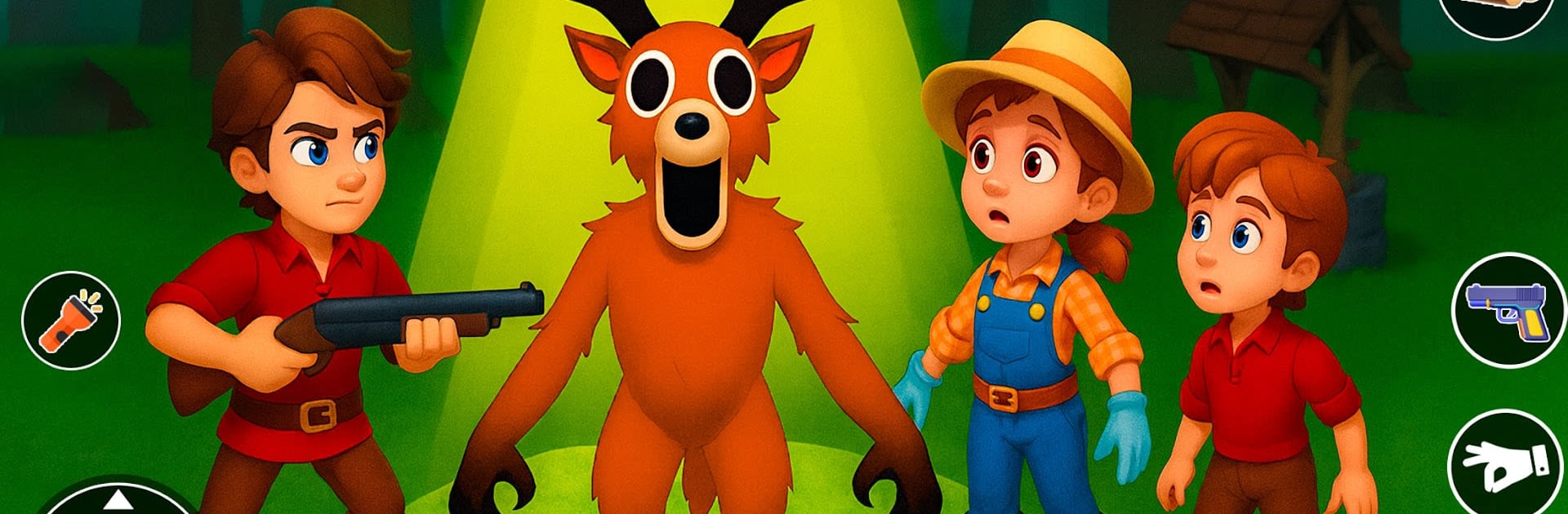
Ninety Nine Nights in Forest drops the player into a moody, foggy woodland and basically says survive. The days feel short, the nights feel long, and there is always something rustling right outside the torchlight. It is a loop of roaming for resources, crafting gear, and deciding when to push deeper for shinier rewards versus heading back before the strange things wake up. Combat is simple to read but tense, with creatures that hit hard if the player gets greedy. The forest is packed with little secrets, hidden stash spots, and routes that only make sense after a few runs. Every choice has that small risk attached, like picking a fight for materials and ending up limping into the next night.

Progress comes from unlocking new characters and abilities, so runs start to feel different. One hero suits aggressive play, another feels safer for methodical players who like to build up slowly. Upgrading items matters because better tools mean faster gathering and less time spent exposed. There is a competitive angle with rankings against friends and other players, which nudges smarter routing and cleaner nights. On PC through BlueStacks, mouse clicks make crafting and inventory juggling quick, and key bindings help with swapping tools during panic moments. The larger screen makes spotting chests and odd tracks easier, and the game runs smooth enough that fights feel fair. It is moody without being miserable, challenging without feeling cheap, and that 99 nights idea gives a clear goal while still letting the player wander and poke at the forest’s weird little corners.

Slay your opponents with your epic moves. Play it your way on BlueStacks and dominate the battlefield.


Game Features

Enhancements

  • Macros
  • Multi Instance
  • Multi Instance Sync
  • Eco Mode
  • Enhancements
Macros

Macros

Skip the boring parts of a game. Play Ninety Nine Nights in Forest with Macros and get the edge. Simply record a sequence of commands and execute them at any moment.
Multi Instance

Multi Instance

Why limit to one game on your phone when you can play many on your PC? Open multiple instances of Ninety Nine Nights in Forest at once with Multi-Instance. Leverage the power of different accounts by doing more.
Multi Instance Sync

Multi Instance Sync

Get the best out of Ninety Nine Nights in Forest with Multi-Instance Sync. Play the game from different accounts and build your own empire. Use Multi-instance sync to repeat the action in the main BlueStacks instance on all other instances.
Eco Mode

Eco Mode

Find the rarest heroes by making multiple summons in Ninety Nine Nights in Forest. And while you are at it, reduce your PC’s resource consumption with the Eco Mode. Farm efficiently. Get the best results.
Read More

How to Download and Play Ninety Nine Nights in Forest on PC or Mac

  • Download and install BlueStacks on your PC or Mac

  • Complete Google sign-in to access the Play Store, or do it later

  • Look for Ninety Nine Nights in Forest in the search bar at the top right corner

  • Click to install Ninety Nine Nights in Forest from the search results

  • Complete Google sign-in (if you skipped step 2) to install Ninety Nine Nights in Forest

  • Click the Ninety Nine Nights in Forest icon on the home screen to start playing

video
Watch Video

Minimum System Requirements

With BlueStacks 5, you can get started on a PC that fulfills the following requirements.

  • Operating System

    Microsoft Windows 7 or above, macOS 11 (Big Sur) or above

  • Processor

    Intel, AMD or Apple Silicon Processor

  • RAM

    at least 4GB

  • HDD

    10GB Free Disk Space

Note:

* You must be an Administrator on your PC. Up to date graphics drivers from Microsoft or the chipset vendor.

Ninety Nine Nights in Forest - FAQs

  • How to play Ninety Nine Nights in Forest on Windows PC & Mac?

    Play Ninety Nine Nights in Forest on your PC or Mac by following these simple steps.

    • Click on 'Play Ninety Nine Nights in Forest on PC’ to download BlueStacks
    • Install it and log-in to Google Play Store
    • Launch and play the game.
  • Why is BlueStacks the fastest and safest platform to play games on PC?

    BlueStacks respects your privacy and is always safe and secure to use. It does not carry any malware, spyware, or any sort of additional software that could harm your PC.

    It is engineered to optimize speed and performance for a seamless gaming experience.

  • What are Ninety Nine Nights in Forest PC requirements?

    Minimum requirement to run Ninety Nine Nights in Forest on your PC

    • OS: Microsoft Windows 7 or above MacOS 11 (Big Sur) or above
    • Processor: Intel, AMD or Apple Silicon Processor
    • RAM: Your PC must have at least 4GB of RAM. (Note that having 4GB or more disk space is not a substitute for RAM)
    • HDD: 10GB Free Disk Space.
    • You must be an Administrator on your PC.