PrizeMap: TCG Puzzles

PrizeMap: TCG Puzzles

Strategy

| Jerry Trosclair

Play on PC with BlueStacks or from our cloud

  • Overview
  • Game Features
  • How to Play

Page Modified On: January 06, 2026

Play PrizeMap: TCG Puzzles on PC or Mac

Explore a whole new adventure with PrizeMap: TCG Puzzles, a Strategy game created by Jerry Trosclair. Experience great gameplay with BlueStacks, the most popular gaming platform to play Android games on your PC or Mac.

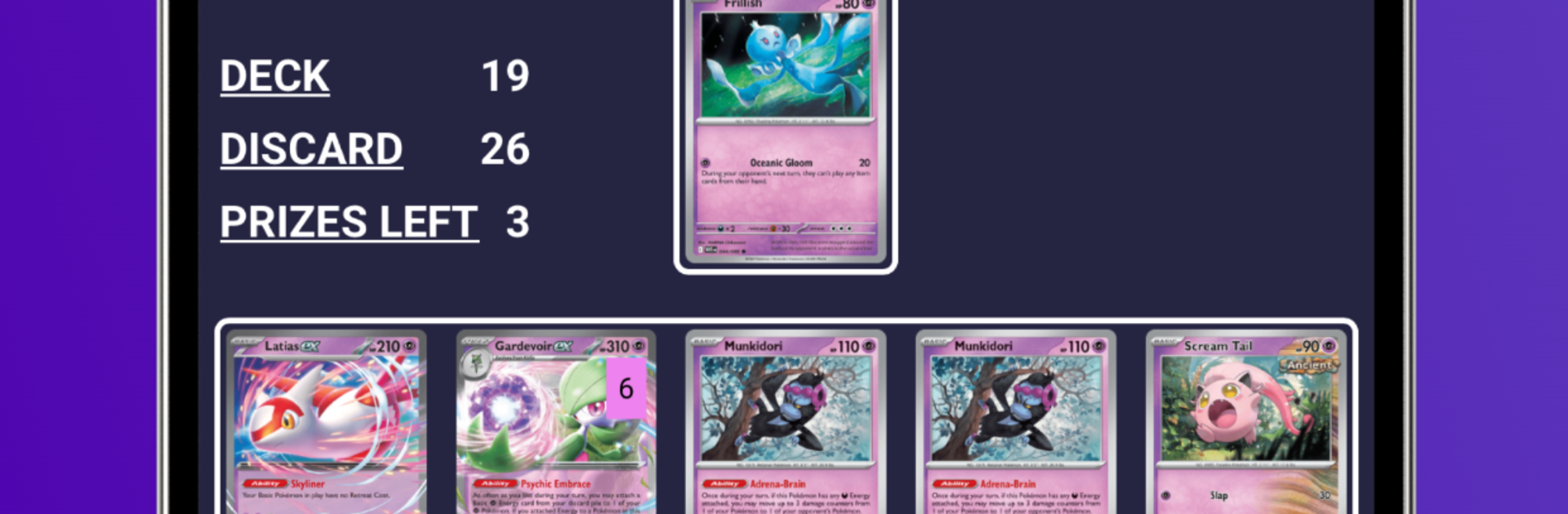
PrizeMap: TCG Puzzles is basically a brain workout for Pokemon TCG fans, built around those tricky board states that come up in real games. Think of it like mate-in-one problems from chess, only the pieces are supporters, items, abilities, and attackers. Each puzzle drops the player into a specific turn where a win is possible right now, but only if the order of plays is perfect. Sequencing matters a ton. Miss one trigger or play the wrong card first and the line falls apart, which feels tense in a good way. It rewards knowledge of decks, prize mapping, and little rules quirks that people usually overlook.

What stands out is the variety. Puzzles pull from many decks and archetypes, so players get exposed to combos they may not have seen and interactions that make the meta click. It teaches not just what to play, but when and why, which sharpens decisions without needing a full match. There is a built in creator too, so players can build their own scenarios and share them with a simple link, and the better ones can get featured for everyone. On PC through BlueStacks, it runs smooth and clean, with quick restarts and easy clicking that makes testing lines less fussy. It fits quick sessions between matches, or longer grinds when someone wants to really learn a list. Small detail, but the puzzles feel fair. Hard, yes, but not guessing games. When the solution lands, it actually makes sense, which is kind of rare and very satifying.

Make your gaming sessions memorable with precise controls that give you an edge in close combats and visuals that pop up, bringing every character to life.


Game Features

Enhancements

  • Macros
  • Multi Instance
  • Multi Instance Sync
  • Eco Mode
  • Enhancements
Macros

Macros

Skip the boring parts of a game. Play PrizeMap: TCG Puzzles with Macros and get the edge. Simply record a sequence of commands and execute them at any moment.
Multi Instance

Multi Instance

Why limit to one game on your phone when you can play many on your PC? Open multiple instances of PrizeMap: TCG Puzzles at once with Multi-Instance. Leverage the power of different accounts by doing more.
Multi Instance Sync

Multi Instance Sync

Get the best out of PrizeMap: TCG Puzzles with Multi-Instance Sync. Play the game from different accounts and build your own empire. Use Multi-instance sync to repeat the action in the main BlueStacks instance on all other instances.
Eco Mode

Eco Mode

Find the rarest heroes by making multiple summons in PrizeMap: TCG Puzzles. And while you are at it, reduce your PC’s resource consumption with the Eco Mode. Farm efficiently. Get the best results.
Read More

How to Download and Play PrizeMap: TCG Puzzles on PC or Mac

  • Download and install BlueStacks on your PC or Mac

  • Complete Google sign-in to access the Play Store, or do it later

  • Look for PrizeMap: TCG Puzzles in the search bar at the top right corner

  • Click to install PrizeMap: TCG Puzzles from the search results

  • Complete Google sign-in (if you skipped step 2) to install PrizeMap: TCG Puzzles

  • Click the PrizeMap: TCG Puzzles icon on the home screen to start playing

video
Watch Video

Minimum System Requirements

With BlueStacks 5, you can get started on a PC that fulfills the following requirements.

  • Operating System

    Microsoft Windows 7 or above, macOS 11 (Big Sur) or above

  • Processor

    Intel, AMD or Apple Silicon Processor

  • RAM

    at least 4GB

  • HDD

    10GB Free Disk Space

Note:

* You must be an Administrator on your PC. Up to date graphics drivers from Microsoft or the chipset vendor.

PrizeMap: TCG Puzzles - FAQs

  • How to play PrizeMap: TCG Puzzles on Windows PC & Mac?

    Play PrizeMap: TCG Puzzles on your PC or Mac by following these simple steps.

    • Click on 'Play PrizeMap: TCG Puzzles on PC’ to download BlueStacks
    • Install it and log-in to Google Play Store
    • Launch and play the game.
  • Why is BlueStacks the fastest and safest platform to play games on PC?

    BlueStacks respects your privacy and is always safe and secure to use. It does not carry any malware, spyware, or any sort of additional software that could harm your PC.

    It is engineered to optimize speed and performance for a seamless gaming experience.

  • What are PrizeMap: TCG Puzzles PC requirements?

    Minimum requirement to run PrizeMap: TCG Puzzles on your PC

    • OS: Microsoft Windows 7 or above MacOS 11 (Big Sur) or above
    • Processor: Intel, AMD or Apple Silicon Processor
    • RAM: Your PC must have at least 4GB of RAM. (Note that having 4GB or more disk space is not a substitute for RAM)
    • HDD: 10GB Free Disk Space.
    • You must be an Administrator on your PC.