Pup Rescue: Bee Escape

Pup Rescue: Bee Escape

Strategy

| abdullah attia

Play on PC with BlueStacks or from our cloud

  • Overview
  • Game Features
  • How to Play

Page Modified On: December 05, 2025

Play Pup Rescue: Bee Escape on PC or Mac

Step into the World of Pup Rescue: Bee Escape, a thrilling Strategy game from the house of abdullah attia. Play this Android game on BlueStacks App Player and experience immersive gaming on PC or Mac.

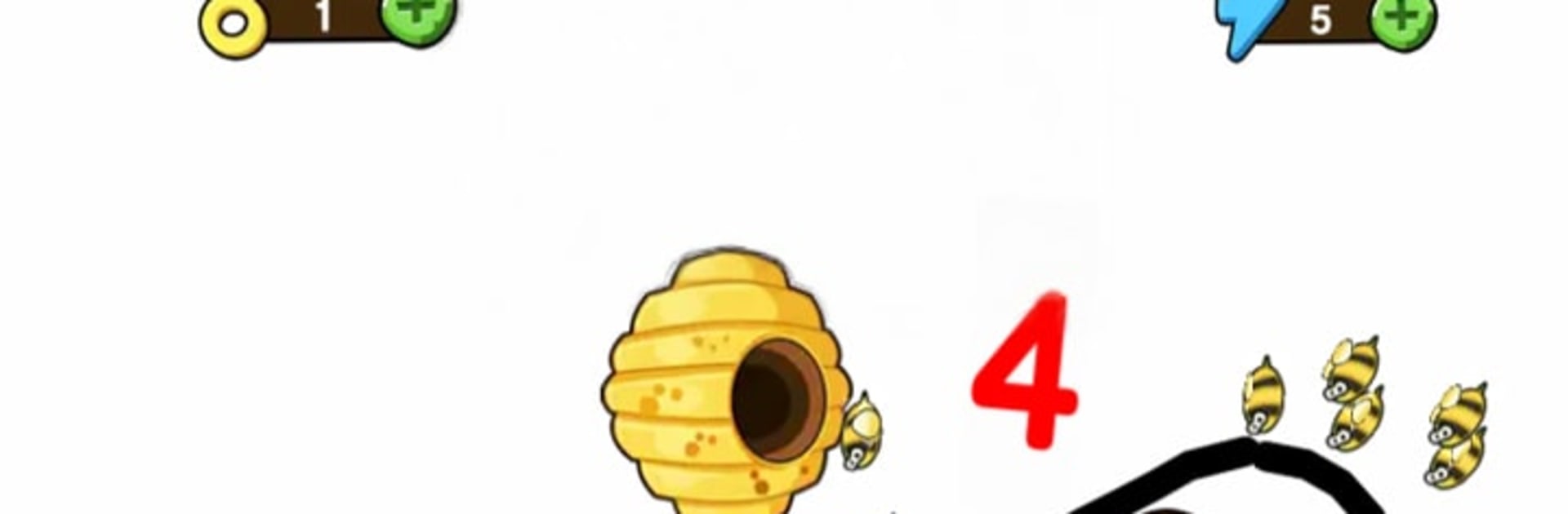
Pup Rescue: Bee Escape is a simple brain teaser with a cute hook. A little dog keeps getting swarmed by bees, and the whole trick is to draw a quick shape that blocks the buzzers until the timer runs out. Levels mix up the layouts so the angle of attack changes a lot. Some rounds want a snug little bubble, others need a weird ramp or a long hook so the pup does not slide into trouble. It feels like a doodle sandbox with a goal, and there is that small rush when a scrappy scribble actually holds and the bees bonk into it. The visuals are bright and clean, the kind that stays light even when the puzzle is stubborn. It is easy to restart and try a different idea, so it never drags.

On PC with BlueStacks, the mouse makes the drawing part feel sharper, like tracing with a pen instead of a thumb. That helps on the tighter maps where a sloppy line ruins the whole plan. Stages are quick, so it fits quick breaks or a longer session where a player keeps chasing a cleaner solution. What stands out is how open the solutions are. The game rarely forces one exact answer, it just asks for a shape that survives, which keeps it playful rather than picky. Anyone who enjoys relaxed puzzles with a little chaos and a lot of sketching will probably have a good time here.

Get ready for a buttery smooth, high-performance gaming action only on BlueStacks.

Game Features

Enhancements

  • Macros
  • Multi Instance
  • Multi Instance Sync
  • Eco Mode
  • Enhancements
Macros

Macros

Skip the boring parts of a game. Play Pup Rescue: Bee Escape with Macros and get the edge. Simply record a sequence of commands and execute them at any moment.
Multi Instance

Multi Instance

Why limit to one game on your phone when you can play many on your PC? Open multiple instances of Pup Rescue: Bee Escape at once with Multi-Instance. Leverage the power of different accounts by doing more.
Multi Instance Sync

Multi Instance Sync

Get the best out of Pup Rescue: Bee Escape with Multi-Instance Sync. Play the game from different accounts and build your own empire. Use Multi-instance sync to repeat the action in the main BlueStacks instance on all other instances.
Eco Mode

Eco Mode

Find the rarest heroes by making multiple summons in Pup Rescue: Bee Escape. And while you are at it, reduce your PC’s resource consumption with the Eco Mode. Farm efficiently. Get the best results.
Read More

How to Download and Play Pup Rescue: Bee Escape on PC or Mac

  • Download and install BlueStacks on your PC or Mac

  • Complete Google sign-in to access the Play Store, or do it later

  • Look for Pup Rescue: Bee Escape in the search bar at the top right corner

  • Click to install Pup Rescue: Bee Escape from the search results

  • Complete Google sign-in (if you skipped step 2) to install Pup Rescue: Bee Escape

  • Click the Pup Rescue: Bee Escape icon on the home screen to start playing

video
Watch Video

Minimum System Requirements

With BlueStacks 5, you can get started on a PC that fulfills the following requirements.

  • Operating System

    Microsoft Windows 7 or above, macOS 11 (Big Sur) or above

  • Processor

    Intel, AMD or Apple Silicon Processor

  • RAM

    at least 4GB

  • HDD

    10GB Free Disk Space

Note:

* You must be an Administrator on your PC. Up to date graphics drivers from Microsoft or the chipset vendor.

Pup Rescue: Bee Escape - FAQs

  • How to play Pup Rescue: Bee Escape on Windows PC & Mac?

    Play Pup Rescue: Bee Escape on your PC or Mac by following these simple steps.

    • Click on 'Play Pup Rescue: Bee Escape on PC’ to download BlueStacks
    • Install it and log-in to Google Play Store
    • Launch and play the game.
  • Why is BlueStacks the fastest and safest platform to play games on PC?

    BlueStacks respects your privacy and is always safe and secure to use. It does not carry any malware, spyware, or any sort of additional software that could harm your PC.

    It is engineered to optimize speed and performance for a seamless gaming experience.

  • What are Pup Rescue: Bee Escape PC requirements?

    Minimum requirement to run Pup Rescue: Bee Escape on your PC

    • OS: Microsoft Windows 7 or above MacOS 11 (Big Sur) or above
    • Processor: Intel, AMD or Apple Silicon Processor
    • RAM: Your PC must have at least 4GB of RAM. (Note that having 4GB or more disk space is not a substitute for RAM)
    • HDD: 10GB Free Disk Space.
    • You must be an Administrator on your PC.