
Raft
Raft

Raft

Strategy

| Naveeda developer

Play on PC with BlueStacks or from our cloud

  • Overview
  • Game Features
  • How to Play

Page Modified On: June 29, 2026

Play Raft on PC or Mac

Explore a whole new adventure with Raft, a Strategy game created by Naveeda developer. Experience great gameplay with BlueStacks, the most popular gaming platform to play Android games on your PC or Mac.

About the Game

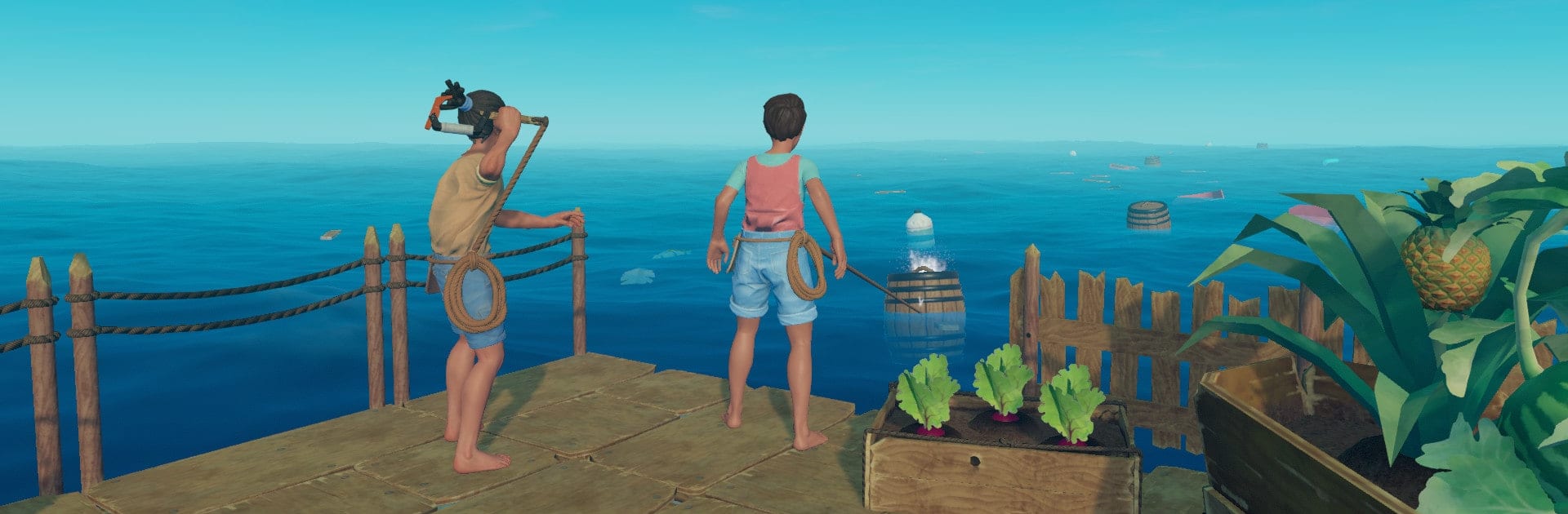
Raft drops you in the middle of a boundless ocean with a few planks, a scrappy hook, and a whole lot of grit. It’s a Strategy survival experience where every bottle, board, and barrel drifting by could be the difference between sinking and building something incredible. Go it alone or hop online with friends as you turn scraps into tools, a raft into a base, and near-disasters into stories you’ll retell. Prefer a bigger screen and keyboard controls? BlueStacks is a handy way to play on PC.

Game Features

  • Co-op or Solo: Survive on your own for that pure castaway feel, or team up online to split duties and keep the raft afloat together.
  • Hook and Haul: Toss a makeshift hook to snag floating loot—wood, plastic, barrels packed with surprises—and keep your supplies steady.
  • Craft and Research: Turn flotsam into essentials, then unlock blueprints at the research table to push your tech and comfort a step further.
  • Build Your Floating Home: Expand from a wobbly platform to a multi-story base with walls, nets, workstations, and cozy corners you’ll actually care about.
  • Chart New Routes: Raise the sail, follow signals, and reach mysterious outposts where you’ll find clues, new gear, and fresh challenges.
  • Explore Below: Drop anchor and dive reefs for metal, sand, and other rare finds—just watch your air and your surroundings.
  • Ocean Threats: Predators circle and storms roll in; keep your raft patched, your tools sharp, and your nerves steady.
  • Farm, Cook, and Stay Fed: Grow crops, care for animals, and experiment with recipes and smoothies to keep hunger and thirst off your back.
  • Fight and Fortify: Craft weapons, set defenses, and hold your ground when dangerous areas test your aim and your planning.

Start your journey now. Download the game on BlueStacks, invite your friends, and march on a new adventure.


Game Features

Enhancements

  • Macros
  • Multi Instance
  • Multi Instance Sync
  • Eco Mode
  • Enhancements
Macros

Macros

Skip the boring parts of a game. Play Raft with Macros and get the edge. Simply record a sequence of commands and execute them at any moment.
Multi Instance

Multi Instance

Why limit to one game on your phone when you can play many on your PC? Open multiple instances of Raft at once with Multi-Instance. Leverage the power of different accounts by doing more.
Multi Instance Sync

Multi Instance Sync

Get the best out of Raft with Multi-Instance Sync. Play the game from different accounts and build your own empire. Use Multi-instance sync to repeat the action in the main BlueStacks instance on all other instances.
Eco Mode

Eco Mode

Find the rarest heroes by making multiple summons in Raft. And while you are at it, reduce your PC’s resource consumption with the Eco Mode. Farm efficiently. Get the best results.
Read More

How to Download and Play Raft on PC or Mac

  • Download and install BlueStacks on your PC or Mac

  • Complete Google sign-in to access the Play Store, or do it later

  • Look for Raft in the search bar at the top right corner

  • Click to install Raft from the search results

  • Complete Google sign-in (if you skipped step 2) to install Raft

  • Click the Raft icon on the home screen to start playing

video
Watch Video

Minimum System Requirements

With BlueStacks 5, you can get started on a PC that fulfills the following requirements.

  • Operating System

    Microsoft Windows 7 or above, macOS 11 (Big Sur) or above

  • Processor

    Intel, AMD or Apple Silicon Processor

  • RAM

    at least 4GB

  • HDD

    10GB Free Disk Space

Note:

* You must be an Administrator on your PC. Up to date graphics drivers from Microsoft or the chipset vendor.

Raft - FAQs

  • How to play Raft on Windows PC & Mac?

    Play Raft on your PC or Mac by following these simple steps.

    • Click on 'Play Raft on PC’ to download BlueStacks
    • Install it and log-in to Google Play Store
    • Launch and play the game.
  • Why is BlueStacks the fastest and safest platform to play games on PC?

    BlueStacks respects your privacy and is always safe and secure to use. It does not carry any malware, spyware, or any sort of additional software that could harm your PC.

    It is engineered to optimize speed and performance for a seamless gaming experience.

  • What are Raft PC requirements?

    Minimum requirement to run Raft on your PC

    • OS: Microsoft Windows 7 or above MacOS 11 (Big Sur) or above
    • Processor: Intel, AMD or Apple Silicon Processor
    • RAM: Your PC must have at least 4GB of RAM. (Note that having 4GB or more disk space is not a substitute for RAM)
    • HDD: 10GB Free Disk Space.
    • You must be an Administrator on your PC.







