Ragdoll BMX Bone Fall Crash

Ragdoll BMX Bone Fall Crash

Strategy

| ProTech Games S.r.l

Play on PC with BlueStacks or from our cloud

  • Overview
  • Game Features
  • How to Play

Page Modified On: January 09, 2026

Play Ragdoll BMX Bone Fall Crash on PC or Mac

From the innovators and creators at ProTech Games S.r.l, Ragdoll BMX Bone Fall Crash is another fun addition to the World of Strategy games. Go beyond your mobile screen and play it bigger and better on your PC or Mac. An immersive experience awaits you.

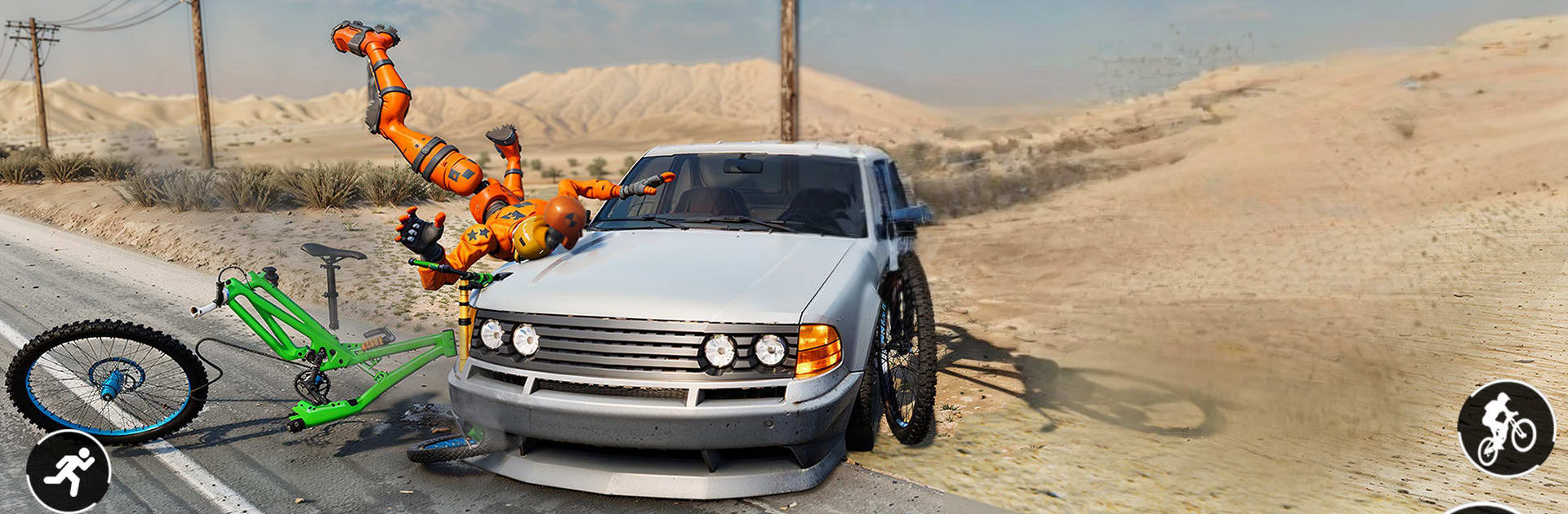
Ragdoll BMX Bone Fall Crash plays like a goofy BMX sandbox where the point is equal parts stunt and spectacular failure. A floppy rider barrels into ramps, loops, breakable boards, and the odd explosive bit, and the whole thrill is balancing speed with air control. Hit the jump, tilt for flips, try to stick the landing, then watch the body tumble if it goes wrong. The physics sell it. Crashes are wild and exaggerated, with that funny oh-no feeling that makes a restart oddly tempting rather than annoying.

As levels advance, the tracks demand cleaner timing and braver lines. Gaps get longer, obstacles get trickier, and hazards punish sloppy runs. It scores for tricks and distance so risk actually matters, but spamming buttons will just send the rider cartwheeling. There are new bikes and upgrades to squeeze out more speed and stability, which helps when a section keeps eating attempts. Visuals are bright and readable, animations look smooth, and it all feels snappy on a bigger screen. On PC with BlueStacks, simple key binds or a mapped controller make flips and midair tweaks feel more precise, and quick restarts mean the loop of launch, laugh, retry stays fast. Anyone who enjoys stunt challenges and slapstick physics, and does not mind the rider eating pavement alot, will get the joke right away.

Slay your opponents with your epic moves. Play it your way on BlueStacks and dominate the battlefield.


Game Features

Enhancements

  • Macros
  • Multi Instance
  • Multi Instance Sync
  • Eco Mode
  • Enhancements
Macros

Macros

Skip the boring parts of a game. Play Ragdoll BMX Bone Fall Crash with Macros and get the edge. Simply record a sequence of commands and execute them at any moment.
Multi Instance

Multi Instance

Why limit to one game on your phone when you can play many on your PC? Open multiple instances of Ragdoll BMX Bone Fall Crash at once with Multi-Instance. Leverage the power of different accounts by doing more.
Multi Instance Sync

Multi Instance Sync

Get the best out of Ragdoll BMX Bone Fall Crash with Multi-Instance Sync. Play the game from different accounts and build your own empire. Use Multi-instance sync to repeat the action in the main BlueStacks instance on all other instances.
Eco Mode

Eco Mode

Find the rarest heroes by making multiple summons in Ragdoll BMX Bone Fall Crash. And while you are at it, reduce your PC’s resource consumption with the Eco Mode. Farm efficiently. Get the best results.
Read More

How to Download and Play Ragdoll BMX Bone Fall Crash on PC or Mac

  • Download and install BlueStacks on your PC or Mac

  • Complete Google sign-in to access the Play Store, or do it later

  • Look for Ragdoll BMX Bone Fall Crash in the search bar at the top right corner

  • Click to install Ragdoll BMX Bone Fall Crash from the search results

  • Complete Google sign-in (if you skipped step 2) to install Ragdoll BMX Bone Fall Crash

  • Click the Ragdoll BMX Bone Fall Crash icon on the home screen to start playing

video
Watch Video

Minimum System Requirements

With BlueStacks 5, you can get started on a PC that fulfills the following requirements.

  • Operating System

    Microsoft Windows 7 or above, macOS 11 (Big Sur) or above

  • Processor

    Intel, AMD or Apple Silicon Processor

  • RAM

    at least 4GB

  • HDD

    10GB Free Disk Space

Note:

* You must be an Administrator on your PC. Up to date graphics drivers from Microsoft or the chipset vendor.

Ragdoll BMX Bone Fall Crash - FAQs

  • How to play Ragdoll BMX Bone Fall Crash on Windows PC & Mac?

    Play Ragdoll BMX Bone Fall Crash on your PC or Mac by following these simple steps.

    • Click on 'Play Ragdoll BMX Bone Fall Crash on PC’ to download BlueStacks
    • Install it and log-in to Google Play Store
    • Launch and play the game.
  • Why is BlueStacks the fastest and safest platform to play games on PC?

    BlueStacks respects your privacy and is always safe and secure to use. It does not carry any malware, spyware, or any sort of additional software that could harm your PC.

    It is engineered to optimize speed and performance for a seamless gaming experience.

  • What are Ragdoll BMX Bone Fall Crash PC requirements?

    Minimum requirement to run Ragdoll BMX Bone Fall Crash on your PC

    • OS: Microsoft Windows 7 or above MacOS 11 (Big Sur) or above
    • Processor: Intel, AMD or Apple Silicon Processor
    • RAM: Your PC must have at least 4GB of RAM. (Note that having 4GB or more disk space is not a substitute for RAM)
    • HDD: 10GB Free Disk Space.
    • You must be an Administrator on your PC.