Ramp Car Games: GT Stunts Car

Ramp Car Games: GT Stunts Car

Strategy

| Superhero Games Studios

Play on PC with BlueStacks or from our cloud

  • Overview
  • Game Features
  • How to Play

Page Modified On: July 06, 2026

Play Ramp Car Games: GT Stunts Car on PC or Mac

Bring your A-game to Ramp Car Games: GT Stunts Car, the Strategy game sensation from Superhero Games Studios. Give your gameplay the much-needed boost with precise game controls, high FPS graphics, and top-tier features on your PC or Mac with BlueStacks.

About the Game

Ramp Car Games: GT Stunts Car is all about big air, clean landings, and the sweet spot between speed and control. You’re sent up skyscraper-high ramps, through loops, and across gaps that look impossible—until you nail them. Expect quick restarts, tricky layouts, and that “one more try” pull when a perfect run feels just within reach.

Game Features

  • Sky-high stunt tracks: Tackle towering ramps, spirals, and outrageous gaps that test your nerve and your timing from the very first run.
  • Precision over panic: It’s not only about going fast—smooth throttle control, sharp braking, and smart lines turn scary jumps into clean landings.
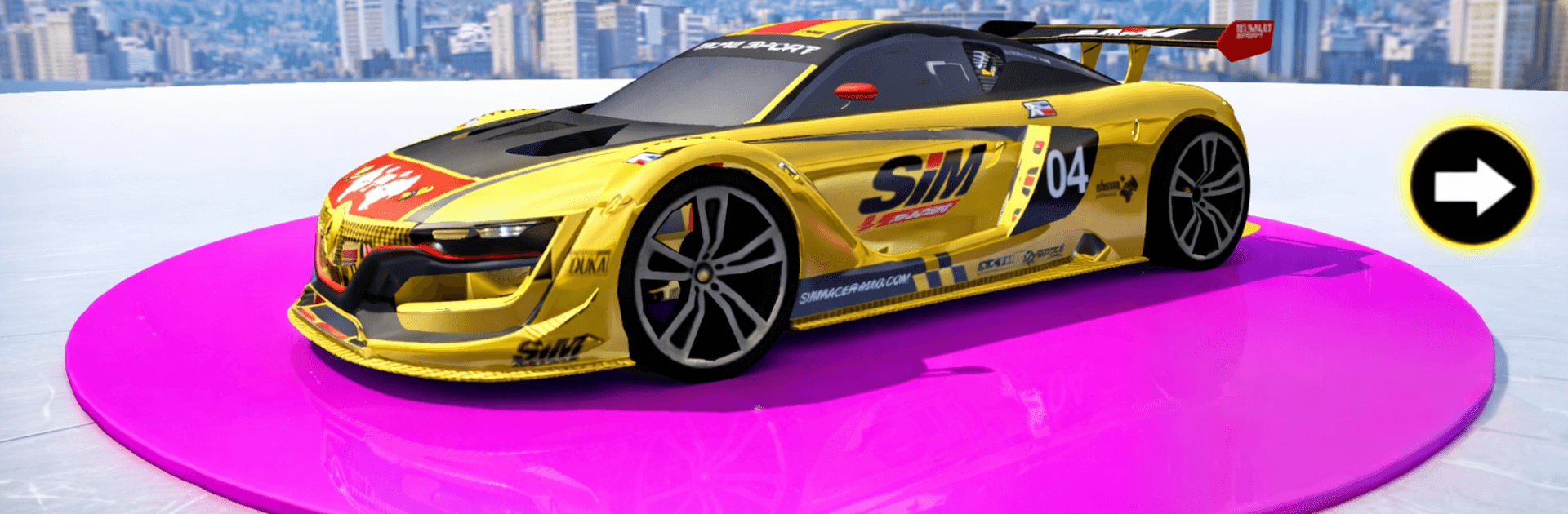
  • A garage with personality: Switch between sleek sports cars and beefy off-road beasts, each with its own handling quirks and stunt potential.
  • Clean, punchy visuals: Crisp 3D graphics and detailed tracks make every jump, flip, and near-miss easy to read at a glance.
  • Satisfying physics: Weighty cars, believable momentum, and responsive steering make even wild tricks feel earned, not canned.
  • Missions that escalate: Short, focused challenges ramp up the difficulty with tighter turns, tougher gaps, and more technical layouts.
  • Multiple camera views: Swap perspectives to line up jumps, judge distance, or just enjoy the chaos from your favorite angle.
  • Sound that sells the speed: Grunty engines and crunchy impacts amp up the tension when you’re teetering on the edge of control.
  • Play it your way: Run it on mobile, or fire it up on PC with BlueStacks if you want extra screen space and familiar controls while chasing cleaner lines.

BlueStacks gives you more room to focus on the game and less time adjusting around mobile limitations.


Game Features

Enhancements

  • Macros
  • Multi Instance
  • Multi Instance Sync
  • Eco Mode
  • Enhancements
Macros

Macros

Skip the boring parts of a game. Play Ramp Car Games: GT Stunts Car with Macros and get the edge. Simply record a sequence of commands and execute them at any moment.
Multi Instance

Multi Instance

Why limit to one game on your phone when you can play many on your PC? Open multiple instances of Ramp Car Games: GT Stunts Car at once with Multi-Instance. Leverage the power of different accounts by doing more.
Multi Instance Sync

Multi Instance Sync

Get the best out of Ramp Car Games: GT Stunts Car with Multi-Instance Sync. Play the game from different accounts and build your own empire. Use Multi-instance sync to repeat the action in the main BlueStacks instance on all other instances.
Eco Mode

Eco Mode

Find the rarest heroes by making multiple summons in Ramp Car Games: GT Stunts Car. And while you are at it, reduce your PC’s resource consumption with the Eco Mode. Farm efficiently. Get the best results.
Read More

How to Download and Play Ramp Car Games: GT Stunts Car on PC or Mac

  • Download and install BlueStacks on your PC or Mac

  • Complete Google sign-in to access the Play Store, or do it later

  • Look for Ramp Car Games: GT Stunts Car in the search bar at the top right corner

  • Click to install Ramp Car Games: GT Stunts Car from the search results

  • Complete Google sign-in (if you skipped step 2) to install Ramp Car Games: GT Stunts Car

  • Click the Ramp Car Games: GT Stunts Car icon on the home screen to start playing

video
Watch Video

Minimum System Requirements

With BlueStacks 5, you can get started on a PC that fulfills the following requirements.

  • Operating System

    Microsoft Windows 7 or above, macOS 11 (Big Sur) or above

  • Processor

    Intel, AMD or Apple Silicon Processor

  • RAM

    at least 4GB

  • HDD

    10GB Free Disk Space

Note:

* You must be an Administrator on your PC. Up to date graphics drivers from Microsoft or the chipset vendor.

Ramp Car Games: GT Stunts Car - FAQs

  • How to play Ramp Car Games: GT Stunts Car on Windows PC & Mac?

    Play Ramp Car Games: GT Stunts Car on your PC or Mac by following these simple steps.

    • Click on 'Play Ramp Car Games: GT Stunts Car on PC’ to download BlueStacks
    • Install it and log-in to Google Play Store
    • Launch and play the game.
  • Why is BlueStacks the fastest and safest platform to play games on PC?

    BlueStacks respects your privacy and is always safe and secure to use. It does not carry any malware, spyware, or any sort of additional software that could harm your PC.

    It is engineered to optimize speed and performance for a seamless gaming experience.

  • What are Ramp Car Games: GT Stunts Car PC requirements?

    Minimum requirement to run Ramp Car Games: GT Stunts Car on your PC

    • OS: Microsoft Windows 7 or above MacOS 11 (Big Sur) or above
    • Processor: Intel, AMD or Apple Silicon Processor
    • RAM: Your PC must have at least 4GB of RAM. (Note that having 4GB or more disk space is not a substitute for RAM)
    • HDD: 10GB Free Disk Space.
    • You must be an Administrator on your PC.