
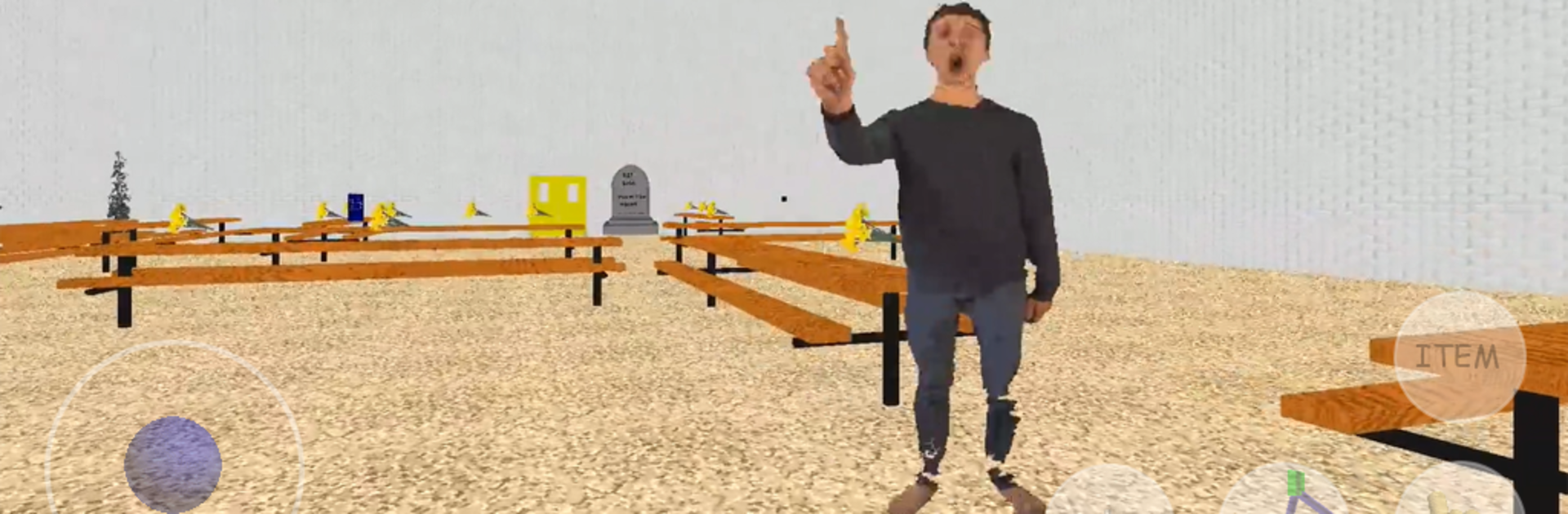
RIP Math Teacher is Dead Killed Dies Funeral Mod

RIP Math Teacher is Dead Killed Dies Funeral Mod

Strategy

| KosmoLizer

Play on PC with BlueStacks or from our cloud

  • Overview
  • Game Features
  • How to Play

Page Modified On: July 01, 2025

Play RIP Math Teacher is Dead Killed Dies Funeral Mod on PC or Mac

Explore a whole new adventure with RIP Math Teacher is Dead Killed Dies Funeral Mod, a Strategy game created by KosmoLizer. Experience great gameplay with BlueStacks, the most popular gaming platform to play Android games on your PC or Mac.

About the Game

RIP Math Teacher is Dead Killed Dies Funeral Mod isn’t your average strategy game. Get ready for a wild, offbeat journey through a school in serious mourning – your favorite math teacher, Baldi, is gone under some bizarre circumstances. Expect a mix of brain-teasing notebook hunts, mysterious events, and a bit of dark humor along the way. Whether you’re here for the twists or just to pay your respects to Baldi, this game keeps things unpredictable.

Game Features

  • Unusual Storyline
    The school’s in chaos after Baldi’s sudden “accident” with a mind-bending math problem. Feel all the drama as students wail and confusion reigns, all while you try to unravel what exactly happened.

  • Notebook Hunt
    Your mission? Track down all 7 deadly notebooks scattered in the classrooms. Each one nudges you closer to a secret finale and reveals weird clues about Baldi’s mysterious end.

  • Special Funeral Event
    Once you’ve grabbed every notebook, step into Baldi’s funeral class. Here, you’ll get a chance to “press F” to pay your respects and discover hidden moments, fittingly odd for a dearly-departed math teacher.

  • Mysterious Enemies
    It’s not just about mourning; there are strange monsters and shady figures lurking in the school halls. Watch out for these oddballs as you piece together the real story behind Baldi’s demise.

  • Alternate Endings
    Choices matter! Depending on what you do, you might just witness Baldi’s resurrection as a zombie or even see him in angelic form in a parallel universe.

  • Strategy with Surprises
    It’s definitely in the Strategy genre, but don’t expect typical gameplay. Puzzles, exploration, and a couple of wild curveballs keep you on your toes.

  • Optimized for BlueStacks
    For an extra smooth experience, especially with all these quirky features, the whole thing looks and runs great on BlueStacks.

Make your gaming sessions memorable with precise controls that give you an edge in close combats and visuals that pop up, bringing every character to life.


Game Features

Enhancements

  • Macros
  • Multi Instance
  • Multi Instance Sync
  • Eco Mode
  • Enhancements
Macros

Macros

Skip the boring parts of a game. Play RIP Math Teacher is Dead Killed Dies Funeral Mod with Macros and get the edge. Simply record a sequence of commands and execute them at any moment.
Multi Instance

Multi Instance

Why limit to one game on your phone when you can play many on your PC? Open multiple instances of RIP Math Teacher is Dead Killed Dies Funeral Mod at once with Multi-Instance. Leverage the power of different accounts by doing more.
Multi Instance Sync

Multi Instance Sync

Get the best out of RIP Math Teacher is Dead Killed Dies Funeral Mod with Multi-Instance Sync. Play the game from different accounts and build your own empire. Use Multi-instance sync to repeat the action in the main BlueStacks instance on all other instances.
Eco Mode

Eco Mode

Find the rarest heroes by making multiple summons in RIP Math Teacher is Dead Killed Dies Funeral Mod. And while you are at it, reduce your PC’s resource consumption with the Eco Mode. Farm efficiently. Get the best results.
Read More

How to Download and Play RIP Math Teacher is Dead Killed Dies Funeral Mod on PC or Mac

  • Download and install BlueStacks on your PC or Mac

  • Complete Google sign-in to access the Play Store, or do it later

  • Look for RIP Math Teacher is Dead Killed Dies Funeral Mod in the search bar at the top right corner

  • Click to install RIP Math Teacher is Dead Killed Dies Funeral Mod from the search results

  • Complete Google sign-in (if you skipped step 2) to install RIP Math Teacher is Dead Killed Dies Funeral Mod

  • Click the RIP Math Teacher is Dead Killed Dies Funeral Mod icon on the home screen to start playing

video
Watch Video

Minimum System Requirements

With BlueStacks 5, you can get started on a PC that fulfills the following requirements.

  • Operating System

    Microsoft Windows 7 or above, macOS 11 (Big Sur) or above

  • Processor

    Intel, AMD or Apple Silicon Processor

  • RAM

    at least 4GB

  • HDD

    10GB Free Disk Space

Note:

* You must be an Administrator on your PC. Up to date graphics drivers from Microsoft or the chipset vendor.

RIP Math Teacher is Dead Killed Dies Funeral Mod - FAQs

  • How to play RIP Math Teacher is Dead Killed Dies Funeral Mod on Windows PC & Mac?

    Play RIP Math Teacher is Dead Killed Dies Funeral Mod on your PC or Mac by following these simple steps.

    • Click on 'Play RIP Math Teacher is Dead Killed Dies Funeral Mod on PC’ to download BlueStacks
    • Install it and log-in to Google Play Store
    • Launch and play the game.
  • Why is BlueStacks the fastest and safest platform to play games on PC?

    BlueStacks respects your privacy and is always safe and secure to use. It does not carry any malware, spyware, or any sort of additional software that could harm your PC.

    It is engineered to optimize speed and performance for a seamless gaming experience.

  • What are RIP Math Teacher is Dead Killed Dies Funeral Mod PC requirements?

    Minimum requirement to run RIP Math Teacher is Dead Killed Dies Funeral Mod on your PC

    • OS: Microsoft Windows 7 or above MacOS 11 (Big Sur) or above
    • Processor: Intel, AMD or Apple Silicon Processor
    • RAM: Your PC must have at least 4GB of RAM. (Note that having 4GB or more disk space is not a substitute for RAM)
    • HDD: 10GB Free Disk Space.
    • You must be an Administrator on your PC.






